

EncryptFile["password",file]
用指定的密码产生文件的加密版本.
EncryptFile["password",source,target]
产生 source 的加密版本,并把结果放入 target.
EncryptFile[keyspec,source,…]
用加密密钥指定 keyspec 进行加密.
EncryptFile
EncryptFile["password",file]
用指定的密码产生文件的加密版本.
EncryptFile["password",source,target]
产生 source 的加密版本,并把结果放入 target.
EncryptFile[keyspec,source,…]
用加密密钥指定 keyspec 进行加密.
更多信息和选项
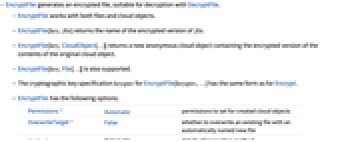
- EncryptFile 产生加密文件,适合于用 DecryptFile 进行解密.
- EncryptFile 适用于文件和云对象.
- EncryptFile[key,file] 返回 file 的加密版本的名称.
- EncryptFile[key,CloudObject[…]] 返回一个新的匿名云对象,其中含有原来云对象的内容的加密版本.
- 同时还支持 EncryptFile[key,File[…]].
- EncryptFile[keyspec,…] 的加密密钥指定 keyspec 与 Encrypt 的加密密钥指定形式相同.
- EncryptFile 有下列选项:
-
Permissions Automatic 为已创建的云对象设置的权限 OverwriteTarget False 是否用自动命名的新文件覆盖现有文件 Method Automatic 加密方法的详细信息 - EncryptFile 使用与 Encrypt 相同的 Method 选项规范.
- Permissions 的设置只影响 EncryptFile[key,CloudObject[…]] 新创建的云对象,不影响明确指定作为目标的云对象.
- 当设置为 Permissions->Automatic 时,由 $Permissions 给出权限设置.
- OverwriteTarget 的设置只影响由 EncryptFile[key,file] 新创建的、名称与现有文件冲突的文件.
范例
打开所有单元 关闭所有单元基本范例 (4)
origfile = CreateFile[];
WriteString[origfile, "Now is the time..."]
Close[origfile];encfile = EncryptFile["my password", origfile];DeleteFile[origfile]DecryptFile["my password", encfile, origfile];ReadString[origfile]DeleteFile[{origfile, encfile}]EncryptFile["my password", FindFile["ExampleData/rose.gif"], "codedrose.mx"]DecryptFile["my password", "codedrose.mx", "rose.gif"]Import["rose.gif"]DeleteFile[{"codedrose.mx", "rose.gif"}]CloudPut["Now is the time..."]EncryptFile["my password", %]DecryptFile["my password", %]CloudGet[%]CreateArchive[$InstallationDirectory <> "/Documentation/English/System/ExampleData/", "example.zip"]EncryptFile["my password", %]DeleteFile["example.zip"]DecryptFile["my password", "example.zip.mx"]ExtractArchive["example.zip"];DeleteDirectory["ExampleData", DeleteContents -> True]DeleteFile[{"example.zip", "example.zip.mx"}]范围 (2)
EncryptFile["my password", FindFile["ExampleData/rose.gif"], CloudObject[]]DecryptFile["my password", %, "newrose.gif"]Import[%]DeleteFile["newrose.gif"]key = GenerateSymmetricKey[]EncryptFile[key, FindFile["ExampleData/rose.gif"], "rose.gif.mx"]DecryptFile[key, %]DeleteFile[{"rose.gif", "rose.gif.mx"}]选项 (2)
Permissions (1)
OverwriteTarget (1)
WriteString["tmp.txt", "Now is the time..."]Close["tmp.txt"]EncryptFile["my password", "tmp.txt"]EncryptFile["my password", "tmp.txt"]设置 OverwriteTarget->True,现在 EncryptFile 可以覆盖 tmp.txt.mx:
EncryptFile["my password", "tmp.txt", OverwriteTarget -> True]DeleteFile[{"tmp.txt", "tmp.txt.mx"}]属性和关系 (2)
WriteString["tmp.txt", "Now is the time..."]EncryptFile["my password", "tmp.txt"]导入 EncryptFile 生成的文件,得到一个 EncryptedObject:
Import[%]DeleteFile[{"tmp.txt", "tmp.txt.mx"}]WriteString["tmp.txt", Range[1000]]EncryptFile["my password", "tmp.txt" ]{FileByteCount["tmp.txt"], FileByteCount["tmp.txt.mx"]}DeleteFile[{"tmp.txt", "tmp.txt.mx"}]文本
Wolfram Research (2017),EncryptFile,Wolfram 语言函数,https://reference.wolfram.com/language/ref/EncryptFile.html (更新于 2020 年).
CMS
Wolfram 语言. 2017. "EncryptFile." Wolfram 语言与系统参考资料中心. Wolfram Research. 最新版本 2020. https://reference.wolfram.com/language/ref/EncryptFile.html.
APA
Wolfram 语言. (2017). EncryptFile. Wolfram 语言与系统参考资料中心. 追溯自 https://reference.wolfram.com/language/ref/EncryptFile.html 年
BibTeX
@misc{reference.wolfram_2026_encryptfile, author="Wolfram Research", title="{EncryptFile}", year="2020", howpublished="\url{https://reference.wolfram.com/language/ref/EncryptFile.html}", note=[Accessed: 12-September-2026]}
BibLaTeX
@online{reference.wolfram_2026_encryptfile, organization={Wolfram Research}, title={EncryptFile}, year={2020}, url={https://reference.wolfram.com/language/ref/EncryptFile.html}, note=[Accessed: 12-September-2026]}