AudioStream[source]
source から新たなAudioStreamオブジェクトを作る.
AudioStream[id]
一意的な音声ストリームを表すオブジェクトである.
AudioStream
AudioStream[source]
source から新たなAudioStreamオブジェクトを作る.
AudioStream[id]
一意的な音声ストリームを表すオブジェクトである.
詳細とオプション
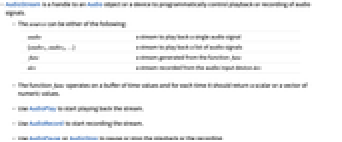
- AudioStreamは,Audioオブジェクトのハンドル,あるいはプログラムで制御される音声信号の再生または録音のデバイスである.
- source は以下のいずれでもよい.
-
audio 単一の音声信号を再生するストリーム {audio1,audio2,…} 音声信号のリストを再生するストリーム func 関数 func で生成されたストリーム dev 音声入力デバイス dev で録音されたストリーム - 関数 func は時間の値のバッファに対して動作し,毎回,スカラーあるいは数値のベクトルを返す.
- AudioPlayを使ってストリームの再生を始める.
- AudioRecordを使ってストリームの録音を始める.
- AudioPauseあるいはAudioStopを使って再生あるいは録音を一時停止したり中止したりする.
- dev は$AudioInputDevicesからの使用可能な任意の入力音声でよい.
- Audio[astream]を使って録音したストリームからAudioオブジェクトを作成する.
- 次は指定可能なオプションである.
-
AudioChannelAssignment Inherited 音声チャンネルを出力にどのように割り当てるか AudioOutputDevice Inherited 再生に使用する音声出力デバイス Looping False 再生をループするかどうか SampleRate Automatic サンプリングレート SoundVolume Automatic 音量 - 音声ストリーム astream の特性は astream["prop"]を使って入手できる.
- astream["prop"]=val で特性の値が設定できる.
- 次は,ストリームの再生に関するいくつかの特性である.
-
"AudioChannelAssignment" 音声チャンネルを出力にどのように割り当てるか "AudioOutputDevice" 再生に使用する音声出力デバイス "BufferSize" 各バッファ内のサンプル数 "CurrentAudio" 現行音声の断片 "ID" ストリームID "Looping" 再生をループするかどうか "Position" 時間Quantityとして与えられる再生位置 "SampleRate" 1秒あたりのサンプル数 "SoundVolume" 音量 "Status" ストリームのステータス - "Status"の可能な設定は,"Playing","Recording","Paused"あるいは"Stopped"である.
- 次は,AudioStream[{audio1,audio2,…}]のその他の特性である.
-
"CurrentTrack" 再生中のトラックのインデックス "Ordering" トラックの再生に使われる順序 "Duration" 現行トラックの持続時間 "Durations" 全トラックの持続時間 "TrackCount" トラック数 - 次は,AudioStream[func]のその他の特性である.
-
"Function" 生成器関数 - 次は,AudioStream[dev]のその他の特性である.
-
"AudioInputDevice" 録音に使用する音声入力デバイス "GeneratedAssetLocation" 録音した音声を保存するファイルへのパス "RecordedAudio" 録音を含むAudioオブジェクト - Join,AppendTo,AppendTo,Drop等の関数を使ってAudioStreamオブジェクトを変更することができる.
例題
すべて開く すべて閉じる例 (3)
音声オブジェクトからAudioStreamを作成する:
a = Audio["ExampleData/rule30.wav"];
s = AudioStream[a]AudioPlay[s]入力デバイスからAudioStreamオブジェクトを作る:
AudioStream[$DefaultAudioInputDevice]AudioRecord[%]AudioStop[%]関数からAudioStreamオブジェクトを作る:
s = AudioStream[Function[t, TriangleWave[200t]]]AudioStreamを再生する:
AudioPlay[s]AudioStop[s]スコープ (17)
基本的な用法 (5)
a = Audio["ExampleData/rule30.wav"];
stream1 = AudioStream[a]
stream2 = AudioStream[a]2つのストリームは独立している.片方の再生を始めて0.5秒経ってからもう片方の再生を始める:
AudioPlay[stream1];Pause[.5];AudioPlay[stream2];a = ExampleData[{"Audio", "Drums"}];
stream = AudioStream[a];
stream["Properties"]AssociationMap[stream, stream["Properties"]]a = ExampleData[{"Audio", "Drums"}];
stream = AudioStream[a]stream["Position"] = 3AudioPlay[stream]a = ExampleData[{"Audio", "Drums"}];
stream = AudioStream[a]AudioPlay[stream];
Pause[1];
stream["SoundVolume"] = .1;
Pause[1];
stream["SoundVolume"] = 1;SystemOptions["AudioProcessingOptions" -> "StreamBufferSize"]ストリームの再生 (7)
Audioオブジェクトから作成したAudioStreamの特性を調べる:
a = Audio["ExampleData/rule30.wav"];
astream = AudioStream[a]props = astream["Properties"]Table[prop -> astream[prop], {prop, props}]//ColumnAudioオブジェクトのリストからAudioStreamを作る:
audios = SpeechSynthesize /@ {1, 2, 3};
astream = AudioStream[audios]AudioPlay[astream]Audioオブジェクトのリストから作られたAudioStreamの特性を調べる:
audios = SpeechSynthesize /@ {1, 2, 3};
astream = AudioStream[audios]props = astream["Properties"]Table[prop -> astream[prop], {prop, props}]//ColumnAudioオブジェクトのリストからAudioStreamを作り,順序を指定する:
audios = SpeechSynthesize /@ {1, 2, 3};
astream = AudioStream[audios]astream["Ordering"] = OrderingBy[audios, Duration]AudioPlay[astream]AudioオブジェクトのリストからAudioStreamを作り,いくつかの特性を設定する:
audios = SpeechSynthesize /@ {1, 2, 3};
astream = AudioStream[audios]"CurrentTrack"特性を変えてAudioStreamを再生する:
astream["CurrentTrack"] = 2AudioPlay[astream]音声ストリームはAppendを使って抽出できる.2つの音声信号からなる音声ストリームを生成する:
stream = AudioStream[SpeechSynthesize /@ {"Hello.", "How are you?"}]a = SpeechSynthesize["Goodbye!"];res = Append[stream, a]res["TrackCount"]AudioPlay[res];音声ストリームは組み合せることができる.2つの音声ストリームを生成する:
stream1 = AudioStream[SpeechSynthesize /@ {"Hello.", "How are you?"}]stream2 = AudioStream[SpeechSynthesize[#, "Karen"]& /@ {"I'm fine.", "Thank you!"}]res = Join[stream1, stream2]res["TrackCount"]AudioPlay[res];ジェネレータストリーム (4)
関数から作られたAudioStreamの特性を調べる:
astream = AudioStream[Function[t, TriangleWave[200t]]]props = astream["Properties"]Table[prop -> astream[prop], {prop, props}]//ColumnAudioStreamを関数から作り,生成された信号を録音する:
s = AudioStream[Function[t, TriangleWave[200t]]];
AudioRecord[s]AudioStop[s]Audio[s]//Normal深さ2の配列を返す関数では,最初の次元はチャンネル数であると解釈される:
s = AudioStream[Function[t, {TriangleWave[200t], TriangleWave[250t]}]];
AudioPlay[s]AudioStop[s]関数からAudioStreamを作る:
s = AudioStream[Function[t, TriangleWave[200t]]];
AudioPlay[s]s["Function"] = Function[t, .5Tanh[100Sin[300 * 2.Pit]]]AudioStop[s]入力ストリーム (1)
入力デバイスから作られたAudioStreamの特性を調べる:
astream = AudioStream[$DefaultAudioInputDevice]props = astream["Properties"]Table[prop -> astream[prop], {prop, props}]//Columnオプション (6)
AudioChannelAssignment (1)
デフォルトで,AudioChannelAssignmentは対応するAudioオブジェクトから継承される:
a = Audio["ExampleData/rule30.wav", AudioChannelAssignment -> {1, 2}];
astream = AudioStream[a];AudioChannelAssignment /. Options[a]astream["AudioChannelAssignment"]AudioStreamを別のチャンネルに割り当てることも可能である:
astream = AudioStream[a, AudioChannelAssignment -> {2}];astream["AudioChannelAssignment"]もとの音声オブジェクトのチャンネル割当ては変わらない点に注意のこと:
AudioChannelAssignment /. Options[a]AudioOutputDevice (1)
デフォルトで,AudioOutputDeviceは対応するAudioオブジェクトから継承される:
a = Audio["ExampleData/rule30.wav", AudioOutputDevice -> $DefaultAudioOutputDevice];
astream = AudioStream[a];AudioOutputDevice /. Options[a]astream["AudioOutputDevice"]AudioOutputDeviceオプションを使ってAudioStreamを別のデバイスに設定することも可能である:
astream = AudioStream[a, AudioOutputDevice -> $AudioOutputDevices[[2]]];AudioOutputDevice /. Options[a]astream["AudioOutputDevice"]Looping (1)
デフォルトで,Loopingは1である:
a = Audio["ExampleData/rule30.wav"];
astream = AudioStream[a];
AudioPlay[astream]astream = AudioStream[a, Looping -> 2];
AudioPlay[astream]Loopingオプションの値は整数ではなくてもよい:
astream = AudioStream[a, Looping -> 1.5];
AudioPlay[astream]SampleRate (2)
SampleRateオプションを使ってジェネレータAudioStreamのサンプルレートを制御する:
astream = AudioStream[SawtoothWave[250 * #]&, SampleRate -> 8000];
AudioPlay[astream]AudioStop[astream]SampleRateオプションを使って入力AudioStreamのサンプルレートを制御する:
astream = AudioStream[$DefaultAudioInputDevice, SampleRate -> 8000];
AudioRecord[astream]AudioStop[astream]
AudioSampleRate[Audio[astream]]SoundVolume (1)
デフォルトで,SoundVolumeは対応するAudioオブジェクトから継承される:
a = Audio["ExampleData/rule30.wav", SoundVolume -> .5];
astream = AudioStream[a];SoundVolume /. Options[a]astream["SoundVolume"]SoundVolumeオプションを使ってAudioStreamを別の音量に設定することも可能である:
astream = AudioStream[a, SoundVolume -> .1];SoundVolume /. Options[a]astream["SoundVolume"]アプリケーション (4)
With[{a = ExampleData[{"Audio", "Drums"}]},
astream = AudioStream[a];
Column@{Button[
Dynamic[astream["Status"]],
Switch[astream["Status"],
"Playing", astream["Status"] = "Paused",
"Paused" | "Stopped", astream["Status"] = "Playing"
]
],
ProgressIndicator[Dynamic[astream["Position"] / Duration[a]]
]
}]a = ExampleData[{"Audio", "Drums"}];
astream = AudioStream[a];音の大きさを水平ゲージの位置としてプロットする関数を定義する:
gauge[audio_] := HorizontalGauge[AudioMeasurements[audio, "LoudnessEBU"], {-60, 10}, GaugeMarkers -> Placed[Automatic, "DivisionCenter"], GaugeStyle -> Blue, GaugeLabels -> {"dbRMS", "Value"}, ScaleDivisions -> {5, 2}]Dynamic[gauge[astream["CurrentAudio"]]]
AudioPlay[astream];AudioStop[astream]a = ExampleData[{"Audio", "Drums"}];
astream = AudioStream[a];spectrum[audio_] := Periodogram[audio, 2000, PlotRange -> {{40, 20000}, {-80, 10}}, ScalingFunctions -> {"Log", "dB"}, Frame -> True, Axes -> False]Dynamic[spectrum[astream["CurrentAudio"]]]
AudioPlay[astream];AudioStop[astream]バイナリ操作だけを使う関数からAudioStreamを作る:
par1 = 12;par2 = 8;par3 = 4;sampleRate = 8000;
s = AudioStream[Function[time, With[{t = Round[time * sampleRate]}, Clip[t * BitAnd[BitOr[BitShiftRight[t, par1], BitShiftRight[t, par2]], BitAnd[63, BitShiftRight[t, par3]]], {0, 255}] / 255. - .5
]], SampleRate -> sampleRate];
AudioPlay[s]Column[{Slider[Dynamic[par1], {4, 20, 1}],
Slider[Dynamic[par2], {4, 20, 1}],
Slider[Dynamic[par3], {1, 6, 1}]}]AudioStop[]特性と関係 (2)
AudioPlayを使って音声ストリームを作り,再生を開始する:
a = Import["ExampleData/rule30.wav"];
AudioPlay[a]AudioRecordを使って音声ストリームを作り,録音を開始する:
AudioRecord[$DefaultAudioInputDevice]AudioStop[%]考えられる問題 (2)
音声が途切れ途切れの場合は,バッファサイズを大きくしてみるとよい:
a = Import["ExampleData/rule30.wav"];astream = AudioStream[a];astream["BufferSize"]AudioPlay[astream]astream["BufferSize"] = 10000AudioPlay[astream]入力ストリームについては,"Position"特性は設定できない:
astream = AudioStream[$DefaultAudioInputDevice];astream["Position"] = 3テキスト
Wolfram Research (2017), AudioStream, Wolfram言語関数, https://reference.wolfram.com/language/ref/AudioStream.html (2021年に更新).
CMS
Wolfram Language. 2017. "AudioStream." Wolfram Language & System Documentation Center. Wolfram Research. Last Modified 2021. https://reference.wolfram.com/language/ref/AudioStream.html.
APA
Wolfram Language. (2017). AudioStream. Wolfram Language & System Documentation Center. Retrieved from https://reference.wolfram.com/language/ref/AudioStream.html
BibTeX
@misc{reference.wolfram_2026_audiostream, author="Wolfram Research", title="{AudioStream}", year="2021", howpublished="\url{https://reference.wolfram.com/language/ref/AudioStream.html}", note=[Accessed: 10-August-2026]}
BibLaTeX
@online{reference.wolfram_2026_audiostream, organization={Wolfram Research}, title={AudioStream}, year={2021}, url={https://reference.wolfram.com/language/ref/AudioStream.html}, note=[Accessed: 10-August-2026]}