APIFunction[{"name1"type1,"name2"type2,…},fun]
表示参数为 namei 的 API,每当被调用时运行函数 fun. 函数 fun 被应用于"name1"val1,"name2"val2,…,其中 vali 是对参数的设置,解释为类型 typei.
APIFunction[{"name1"type1default1,…},fun]
当 API 被调用时,若参数值 namei 未指定,则取 defaulti.
APIFunction[params,fun,fmt]
指定应用 fun 的结果应该以格式 fmt 返回.
APIFunction[params,fun,{fmt,rform}]
指定结果应该作为形式为 rform 的响应返回.
APIFunction[params,fun,{fmt,rform,failfmt}]
指定事件失败时结果应以 failfmt 格式返回.
APIFunction
参数类型列表 »APIFunction[{"name1"type1,"name2"type2,…},fun]
表示参数为 namei 的 API,每当被调用时运行函数 fun. 函数 fun 被应用于"name1"val1,"name2"val2,…,其中 vali 是对参数的设置,解释为类型 typei.
APIFunction[{"name1"type1default1,…},fun]
当 API 被调用时,若参数值 namei 未指定,则取 defaulti.
APIFunction[params,fun,fmt]
指定应用 fun 的结果应该以格式 fmt 返回.
APIFunction[params,fun,{fmt,rform}]
指定结果应该作为形式为 rform 的响应返回.
APIFunction[params,fun,{fmt,rform,failfmt}]
指定事件失败时结果应以 failfmt 格式返回.
更多信息和选项
- CloudDeploy[APIFunction[…]] 部署 API 函数,以便可以在云端从外部调用,调用方式是使用网络 WEB 请求(比如从网页浏览器),或者使用 POST 请求.
- 在网页查询字符串或 POST 请求中,APIFunction 取参数设置 namei=stri,并转换为应用 fun 的关联中的元素 "namei"->Interpreter[typei]["stri"].
- 在 Wolfram 语言内部,APIFunction[…][assoc] 可以用来重现调用 API 函数的效果,其中参数设置在 assoc 中给出. 在这种情况下,如果有任何设置不是字符串,它们的值被直接使用,而无需类型解释.
- typei 规范的可能形式有:
-
"form" 由 Interpreter 支持的任何形式 Restricted[…], etc. 由 Interpreter 支持的任何受限形式等 Interpreter[…] 任何 Interpreter 对象 assoc 给出如何处理参数细节的关联 tfun 应用于字符串的任何函数 - 关联中的可能元素包括:
-
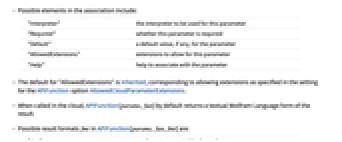
"Interpreter" 用于此参数的解释器 "Required" 是否要求此参数 "Default" 参数的默认值(如果有的话) "AllowedExtensions" 此参数所允许的扩展名 "Help" 帮助与参数关联 - "AllowedExtensions" 的默认值为 Inherited,对应于 APIFunction 选项 AllowedCloudParameterExtensions 的设置中所指定的扩展名.
- 当在云端被调用时,APIFunction[params,fun] 默认返回结果的 Wolfram 语言文本形式.
- 在 APIFunction[params,fun,fmt] 中的可能结果格式 fmt 是:
-
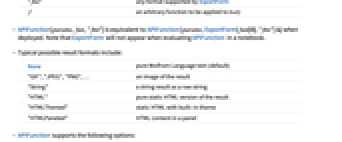
"fmt" 由 ExportForm 支持的任何格式 f 应用于 body 的任意函数 - 在部署时,APIFunction[params,fun,"fmt"] 等价于 APIFunction[params,ExportForm[fun[#],"fmt"]&]. 注意,当在笔记本中计算 APIFunction 时,ExportForm 将不会显示.
- 典型的可能结果格式包括:
-
None 纯 Wolfram 语言文本(默认) "GIF","JPEG","PNG",… 结果的图像 "String" 作为原始字符串的字符串结果 "HTML" 结果的纯 HTML 版本 "HTMLThemed" 有内置主题的静态 HTML "HTMLPaneled" 面板中的 HTML 内容 - APIFunction 支持下列选项:
-
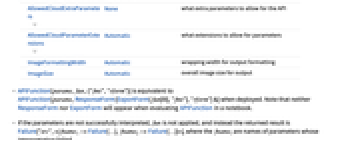
AllowedCloudExtraParameters None API 所允许的额外参数 AllowedCloudParameterExtensions Automatic 参数所允许的扩展名 ImageFormattingWidth Automatic 输出格式的封装宽度 ImageSize Automatic 输出的全局图像尺寸 - 在部署时,APIFunction[params,fun,{"fmt","rform"}] 等价于 APIFunction[params,ResponseForm[ExportForm[fun[#],"fmt"],"rform"]&]. 注意,当在笔记本中计算 APIFunction 时,ResponseForm 或 ExportForm 都不会出现.
- 如果参数没有被成功地解释,则 fun 不被应用,而返回的结果是Failure["src",<|fname1->Failure[…],fname2->Failure[…]|>],其中 fnamei 是解释失败的参数名称.
- 如果无默认值的参数缺失,则生成 Failure["MissingParameter",…].
- 如果指定了 rform,Failure[…] 表达式直接传递给响应形式,不论 fmt 是否被指定.
- 当由 APIFunction[…] 定义的 API通过网络被调用时,如果参数被成功地解释,将返回 200 HTTP 状态码,且应用 fun 的结果不是 Failure[…]. 否则返回 400 状态码.
- 在 APIFunction[params,…] 中,params 可以是 FormObject 或用作 FormFunction 中形式规范的其他形式. 与 API 不相关的形式规范的特点将被忽略. APIFunction 允许与 FormFunction 相同的选项,但忽略那些不适的选项.
- 在 APIFunction[…,fmt] 或 APIFunction[…{fmt1,…}] 中,可用字符串格式或 {"fmt",optname1optvalue1,…} 列表形式给出任意一个 fmt 表达式,其中,optnamei 是 "fmt" 格式的选项.
范例
打开所有单元 关闭所有单元基本范例 (4)
一个 API 函数,其中一个名为 x 的参数应用于 Association:
func = APIFunction[{"x" -> "Integer"}, #x + 3&];func[<|"x" -> 5|>]APIFunction[{"y" -> "Number" -> 4}, #y + 3&][<||>]使用 CloudDeploy 将 API 函数部署到 Wolfram Cloud:
func = APIFunction[{"x" -> "Integer"}, FactorInteger[#x]&];api = CloudDeploy[func]部署的 API 函数可以通过在 Web 浏览器中访问云端对象被调用,并把 ?x=value 附加到它的 URL 中:

如果调用 APIFunction 时输入数据不足,则返回 Failure:
APIFunction["x" -> "Integer", Identity][<||>]范围 (6)
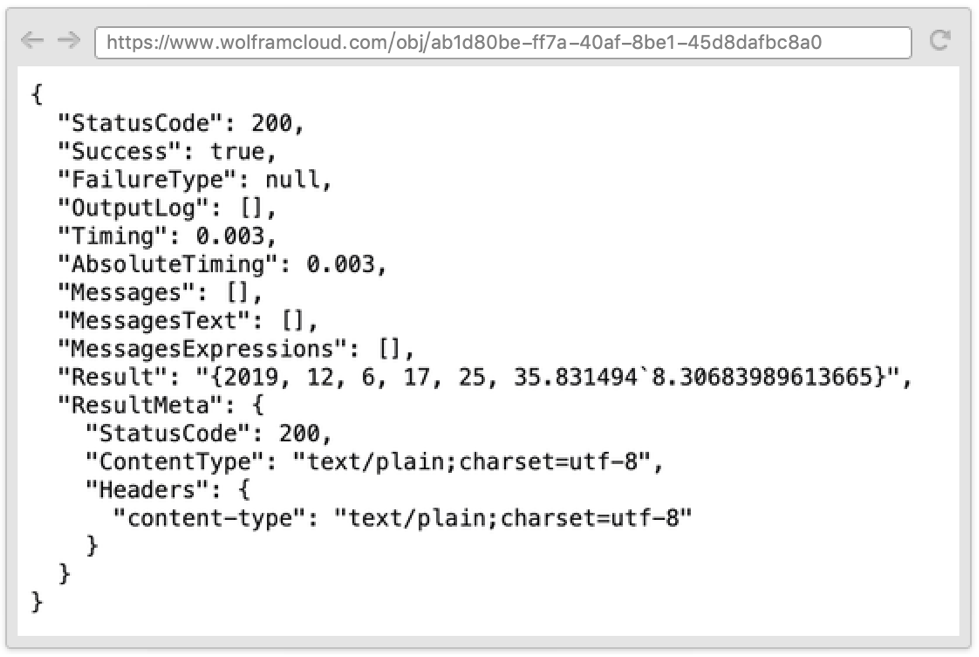
一个 API 函数,返回的计算结果是在 JSON 容器内部的 Wolfram 语言文本形式,元信息与计算有关:
CloudDeploy[APIFunction[{}, DateList[]&, {"WL", "JSON"}]]解释器规范 (1)
使用丰富的 Interpreter 规范:
api = CloudDeploy[APIFunction[{"x" -> Restricted["Integer", {1, 10}]}, func, {"WL", "JSON"}]]Lookup[
URLExecute[api, {"x" -> "100"}, "JSON"],
"Success"
]Lookup[
URLExecute[api, {"x" -> "5"}, "JSON"],
"Success"
]api = CloudDeploy[APIFunction[{"x" -> {"1", "2", "3"}}, Identity, {"WL", "JSON"}]]Lookup[
URLExecute[api, {"x" -> "5"}, "JSON"],
"Success"
]Lookup[
URLExecute[api, {"x" -> "2"}, "JSON"],
"Success"
]默认值 (4)
APIFunction[{"first" -> "String", "second" -> "Number" -> 3}, f]["first" -> "str"]APIFunction[{"first" -> "String", "second" -> <|"Interpreter" -> "Number", "Required" -> False|>}, f]["first" -> "str"]APIFunction["nullable" -> "String" -> "", StringLength[#nullable]&]["nullable" -> ""]使用 RuleDelayed 每次运算一个新的默认值:
APIFunction[{"name" -> "String", "date" -> <|"Interpreter" -> "DateTime", "Default" :> DateObject[]|>}, f][<|"name" -> "Bob", "date" -> None|>]选项 (5)
AllowedCloudExtraParameters (1)
允许 APIFunction 的调用者设置输出结果所用的格式:
api = CloudDeploy[APIFunction[{"x"}, Identity, AllowedCloudExtraParameters -> All]]URLRead[HTTPRequest[api, <|"Query" -> {"x" -> "something", "_exportform" -> "JSON"}|>], "Body"]如果 "_exportform" 参数未在调用中指定,APIFunction 将不会输出结果:
URLRead[
URLBuild[api, {"x" -> "something"}],
"Body"
]AllowedCloudParameterExtensions (2)
部署 APIFunction,接受 JSON 编码的矩阵:
api = CloudDeploy @ APIFunction[
"data" -> SquareRepeatingElement["Integer"],
Det[#data]&,
AllowedCloudParameterExtensions -> {"json"}
]URLExecute[api, {"data__json" -> "[[1, 2], [3, 4]]"}]部署 APIFunction,接受以 Wolfram 语言数据形式给出的参数:
api = CloudDeploy @ APIFunction[
"positions" -> CompoundElement[<|"city" -> "City", "country" -> "Country"|>],
GeoGraphics[{GeoMarker[#positions["city"]], Polygon[#positions["country"]]}]&,
"PNG",
AllowedCloudParameterExtensions -> {"wl"}
]URLExecute[api, {"positions__wl" -> ToString[<|"city" -> "marseille", "country" -> "italy"|>, InputForm]}]ImageFormattingWidth (1)
应用 (7)
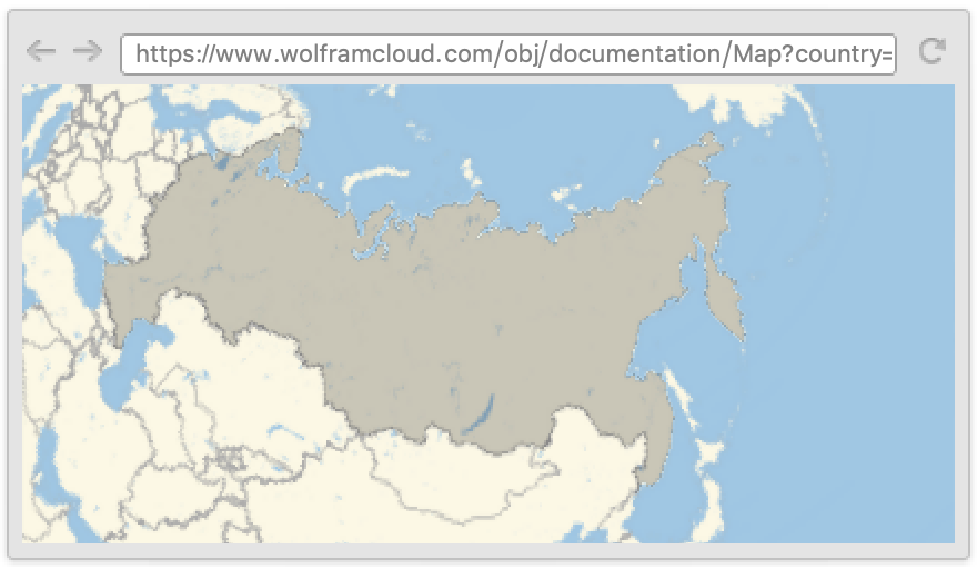
CloudDeploy[APIFunction["country" -> "Country", GeoGraphics[Polygon[#country]]&, "PNG"], "Map"]obj = CloudDeploy[APIFunction["ticker" -> "TickerSymbol", FinancialData[#ticker]&]]URLExecute[obj, {"ticker" -> "SEDG"}]CloudDeploy[APIFunction[{
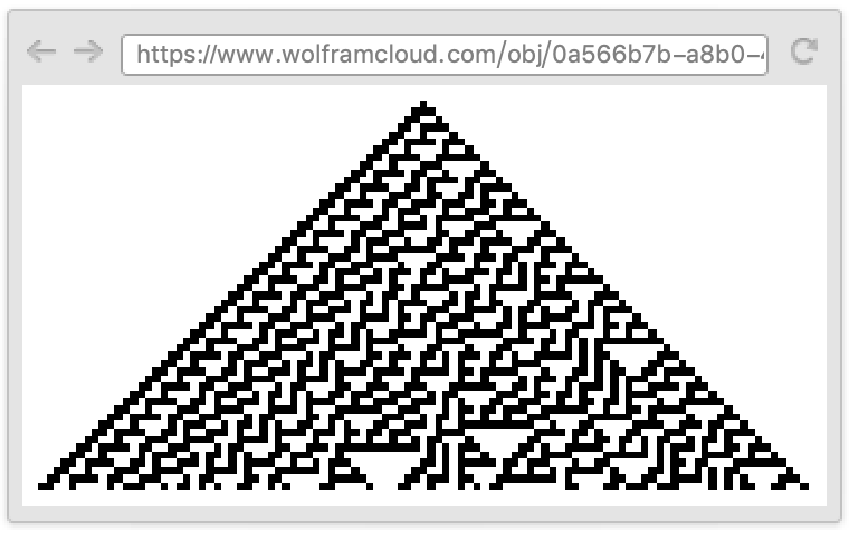
"rule" -> Restricted["Number", {0, 255, 1}] -> 30,
"step" -> Restricted["Number", {0, Infinity, 1}] -> 50
},
ArrayPlot[CellularAutomaton[#rule, {{1}, 0}, #step], Frame -> False] &,
"PNG"
]]部署 BarChart API:
obj = CloudDeploy[APIFunction[
"v" -> DelimitedSequence["Number"],
BarChart,
"PNG"
], "BarChartAPI"]URLExecute[obj, {"v" -> "1,2,3,4,5"}]部署 API 以建立并重定向到新的 FormFunction:
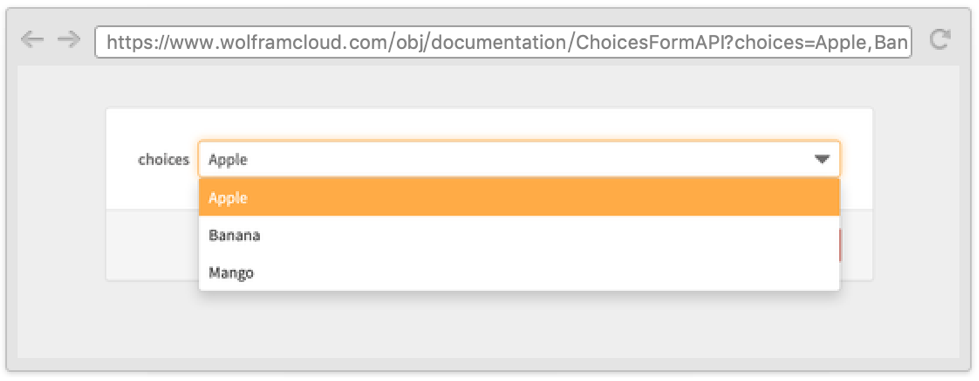
CloudDeploy[APIFunction[
"choices" -> DelimitedSequence["String"],
HTTPRedirect @ First @ CloudDeploy[FormFunction["choices" -> #choices, Identity], Permissions -> "Public"] &
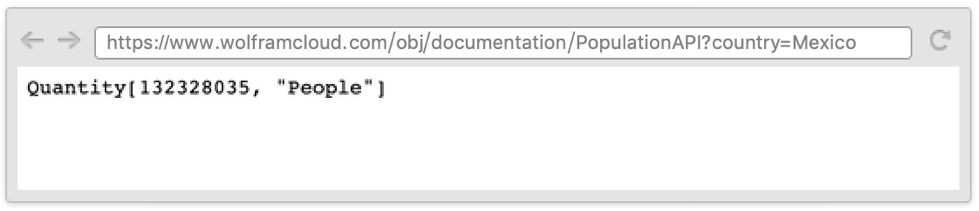
], "ChoicesFormAPI"]CloudDeploy[
APIFunction[
{"country" -> "Country", "year" -> "Integer" :> DateObject[][[1, 1]]},
EntityValue[#country, EntityProperty["Country", "Population", {"Date" -> DateObject[{#year}]}]] &
]
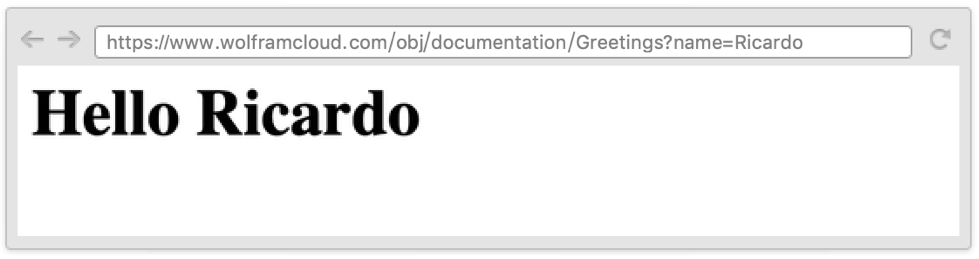
, "PopulationAPI"]CloudDeploy[
APIFunction[
{"name" -> "String"},
HTTPResponse[XMLTemplate["<h1>Hello <wolfram:slot/></h1>"][#name]] &
]
, "Greetings"]属性和关系 (9)
已部署的 API,可以从任何 HTTP 客户端(当需要时提供正确的身份验证)来访问:
obj = CloudDeploy[APIFunction[{"x" -> "Integer"}, FactorInteger[#x]&], Permissions -> "Public"]url = First[obj]URLExecute[url <> "?x=10"]APIFunction 被设计为可与 FormFunction 互换:
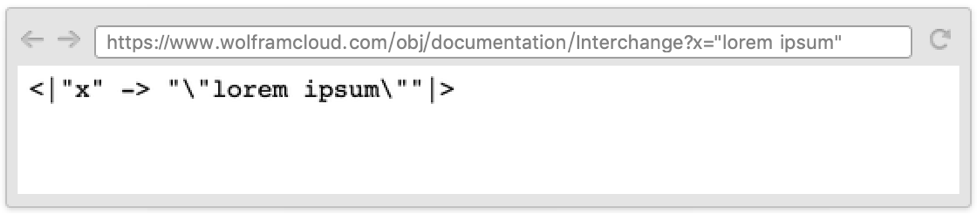
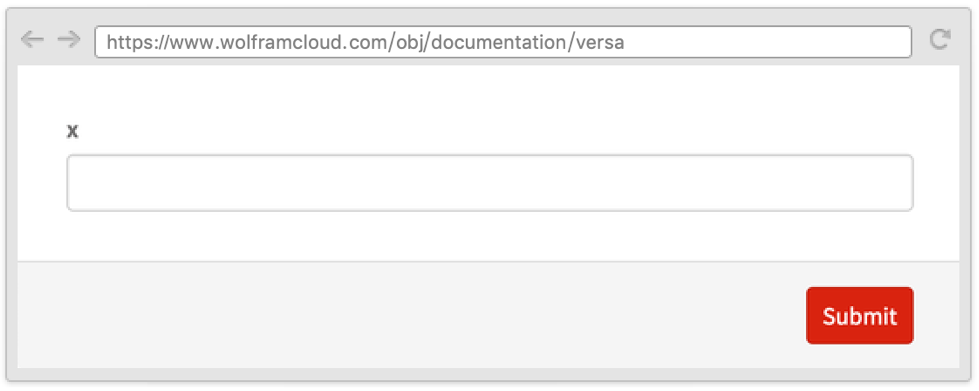
CloudDeploy[APIFunction @@ FormFunction["x" -> "String", Identity], "Interchange"]CloudDeploy[FormFunction @@ APIFunction["x" -> "String", Identity], "versa"]APIFunction 接受与 FormFunction 相同的选项,但忽略其中大部分:
CloudDeploy[APIFunction["x" -> "Integer", func, FormLayoutFunction -> Function[Row[{#["x"], Graphics3D[Sphere[]]}]]]]APIFunction 的单一字段使用 Interpreter 将输出转换为 Wolfram 语言表达式:
af1 = APIFunction["x" -> "Country", #x&]af2 = APIFunction["x" -> Interpreter["Country"], #x&]并且与直接应用 Interpreter 相同:
af1["x" -> "france"] === af2["x" -> "france"] === Interpreter["Country"]["france"]执行一个 APIFunction,其中 $EvaluationEnvironment 被设为 "WebAPI", $CloudEvaluation 被设为 True:
URLExecute[CloudDeploy[APIFunction[{}, {$EvaluationEnvironment, $CloudEvaluation}&]], "WL"]{$EvaluationEnvironment, $CloudEvaluation}CloudEvaluate 的运行环境为 "WebEvaluation":
CloudEvaluate[{$EvaluationEnvironment, $CloudEvaluation}]APIFunction 可用于根据输入参数按需进行计算. 对于不依赖任何输入参数的计算,也可以使用 Delayed:
obj1 = CloudDeploy[Delayed[DateString[], None]]URLExecute[obj1]使用 APIFunction 的等效代码:
obj2 = CloudDeploy[APIFunction[{}, Function[{}, DateString[]], None]]URLExecute[obj2]对于执行 API 函数和使用 CloudEvaluate,$CloudEvaluation 的结果都为 True:
URLExecute[CloudDeploy[APIFunction[{}, $CloudEvaluation&]]]CloudEvaluate[$CloudEvaluation]对于默认设置 IncludeDefinitionsTrue,部署 API 函数包括它依赖的所有定义:
f[x_] := x!api = CloudDeploy[APIFunction[{"x" -> "Integer"}, f[#x]&]]URLExecute[api, <|"x" -> 15|>]可能存在的问题 (4)
APIFunction[{}, DateList[]&, {"WL", "JSON"}][<||>]当手动建立一个 APIFunction 的查询,对其应用 URLEncode 很重要:
api = CloudDeploy[APIFunction[{"x" -> "MathExpression"}, #x&]]URLExecute[First[api] <> "?x=2+3"]URLExecute[First[api] <> "?x=" <> URLEncode["2+3"]]注意到调用带有规则列表的 URLExecute 将自动对查询参数进行编码:
URLExecute[api, "x" -> "2+3"]通常不会在同一 Wolfram 引擎中计算对同一 APIFunction 的多个请求,因此,定义不会在请求之间持久存在:
counterapi = CloudDeploy[APIFunction[{}, (counter = If[ValueQ[counter], counter + 1, 0];counter)&], "counterapi"]Table[URLExecute[counterapi], 10]云计算对内存使用和计算时间有限制. APIFunction 的限制取决于您的云服务计划,具体数值可通过 CloudAccountData 中的 "DeployedMemoryLimit" 和 "DeployedEvaluationTimeLimit" 查询:
CloudAccountData /@ {"DeployedMemoryLimit", "DeployedEvaluationTimeLimit"}相关的工作流程
- 部署网络 API ▪
- 从外部程序调用 Wolfram API ▪
- 部署使用权限密码的 API ▪
- 在命令行上部署并使用基于云端的 API ▪
- 构建多页表单
文本
Wolfram Research (2014),APIFunction参数类型列表 »,Wolfram 语言函数,https://reference.wolfram.com/language/ref/APIFunction.html (更新于 2017 年).
CMS
Wolfram 语言. 2014. "APIFunction参数类型列表 »." Wolfram 语言与系统参考资料中心. Wolfram Research. 最新版本 2017. https://reference.wolfram.com/language/ref/APIFunction.html.
APA
Wolfram 语言. (2014). APIFunction参数类型列表 ». Wolfram 语言与系统参考资料中心. 追溯自 https://reference.wolfram.com/language/ref/APIFunction.html 年
BibTeX
@misc{reference.wolfram_2026_apifunction参数类型列表 », author="Wolfram Research", title="{APIFunction参数类型列表 »}", year="2017", howpublished="\url{https://reference.wolfram.com/language/ref/APIFunction.html}", note=[Accessed: 09-August-2026]}
BibLaTeX
@online{reference.wolfram_2026_apifunction参数类型列表 », organization={Wolfram Research}, title={APIFunction参数类型列表 »}, year={2017}, url={https://reference.wolfram.com/language/ref/APIFunction.html}, note=[Accessed: 09-August-2026]}