DimensionReduce[{example1,example2,…}]
例 exampleiをより低次元の近似多様体に投影する.
DimensionReduce[examples,n]
n 次元空間の近似多様体に投影する.
DimensionReduce
DimensionReduce[{example1,example2,…}]
例 exampleiをより低次元の近似多様体に投影する.
DimensionReduce[examples,n]
n 次元空間の近似多様体に投影する.
詳細とオプション
- DimensionReduceは,数値,テキスト,サウンド,画像,それらの組合せを含む,さまざまなタイプのデータに使うことができる.
- 各 exampleiは,単一のデータ要素,データ要素のリスト,データ要素の連想,あるいはDatasetオブジェクトでよい.
- DimensionReduce[examples]は,多様体を近似するのに適切な次元を自動選択する.
- DimensionReduce[examples]はDimensionReduce[examples,Automatic]に等しい.
- 使用可能なオプション
-
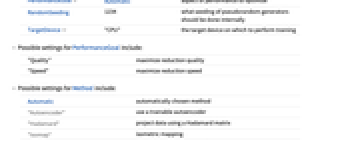
FeatureExtractor Identity 学ぶべき対象から特徴をどのように抽出するか FeatureNames Automatic exampleiの要素に割り当てる名前 FeatureTypes Automatic exampleiの要素について仮定する特徴タイプ Method Automatic 使用する削減アルゴリズム PerformanceGoal Automatic パフォーマンスのどの面について最適化するか RandomSeeding 1234 どのような擬似乱数生成器のシードを内部的に使うべきか TargetDevice "CPU" そこで訓練を行うターゲットデバイス - PerformanceGoalの可能な設定
-
"Quality" 最大削減品質 "Speed" 最大削減速度 - Methodの可能な設定
-
Automatic 自動選択されたメソッド "Autoencoder" 訓練可能な自動エンコーダを使う "Hadamard" アダマール(Hadamard)行列を使ってデータを投影 "Isomap" 等長写像 "LatentSemanticAnalysis" 潜在的意味分析メソッド "Linear" 最適な線形メソッドを自動的に選択する "LLE" 局所的線形埋込み "MultidimensionalScaling" 多次元スケーリング測度 "PrincipalComponentsAnalysis" 主成分分析メソッド "TSNE"
-分布に従う確率近傍埋込みアルゴリズム"UMAP" 一様多様体の近似と投影 (Uniform Manifold Approximation and Projection) - Method"TSNE"のときは,次のサブオプションがサポートされる.
-
"Perplexity" Automatic 使用するパープレキシティ値 "LinearPrereduction" False t-SNEアルゴリズムの実行前に簡単な線形前減数を行うかどうか - RandomSeedingの可能な設定
-
Automatic 関数が呼び出されるたびに自動的にシードを変える Inherited 外部シードの乱数を使う seed 明示的な整数または文字列をシードとして使う - DimensionReduce[…,FeatureExtractor"Minimal"]は,内部的な前処理はできる限り簡単にすべきであることを示している.
例題
すべて開く すべて閉じる例 (2)
vectors = {{1, 2, 3}, {2, 3, 5}, {3, 5, 8}, {4, 5, 8.5}};DimensionReduce[vectors]DimensionReduce[vectors, 1]DimensionReduce[{{1.4, "A"}, {1.5, "A"}, {2.3, "B"}, {5.4, "B"}}]スコープ (6)
vectors = Join[RandomReal[{0, 3}, {1000, 3}], RandomReal[{2, 5}, {1000, 3}], RandomReal[{4, 7}, {1000, 3}] ];ListPointPlot3D[vectors]ListPlot[DimensionReduce[vectors, 2]]DimensionReduce[{[image], [image], [image] , [image], [image], [image]}, 5]DimensionReduce[{"the cat is grey", "my cat is fast", "this dog is scary", "the big dog"}]DateObjectのリストの次元を削減する:
DimensionReduce[{DateObject[{2014, 5, 5, 9, 53, 6.30158}, "Instant", "Gregorian", -6.], DateObject[{2000, 1, 1, 0, 0, 0.}, "Instant", "Gregorian", -6.], DateObject[{2006, 12}, "Month", "Gregorian", -6.], DateObject[{2007, 8, 23}, "Day", "Gregorian", -6.], DateObject[{2016, 4, 4, 15, 59, 18.2738}, "Instant", "Gregorian", -4.]}]DimensionReduce[{{"the cat is grey", [image]}, {"my cat is fast", [image]}, {"this dog is scary", [image]}, {"the big dog", [image]}}]DimensionReduce[{<|"age" -> 32, "height" -> 160, "gender" -> "female"|>,
<|"height" -> 183, "age" -> 41, "gender" -> "female"|>,
<|"height" -> 123, "age" -> 30, "gender" -> "female"|>,
<|"height" -> 175, "age" -> 21, "gender" -> "male"|>,
<|"height" -> 150, "age" -> 11, "gender" -> "male"|>,
<|"age" -> 52, "height" -> 164, "gender" -> "female"|>}]オプション (6)
FeatureExtractor (1)
FeatureTypes (1)
DimensionReduce[{{1, "A"}, {2, "A"}, {2, "B"}, {1, "B"}}]最初の特徴は数値として解釈される.FeatureTypesを使って最初の特徴の名目的解釈を強制する:
DimensionReduce[{{1, "A"}, {2, "A"}, {2, "B"}, {1, "B"}}, FeatureTypes -> <|1 -> "Nominal"|>]Method (2)
t-SNEメソッドを使ってFisherのアヤメに関するデータ集合の次元を削減する:
iris = ExampleData[{"MachineLearning", "FisherIris"}, "Data"];features = DimensionReduce[iris[[All, 1]], 2, Method -> "TSNE"];byspecies = GroupBy[Thread[features -> iris[[All, 2]]], Last -> First];
ListPlot[Values[byspecies], PlotLegends -> Keys[byspecies]]features = DimensionReduce[iris[[All, 1]], 2, Method -> {"TSNE", "Perplexity" -> 100}];byspecies = GroupBy[Thread[features -> iris[[All, 2]]], Last -> First];
ListPlot[Values[byspecies], PlotLegends -> Keys[byspecies]]flowers = {[image], [image], [image], [image], [image], [image], [image], [image], [image], [image], [image], [image], [image], [image], [image], [image], [image], [image], [image], [image], [image]};reduced = DimensionReduce[flowers, 2, Method -> "Autoencoder"];ListPlot[MapThread[Labeled[#1, #2]&, {reduced, flowers}]]PerformanceGoal (1)
data = ResourceData[ResourceObject["MNIST"], "TestData"];PerformanceGoal"Quality"の設定で画像データの次元を削減し,訓練時間を測定する:
AbsoluteTiming[quality = DimensionReduce[data[[All, 1]], 2, Method -> "TSNE", PerformanceGoal -> "Quality"];]PerformanceGoal"Speed"を使って同じ操作を行う:
AbsoluteTiming[speed = DimensionReduce[data[[All, 1]], 2, Method -> "TSNE", PerformanceGoal -> "Speed"];]groupquality = GroupBy[Thread[quality -> data[[All, 2]]], Last -> First];
ListPlot[Values[groupquality], PlotLegends -> Keys[groupquality]]groupspeed = GroupBy[Thread[speed -> data[[All, 2]]], Last -> First];
ListPlot[Values[groupspeed], PlotLegends -> Keys[groupspeed]]TargetDevice (1)
システムのデフォルトGPUに完全に連結された"AutoEncoder"を使ってベクトル次元を削減し,そのAbsoluteTimingを見る:
AbsoluteTiming[DimensionReduce[RandomReal[1, {10000, 10}], Method -> {"AutoEncoder", "NetworkType" -> "FullyConnected"}, TargetDevice -> "GPU"]]この時間をデフォルトのCPU計算を使って得た時間と比較する:
AbsoluteTiming[DimensionReduce[RandomReal[1, {10000, 10}], Method -> {"AutoEncoder", "NetworkType" -> "FullyConnected"}]]アプリケーション (1)
データ集合の可視化 (1)
ExampleDataから,フィッシャー(Fisher)の「アヤメ」のデータ集合をロードする:
iris = ExampleData[{"MachineLearning", "FisherIris"}, "Data"];ExampleData[{"MachineLearning", "FisherIris"}, "LongDescription"]RandomSample[iris, 5]features = DimensionReduce[iris[[All, 1]], 2];byspecies = GroupBy[Thread[features -> iris[[All, 2]]], Last -> First];ListPlot[Values[byspecies], PlotLegends -> Keys[byspecies]]関連するガイド
-
▪
- 教師なし機械学習
テキスト
Wolfram Research (2015), DimensionReduce, Wolfram言語関数, https://reference.wolfram.com/language/ref/DimensionReduce.html (2018年に更新).
CMS
Wolfram Language. 2015. "DimensionReduce." Wolfram Language & System Documentation Center. Wolfram Research. Last Modified 2018. https://reference.wolfram.com/language/ref/DimensionReduce.html.
APA
Wolfram Language. (2015). DimensionReduce. Wolfram Language & System Documentation Center. Retrieved from https://reference.wolfram.com/language/ref/DimensionReduce.html
BibTeX
@misc{reference.wolfram_2026_dimensionreduce, author="Wolfram Research", title="{DimensionReduce}", year="2018", howpublished="\url{https://reference.wolfram.com/language/ref/DimensionReduce.html}", note=[Accessed: 14-September-2026]}
BibLaTeX
@online{reference.wolfram_2026_dimensionreduce, organization={Wolfram Research}, title={DimensionReduce}, year={2018}, url={https://reference.wolfram.com/language/ref/DimensionReduce.html}, note=[Accessed: 14-September-2026]}