EmbedCode


EmbedCode
环境列表 »更多信息和选项
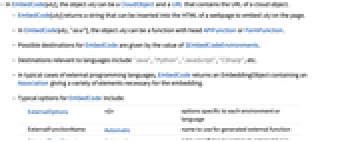
- 在 EmbedCode[obj] 中,对象 obj 可以是 CloudObject 以及包含云端对象 URL 的 URL.
- EmbedCode[obj] 返回一个能够插入网页 HTML 中的字符串,以在页面上嵌入 obj.
- 在 EmbedCode[obj,"dest"] 中,对象 obj 可以是头部为 APIFunction 或 FormFunction 的函数.
- EmbedCode 可能目标由 $EmbedCodeEnvironments 数值给出.
- 与语言相关的目标包括:"Java"、"Python"、"JavaScript"、 "CSharp" 等.
- 在外部编程语言的典型情况中,EmbedCode 返回的 EmbeddingObject 含有 Association,给出各种必要的嵌入元素.
- EmbedCode 的可能选项包括:
-
ExternalOptions <> 每个环境或者语言特定的选项 ExternalFunctionName Automatic 产生的外部函数使用的名称 ExternalTypeSignature Automatic 指定映射为外部类型的规则 ImageSize Automatic 以像素为单位的嵌入对象的尺寸 Method Automatic 使用的嵌入方法 Permissions Automatic 对于云端对象设置的权限 - 在默认设置 Permissions->Automatic 下,EmbedCode[obj] 保存云端对象 obj 的权限,并且如果创建一个新的云端对象,使用由 $Permissions 给出的权限.
- 在 Permissions 的显式设置下,EmbedCode[obj] 使用 SetOptions 改变云端对象 obj 的权限.
Wolfram Research (2014),EmbedCode,Wolfram 语言函数,https://reference.wolfram.com/language/ref/EmbedCode.html (更新于 2016 年).
文本
Wolfram Research (2014),EmbedCode,Wolfram 语言函数,https://reference.wolfram.com/language/ref/EmbedCode.html (更新于 2016 年).
CMS
Wolfram 语言. 2014. "EmbedCode." Wolfram 语言与系统参考资料中心. Wolfram Research. 最新版本 2016. https://reference.wolfram.com/language/ref/EmbedCode.html.
APA
Wolfram 语言. (2014). EmbedCode. Wolfram 语言与系统参考资料中心. 追溯自 https://reference.wolfram.com/language/ref/EmbedCode.html 年