



Parallelize
Parallelize[expr]
自动并行计算 expr.
更多信息和选项
- Parallelize[expr] 在不同的内核和处理器之间分配不同的 expr 计算部分.
- Parallelize[expr] 通常给出计算 expr 相同的结果,除了在计算中产生副作用外.
- Parallelize 有属性 HoldFirst,这样在并行之前不会计算表达式.
- 可以给出下列选项:
-
Method Automatic 并行化粒度 DistributedContexts $DistributedContexts 用于将符号分配到并行计算的上下文 ProgressReporting $ProgressReporting 是否报告计算进度 - Method 选项指定要使用的并行化方法. 可能的设置包括:
-
"CoarsestGrained" 将计算分成与可用内核数量相同的段 "FinestGrained" 将计算分成最小的子单元 "EvaluationsPerKernel"->e 将计算分成每个内核最多 e 段 "ItemsPerEvaluation"->m 将计算分成每个内核最多 m 个子单元 Automatic 在总开销和负载平衡之间的折中 - Method->"CoarsestGrained" 适用于涉及多个子单元的计算,所有子单元采用相同的时间计算. 将总开销降到最低,不提供任何负载均衡.
- Method->"FinestGrained" 适用于少量子单元的计算,子单元采用不同的时间计算. 它提高总开销,但最大化了负载均衡.
- DistributedContexts 选项指定出现在 expr 中的哪些符号在计算之前将其定义自动分发到所有可用内核.
- 设置 $DistributedContexts:=$Context,默认值为 DistributedContexts:>$DistributedContexts,该值分发当前上下文中所有符号的定义,但不分发程序包中的符号定义.
- ProgressReporting 选项指定是否报告并行计算的进度.
- 默认值为 ProgressReporting:>$ProgressReporting.
- Parallelize[f[…]] 并行运行这些对列表逐个元素进行运算的函数:Apply、AssociationMap、Cases、Count、FreeQ、KeyMap、KeySelect、KeyValueMap、Map、MapApply、MapIndexed、MapThread、Comap、AssociationComap、ComapApply、MemberQ、Pick、Scan、Select、Through.
- Parallelize[iter] 并行运行迭代器 Array、Do、Product、Sum、Table.
- Parallelize[list] 并行运行 list 中的元素.
- Parallelize[f[…]] 可以并行处理可列表函数和关联函数以及内积和外积. »
- Parallelize[cmd1;cmd2;…] 将 Parallelize 包装在每个 cmdi 周围,并依次计算它们. »
- Parallelize[s=expr] 转换为 s=Parallelize[expr].
- Parallelize[expr] 如果 expr 不属于 Parallelize 所识别的情况,则按顺序对 expr 进行计算.
并行选项
并行范围
范例
打开所有单元 关闭所有单元基本范例 (4)
Parallelize[Map[Composition[Framed, FactorInteger], {1, 11, 111, 1111, 11111, 111111}]]Parallelize[Table[Length[FactorInteger[10 ^ 50 + n]], {n, 20}]]f1[n_] := Length[FactorInteger[(10 ^ n - 1) / 9]]Parallelize[Map[f1, Range[50, 60]]]res = Parallelize[Map[PrimeQ[2 ^ # - 1]&, Range[9601, 12000]]];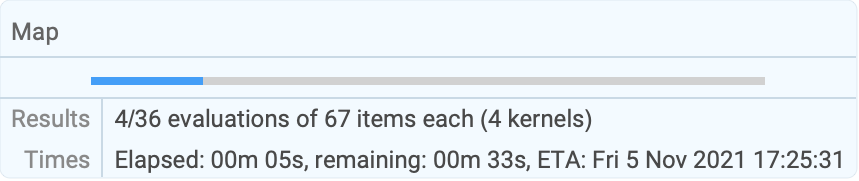
| |
范围 (23)
可列的函数 (1)
保结构函数 (8)
Parallelize[Map[f, {a, b, c, d}]]Parallelize[Scan[Print, Range[5]]]


Parallelize[MapIndexed[List, {a, b, c, d}]]Parallelize@MapIndexed[f, <|"a" -> 1, "b" -> 2|>]Parallelize[MapThread[f, {{a, b, c}, {u, v, w}}]]Parallelize[Apply[f, {{a, b, c}, {u, v, w}, {x, y}}, 1]]Parallelize[MapApply[f, {{a, b, c}, {u, v, w}, {x, y}}]]f@@@list 等价于 MapApply[f,list]:
Parallelize[f@@@{{a, b, c}, {u, v, w}, {x, y}}]Parallelize[Comap[{f, g, h}, x]]Parallelize[ComapApply[{f, g, h}, {1, 2}]]Parallelize[Through[{f, g, h}[a, b]]]Parallelize[Cases[Range[100], _ ? PrimeQ]]Parallelize[Select[Range[200!, 200! + 2000], PrimeQ]] - 200!Parallelize[Pick[{a, b, c, d}, {1, 0, 1, 1}, 1]]没有函数,Parallelize 仅简单并行计算元素:
Parallelize[{1 + 2, Sin[1.0], Print[3], $KernelID}]
化简 (4)
Parallelize[Count[Range[10 ^ 6], _ ? PrimeQ]]Parallelize[MemberQ[Array[Prime, 100], 93]]Parallelize[FreeQ[Range[10 ^ 6], 5]]该变量不一定是一个显式的 List:
Parallelize[FreeQ[foo[1, 2, 3, 4, 5], 5]]内积和外积 (2)
迭代 (3)
Parallelize[Table[i, {i, 2, 21, 2}]]Parallelize[Table[RandomReal[], {10}, {2}]]Parallelize[Array[Prime, 20]]Parallelize[Product[i, {i, 100}]]Parallelize[Sum[N[Pi ^ (1 / i), 100], {i, 100}]]Sum[Pause[1]; i, {i, 4}]//AbsoluteTimingParallelize[Sum[Pause[1]; i, {i, 4}]]//AbsoluteTimingParallelize[Count[FileNames["*.m", $InstallationDirectory, Infinity], f_ /; FileByteCount[f] > 500000]]相关函数 (1)
具有属性 Flat 的函数自动并行化:
Parallelize[a + b + c + d + e + f]Parallelize[a * b * c * d]Parallelize[LCM[1, 2, 3, 4, 5, 6]]关联函数 (4)
并行运行 AssociationMap:
Parallelize[AssociationMap[Prime, Range[10]]]并行运行 KeyMap:
Parallelize[KeyMap[Prime, AssociationMap[Identity, Range[10]]]]并行运行 KeySelect:
Parallelize[KeySelect[AssociationMap[Identity, Range[100]], PrimeQ]]并行运行 KeyValueMap:
Parallelize[KeyValueMap[List, AssociationMap[Prime, Range[20]]]]推广和延伸 (4)
Parallelize[MapThread[Labeled[Framed[f[##]], $KernelID]&, {{a, b, c}, {x, y, z}}]]Parallelize[primes = Select[Range[10 ^ 10, 10 ^ 10 + 100], PrimeQ]]Parallelize[
primes = Table[Prime[10 ^ i], {i, 11}];IntegerLength /@ primes]Parallelize[VideoGenerator[Plot[Sin[# x], {x, 0, 10}, PlotLabel -> ("Plot[Sin[a x]]
a = " <> ToString[N@#]), ImageSize -> {320, 240}]&, 5]]选项 (13)
DistributedContexts (5)
remote[x_] := {$KernelID, x ^ 3}Parallelize[Table[remote[i], {i, 4}]]local[x_] := {$KernelID, x ^ 2}Parallelize[Table[local[i], {i, 4}], DistributedContexts -> None]a`f[x_] := {$KernelID, x}
b`f[x_] := {$KernelID, -x}Parallelize[{a`f[1], b`f[1]}, DistributedContexts -> Automatic]a`g[x_] := {$KernelID, x}
b`g[x_] := {$KernelID, -x}Parallelize[{a`g[1], b`g[1]}, DistributedContexts -> {"a`"}]恢复 DistributedContexts 选项的值为默认值:
SetOptions[Parallelize, DistributedContexts :> $Context]Method (6)
Parallelize[Map[Labeled[Framed[#], $KernelID]&, Range[10]], Method -> "FinestGrained"]Parallelize[Map[Labeled[Framed[#], $KernelID]&, Range[10]], Method -> "CoarsestGrained"]Parallelize[Table[Labeled[Framed[i], $KernelID], {i, 12}], Method -> "EvaluationsPerKernel" -> 2]Parallelize[Table[Labeled[Framed[i], $KernelID], {i, 18}], Method -> "ItemsPerEvaluation" -> 5]Parallelize[Table[Labeled[Framed[i], $KernelID], {i, 20}], Method -> Automatic]Parallelize[Select[Range[4000, 5000], PrimeQ[2 ^ # - 1]&], Method -> "FinestGrained"]BinCounts[Parallelize[Map[Mod[Floor[# * Pi], 10]&, Range[10000]], Method -> "CoarsestGrained"], {0, 10}]ProgressReporting (2)
res = Parallelize[Map[PrimeQ[2 ^ # - 1]&, Range[9601, 12000]], ProgressReporting -> False];使用 Method"FinestGrained" 可得到准确度最高的进度报告:
res = Parallelize[Select[Range[9000, 10000], PrimeQ[2 ^ # - 1]&], Method -> "FinestGrained", ProgressReporting -> True];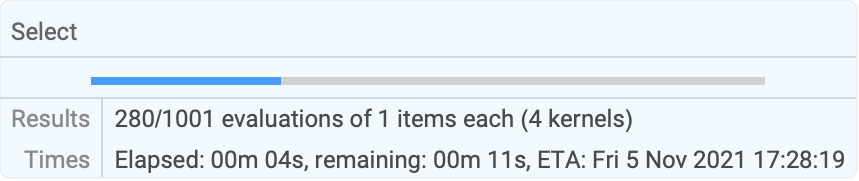
| |
应用 (4)
Parallelize[Select[Range[9000, 10000], PrimeQ[2 ^ # - 1]&], Method -> "FinestGrained"]SetSharedVariable[primes]primes = {};
Monitor[Parallelize[Scan[If[PrimeQ[2 ^ # - 1], AppendTo[primes, #]]&, Range[1000, 5000]], Method -> "FinestGrained"], primes];
primesParallelize[Table[StreamPlot[ {x^i y^j, x^jy^i}, {x, -3, 3}, {y, -3, 3}, ImageSize -> 100], {i, 2}, {j, 2}]]$TrigFunctions = {Sin, Cos, Sec, Csc, Tan, Cot, ArcSin, ArcCos, ArcSec, ArcCsc, ArcTan, ArcCot};Parallelize@Table[Plot3D[Abs[f[x + I y]], {x, -2, 2}, {y, -2, 2}, MeshFunctions -> Function@@@{{{x, y, z}, Re[f[x + I y]]}, {{x, y, z}, Im[f[x + I y]]}}, MeshShading -> {{Orange, None}, {None, Green}}, PlotLabel -> f, Ticks -> None, ImageSize -> 100], {f, $TrigFunctions}]res = Parallelize[Apply[Function[{x0, x1}, FindMinimum[Cos[x]Sin[Sqrt[10]x]Exp[-0.01x], {x, x0, x1}]], Partition[Range[0, 30, 3], 2, 1], {1}]]res[[Ordering[res, 1]]][[1]]record[k_, t_] := AppendTo[counts[[k]], t];
SetSharedFunction[record]ids = ParallelEvaluate[$KernelID];mi = Max[ids];
counts = Table[{0}, {mi}];
Dynamic[BarChart[counts[[ids]], PerformanceGoal -> "Speed", ChartLayout -> "Stacked", ChartLabels -> {ids, None}]]Parallelize[Table[Module[{t}, t = Timing[Plus@@FactorInteger[2 ^ i - 1][[All, 2]]];
record[$KernelID, t[[1]]];t[[2]]],
{i, 192, 160, -1}], Method -> "FinestGrained"]属性和关系 (7)
对于数据并行函数,Parallelize 关于 ParallelCombine 实现:
Parallelize[Select[Range[100], PrimeQ]]ParallelCombine[Select[#, PrimeQ]&, Range[100]]Parallelize[Count[Range[100], _ ? PrimeQ]]ParallelCombine[Count[#, _ ? PrimeQ]&, Range[100], Plus]AbsoluteTiming[Parallelize[Table[Pause[1];$KernelID, {8}]]]tasks = Range[0.1, 1, 0.05]sequentialTime = Total[tasks]speedup[parallelTime_] := sequentialTime / parallelTimespeedup @ First[AbsoluteTiming[Parallelize[Map[Pause, tasks]]]]最细颗粒度调度(Finest-grained scheduling)产生更好的负载平衡和更高的加速:
speedup@First[AbsoluteTiming[Parallelize[Map[Pause, tasks], Method -> "FinestGrained"]]]speedup @ First[AbsoluteTiming[Parallelize[Map[Pause, Reverse[tasks]], Method -> "FinestGrained"]]]关于从 +、–、*、/ 中选择的 ⊗,形成算术表达式 1⊗2⊗3⊗4⊗5⊗6⊗7⊗8⊗9:
form[ops_List] := StringJoin[Riffle[Range[Length[ops] + 1], ops] /. {Plus -> "+", Times -> "*", Subtract -> "-", Divide -> "/", i_Integer :> ToString[i]}]form[{Plus, Times, Plus}]ToExpression[%]zero = Parallelize[Select[Tuples[{Plus, Times, Subtract, Divide}, 8], ToExpression[form[#]] == 0&]];
Length[zero]Style[form /@ zero, 10]ftest[n_] := Labeled[Framed[PrimeQ[2 ^ n - 1]], $KernelID]Parallelize[Map[ftest, Range[1275, 1285]]]gtest[n_] := Labeled[Framed[PrimeQ[2 ^ n - 1]], $KernelID]DistributeDefinitions[gtest];Parallelize[Map[ftest, Range[1275, 1285]], DistributedContexts -> None]对于来自于程序包的函数,使用 ParallelNeeds 而不是 DistributeDefinitions:
Needs["FiniteFields`"]Table[GF[7][{3}] ^ i, {i, 7}]ParallelNeeds["FiniteFields`"]Parallelize[Table[GF[7][{3}] ^ i, {i, 7}]]ParallelEvaluate[SeedRandom[1, Method -> {"ParallelMersenneTwister", "Index" -> $KernelID}]];Join@@ParallelEvaluate[RandomReal[1, 10]]可能存在的问题 (8)
Parallelize[Integrate[1 / (x - 1), x]]
Parallelize[Map[f, {a, b, c}, 0]]
副作用(Side effects)不能用于并行映射的函数中:
primes = {};
Parallelize[Scan[If[PrimeQ[2 ^ # - 1], AppendTo[primes, #]]&, Range[1000, 4000]]];
primesSetSharedVariable[primes]primes = {};
Parallelize[Scan[If[PrimeQ[2 ^ # - 1], AppendTo[primes, #]]&, Range[1000, 4000]]];
primesCloseKernels[];Parallelize[Map[f, {a, b, c}]]
ftest[n_] := Labeled[Framed[PrimeQ[2 ^ n - 1]], $KernelID]Parallelize[Map[ftest, Range[1275, 1285]], DistributedContexts -> None]DistributeDefinitions[ftest]Parallelize[Map[ftest, Range[1275, 1285]], DistributedContexts -> None]gtest[n_] := Labeled[Framed[PrimeQ[2 ^ n - 1]], $KernelID]Parallelize[Map[gtest, Range[1275, 1285]]]ctx`gtest[n_] := Labeled[Framed[PrimeQ[2 ^ n - 1]], $KernelID]Parallelize[Map[ctx`gtest, Range[1275, 1285]]]使用 DistributeDefinitions 分配这样的定义:
DistributeDefinitions[ctx`gtest];Parallelize[Map[ctx`gtest, Range[1275, 1285]]]或者,设置 DistributedContexts 选项包括所有的上下文:
cty`gtest[n_] := Labeled[Framed[PrimeQ[2 ^ n - 1]], $KernelID]Parallelize[Map[cty`gtest, Range[1275, 1285]], DistributedContexts -> Automatic]f[i_] := {i, $KernelID}
DistributeDefinitions[f];Clear[f]Parallelize[Map[f, Range[8]]]g[i_] := {i, $KernelID}
DistributeDefinitions[g];Clear[g]Parallelize[Map[g, Range[8]], DistributedContexts -> None]ParallelEvaluate[h[i_] := {i, $KernelID}];Parallelize[Map[h, Range[8]]]$DistributedContexts 的值没有用在 Parallelize:
$DistributedContexts = None;local1[x_] := {$KernelID, x ^ 2}Parallelize[Table[local1[i], {i, 4}]]设置 Parallelize 的 DistributedContexts 选项:
SetOptions[Parallelize, DistributedContexts -> None]local2[x_] := {$KernelID, x ^ 3}Parallelize[Table[local2[i], {i, 4}]]$DistributedContexts := $ContextSetOptions[Parallelize, DistributedContexts :> $Context]AbsoluteTiming[Parallelize[Table[N[Sin[x]], {x, 0, 1000}]];]AbsoluteTiming[Table[N[Sin[x]], {x, 0, 1000}];]巧妙范例 (1)
Module[{auto = {}}, SetSharedVariable[auto];
	(* Progress *)
	PrintTemporary@Dynamic[GraphicsGrid[Partition[auto, 3, 3, 1, {}], Frame -> All, ImageSize -> 500]];
	(* Compute *)
	Parallelize[Scan[(out = Position[CellularAutomaton[{#, {2, 1}, {1, 1, 1}}, {{{{1}}}, 0}, {{{8}}}], 1];If[Length[out] > 50, AppendTo[auto, Graphics3D[{Cuboid /@ out}, Boxed -> False]]];)&, Range[2, 50, 2]]];
	(* Output *)
GraphicsGrid[Partition[auto, 3, 3, 1, {}], Frame -> All, ImageSize -> 500]]文本
Wolfram Research (2008),Parallelize,Wolfram 语言函数,https://reference.wolfram.com/language/ref/Parallelize.html (更新于 2021 年).
CMS
Wolfram 语言. 2008. "Parallelize." Wolfram 语言与系统参考资料中心. Wolfram Research. 最新版本 2021. https://reference.wolfram.com/language/ref/Parallelize.html.
APA
Wolfram 语言. (2008). Parallelize. Wolfram 语言与系统参考资料中心. 追溯自 https://reference.wolfram.com/language/ref/Parallelize.html 年