

AnnotationValue[obj,key]
オブジェクト obj について key に関連付けられた注釈の値を与える.
AnnotationValue[{obj,itemspec},key]
obj 内の itemspec で指定された項目について key に関連付けられた注釈の値を与える.
AnnotationValue
AnnotationValue[obj,key]
オブジェクト obj について key に関連付けられた注釈の値を与える.
AnnotationValue[{obj,itemspec},key]
obj 内の itemspec で指定された項目について key に関連付けられた注釈の値を与える.
詳細
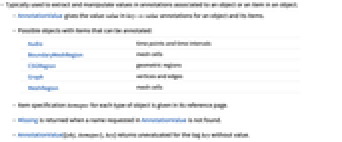
- オブジェクトまたはオブジェクト内の項目に関連付けられた注釈中の値を取り出して操作するために使われることが多い.
- AnnotationValueは,オブジェクトとその項目について,key->value という注釈の値 value を与える.
- 次は,注釈を付けられる項目を含む可能性があるオブジェクトである.
-
Audio 時点と時間間隔 BoundaryMeshRegion メッシュセル CSGRegion 幾何学領域 Graph 頂点と辺 MeshRegion メッシュセル - オブジェクトの各タイプについての項目指定 itemspec は該当する関数ページを参照のこと.
- AnnotationValueで要求された名前が見付からない場合はMissingが返される.
- AnnotationValue[{obj,itemspec},key]は,値がないタグ key については未評価で返される.
- AnnotationValue[…,key]=val を使って注釈の値を変えることができる.
例題
すべて開く すべて閉じる例 (3)
g = CompleteGraph[4, VertexLabels -> {1 -> "one"}]AnnotationValue[g, VertexLabels]AnnotationValue[{g, 1}, VertexLabels] = "two";gAnnotationValue[{g, 1}, VertexLabels]=.;gメッシュ内のセルについての内在的なMeshCellMeasure注釈を得る:
mr = MengerMesh[2]AnnotationValue[{mr, {2, 1}}, MeshCellMeasure]Audioオブジェクトについての注釈を自動的に計算する:
a = AudioAnnotate[Import["ExampleData/rule30.wav"], "Loud"];AnnotationValue[a, "Loud"]スコープ (18)
グラフとネットワーク (13)
グラフの注釈 (7)
g = CompleteGraph[4, VertexStyle -> {1 -> Blue}, VertexLabels -> {1 -> "one"}, EdgeStyle -> {12 -> Blue}, EdgeLabels -> {12 -> "hello"}]AnnotationValue[{g, 1}, {VertexStyle, VertexLabels}]AnnotationValue[{g, 12}, {EdgeStyle, EdgeLabels}]AnnotationValue[{g, 24}, {EdgeStyle, EdgeLabels}] = {Red, "bye"};gg = CompleteGraph[4, VertexStyle -> {1 -> Blue}, VertexLabels -> {1 -> "one"}, EdgeStyle -> {12 -> Blue}, EdgeLabels -> {12 -> "hello"}]AnnotationValue[{g, 1}, VertexLabels]=.;gAnnotationValue[{g, 12}, EdgeLabels]=.;gAnnotationValueは無向グラフに使うことができる:
AnnotationValue[{[image], 12}, EdgeStyle]AnnotationValue[{[image], 12}, EdgeStyle]AnnotationValue[{[image], 12}, EdgeStyle]AnnotationValue[{[image], 12}, EdgeStyle]AnnotationValue[{[image], 12}, EdgeWeight]頂点の注釈 (3)
標準的な頂点の注釈にはVertexStyleが含まれる:
g = CompleteGraph[4, VertexSize -> Small]AnnotationValue[{g, 4}, VertexStyle] = Red;gAnnotationValue[{g, 1}, VertexLabels] = "one";gAnnotationValue[{g, 1}, VertexSize] = Large;gAnnotationValue[{g, 1}, VertexShape] = [image];gAnnotationValue[{g, 2}, VertexShapeFunction] = "Square";g不可視の注釈にはVertexWeightが含まれる:
AnnotationValue[{g, 1}, VertexWeight] = 100;AnnotationValue[{g, 1}, VertexWeight]g = CompleteGraph[4];AnnotationValue[{g, 2}, "Material"] = "Wood";AnnotationValue[{g, 2}, "Material"]g = CompleteGraph[4]AnnotationValue[{g, 1}, VertexLabels] = "vertex";gAnnotationValue[{%, 1}, VertexLabels]辺の注釈 (3)
標準的な辺の注釈にはEdgeStyleが含まれる:
g = CompleteGraph[4]AnnotationValue[{g, 12}, EdgeStyle] = Brown;gAnnotationValue[{g, 12}, EdgeLabels] = 12;gAnnotationValue[{g, 34}, EdgeShapeFunction] = {"HalfFilledDoubleArrow", "ArrowSize" -> .2};g不可視の注釈にはEdgeWeightが含まれる:
AnnotationValue[{g, 12}, EdgeWeight] = 42;AnnotationValue[{g, 12}, EdgeWeight]g = CompleteGraph[4];AnnotationValue[{g, 24}, "Resistance"] = 50.;AnnotationValue[{g, 24}, "Resistance"]g = CompleteGraph[4]AnnotationValue[{g, 12}, EdgeLabels] = "edge";gAnnotationValue[{g, 12}, EdgeLabels]領域 (3)
CSGRegionから注釈を取り出す:
CSGRegion["Union", {Style[Ball[], Red], Style[Cuboid[], Blue]}]AnnotationValue[{%, {1}}, "CSGRegionStyle"]csg = CSGRegion["Union", {Ball[], Cuboid[]}]AnnotationValue[csg, "CSGRegionStyle"] = Red;csgcsg = CSGRegion["Union", {Style[Ball[], Red], Style[Cuboid[], Blue]}]AnnotationValue[{csg, {1}}, "CSGRegionStyle"]=.;csg音声 (2)
Audioオブジェクトの注釈:
a = Import["ExampleData/rule30.wav"];
a = Annotate[a, "Label" -> {.3 -> "val1", .6 -> "val2"}]AnnotationValueを使って注釈を取り出す:
AnnotationValue[a, "Label"]AudioAnnotateを使ってAudioオブジェクトに注釈を付ける:
a = Import["ExampleData/rule30.wav"];
a = AudioAnnotate[a, {"Loud", "Transients"}]AnnotationValueを使って複数の注釈を取り出す:
AnnotationValue[a, {"Loud", "Transients"}]//Columnアプリケーション (5)
Doを使っていくつかの注釈値を設定する:
g = CompleteGraph[8, VertexSize -> Medium]Do[AnnotationValue[{g, v}, VertexStyle] = StandardGray, {v, {4, 5, 6, 7, 8}}]gDo[AnnotationValue[{g, v[[1]]}, VertexStyle] = v[[2]], {v, {{1, Red}, {2, Green}, {3, Blue}, {6, Orange}}}]gTableを使って注釈値のリストを構築する:
Table[AnnotationValue[{g, v}, VertexStyle], {v, VertexList[g]}]GraphicsGrid[{Graphics[{#, Disk[]}]& /@ %}]g = CompleteGraph[5]Do[AnnotationValue[{g, e}, EdgeWeight] = RandomReal[], {e, EdgeList[g]}]Table[AnnotationValue[{g, e}, EdgeWeight], {e, EdgeList[g]}]{min, max} = {Min[#], Max[#]}&@%Do[AnnotationValue[{g, e}, EdgeStyle] = AbsoluteThickness[Rescale[AnnotationValue[{g, e}, EdgeWeight], {min, max}, {1, 4}]], {e, EdgeList[g]}]gg = CompleteGraph[5]path = {3, 4, 1, 5, 2};パスに沿った辺のスタイルと始点および終点の頂点ラベルを設定することでハイライトする:
Do[AnnotationValue[{g, e}, EdgeStyle] = Red, {e, EdgeList[PathGraph[path]]}]AnnotationValue[{g, path[[1]]}, VertexLabels] = "Start";
AnnotationValue[{g, path[[-1]]}, VertexLabels] = "End";gEdgeListが与える順に辺を動的にハイライトする:
Dynamic[g, Initialization :> (g = GridGraph[{5, 5}])]Do[AnnotationValue[{g, e}, EdgeStyle] = Directive[Thick, Blue]; Pause[0.2], {e, EdgeList[g]}]//AbsoluteTimingDynamic[g, Initialization :> (g = CompleteKaryTree[3, 3, ImageSize -> Medium, VertexSize -> Medium])]BreadthFirstScan[g, {"DiscoverVertex" -> ((AnnotationValue[{g, #}, VertexStyle] = Red;Pause[0.25]) &), "FrontierEdge" -> ((AnnotationValue[{g, #}, EdgeStyle] = Blue;Pause[0.25]) &) }];特性と関係 (5)
Annotationをラッパーとして使ってGraph等の関数内の注釈を指定する:
Graph[{Annotation[1, {VertexSize -> Medium, VertexStyle -> Red}], 2, 3}, {12, 23, 31}]AnnotationValueは,未定義の注釈については$Failedを返す:
AnnotationValue[{CompleteGraph[4], 1}, VertexWeight]AnnotationKeysを使って注釈があるかどうかを調べる:
g = CompleteGraph[4, VertexLabels -> {1 -> one, 4 -> four}]MemberQ[AnnotationKeys[{g, 1}], VertexLabels]Cases[VertexList[g], v_ /; MemberQ[AnnotationKeys[{g, v}], VertexLabels] :> v -> AnnotationValue[{g, v}, VertexLabels]]Annotateを使ってもとのグラフを変えずに注釈を設定する:
g = CompleteGraph[4]Annotate[{g, 1}, VertexSize -> Medium]gAnnotationDeleteを使ってもとのグラフを変えずに注釈を削除する:
g = CompleteGraph[4, VertexStyle -> {1 -> Red}, VertexSize -> Small]AnnotationDelete[{g, 1}, VertexStyle]g考えられる問題 (2)
AnnotationValueは,未定義の注釈については$Failedを返す:
g = CompleteGraph[4, VertexSize -> {1 -> Small}]AnnotationValue[{g, 1}, vertexSize]AnnotationKeysを使って注釈があるかどうかを調べる:
MemberQ[AnnotationKeys[{g, 1}], VertexSize]MemberQ[AnnotationKeys[{g, 1}], vertexSize]AnnotationValueは,注釈の値が存在していても$Failedを返すことがある:
g = Graph[{Annotation[1, "Result" -> $Failed], 2, 3}, {12, 23, 31}]AnnotationValue[{g, 1}, "Result"]AnnotationKeysを使って実際の注釈の値をチェックする:
MemberQ[AnnotationKeys[{g, 1}], "Result"]関連するガイド
-
▪
- グラフの構築と表現 ▪
- メッシュベースの幾何学的領域 ▪
- グラフのアノテーション ▪
- アノテーション ▪
- 音声計算
テキスト
Wolfram Research (2020), AnnotationValue, Wolfram言語関数, https://reference.wolfram.com/language/ref/AnnotationValue.html (2025年に更新).
CMS
Wolfram Language. 2020. "AnnotationValue." Wolfram Language & System Documentation Center. Wolfram Research. Last Modified 2025. https://reference.wolfram.com/language/ref/AnnotationValue.html.
APA
Wolfram Language. (2020). AnnotationValue. Wolfram Language & System Documentation Center. Retrieved from https://reference.wolfram.com/language/ref/AnnotationValue.html
BibTeX
@misc{reference.wolfram_2026_annotationvalue, author="Wolfram Research", title="{AnnotationValue}", year="2025", howpublished="\url{https://reference.wolfram.com/language/ref/AnnotationValue.html}", note=[Accessed: 07-August-2026]}
BibLaTeX
@online{reference.wolfram_2026_annotationvalue, organization={Wolfram Research}, title={AnnotationValue}, year={2025}, url={https://reference.wolfram.com/language/ref/AnnotationValue.html}, note=[Accessed: 07-August-2026]}