AudioGenerator[model]
生成 1 秒给定模型 model 的音频.
AudioGenerator[model,t]
生成 t 秒音频.
AudioGenerator[model,t,"type"]
生成指定类型 "type" 的音频样本.
AudioGenerator
AudioGenerator[model]
生成 1 秒给定模型 model 的音频.
AudioGenerator[model,t]
生成 t 秒音频.
AudioGenerator[model,t,"type"]
生成指定类型 "type" 的音频样本.
更多信息和选项
- AudioGenerator 可以生成不同类型的音频,包括振荡和噪音.
- model 的可能设置包括:
-
f 对随机时间函数 f 抽样(以秒计量) proc 从随机过程 proc 中生成样本 tseries 从 TimeSeries tseries 中生成样本 "model" 根据已命名函数 "model" 生成样本 - 无声:
-

"Silence" 无声(零)信号 - 振荡:
-

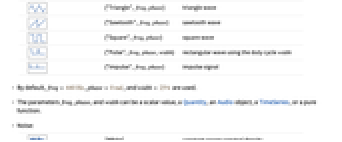
{"Sin",freq,phase} 正弦波 
{"Triangle",freq,phase} 三角波 
{"Sawtooth",freq,phase} 锯齿波 
{"Square",freq,phase} 方形波 
{"Pulse",freq,phase,width} 使用占空因数 width 的长方形波 
{"Impulse",freq,phase} 脉冲信号 - 默认情况下,使用
、
和
. - 参数 freq、phase 和 width 可为标量、数量 Quantity、Audio 对象、TimeSeries、或纯函数.
- 噪音:
-

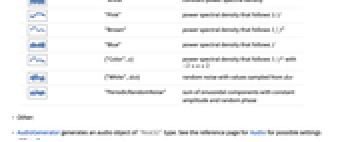
"White" 恒定功率谱密度 
"Pink" 服从
的功率谱密度
"Brown" 服从 

"Blue" 服从
的功率谱密度
{"Color",α} 服从
且
的功率谱密度
{"White",dist} 从 dist 抽样的随机噪音数值 
"PeriodicRandomNoise" 拥有恒定振幅和随机相位的正弦组成总和 - 其他:
- AudioGenerator 生成类型为 "Real32" 的音频对象. "type" 的可能设置类型参见 Audio 的页面.
- AudioGenerated 与 Audio 的选项相同.
-
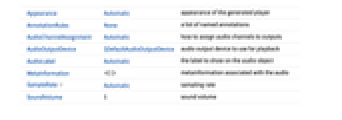
Appearance Automatic 生成的播放器的外观 AnnotationRules None 已命名注释的列表 AudioChannelAssignment Automatic 如何将音频通道分配给输出 AudioOutputDevice $DefaultAudioOutputDevice 用于回放的音频输出设备 AudioLabel Automatic 音频对象上显示的标签 MetaInformation 与音频相关联的元信息 SampleRate Automatic 采样率 SoundVolume 1 音量
所有选项的列表
范例
打开所有单元 关闭所有单元基本范例 (3)
范围 (17)
基本用法 (2)
AudioGenerator["Sin"]//DurationAudioGenerator["Sin", 5]//DurationAudioGenerator["Sin", Quantity[100, "ms"]]//DurationAudioGenerator["Sin", Quantity[4410, "samples"]]//Duration默认情况下,生成 "Real32" 类型的音频:
AudioGenerator["Sin", 1]//AudioTypeAudioGenerator["Sin", 5, "SignedInteger8"]//AudioType模型说明 (15)
振荡 (5)
AudioGenerator[{"Sin", Quantity[2000, "Hertz"]}]AudioGenerator[{"Sin", 1000 + 1000Sin[2 * Pi#]&}]Spectrogram[%, PlotRange -> {All, {0, 3000}}]使用另一个 Audio 对象控制正弦波的频率:
freqMod = Import["ExampleData/rule30.wav"];
AudioGenerator[{"Sin", 440 + 2000 * freqMod}]Spectrogram[%, PlotRange -> {All, {0, 2000}}]使用 TimeSeries 控制正弦波的频率:
frequencies = {378, 366, 287, 482, 595, 522, 227, 412, 481, 390};
times = {0.2, 0.5, 0.7, 1.1, 1.4, 1.7, 1.9, 2., 2.4, 2.7};
freqMod = TimeSeries[frequencies, {times}]AudioGenerator[{"Sin", freqMod}]waveforms = {"Sin", "Triangle", "Sawtooth", "Square", "Pulse", "Impulse"};Table[AudioPlot[AudioGenerator[i, .01], PlotTheme -> "Minimal", PlotLabel -> i],
{i, waveforms}]//Multicolumn噪音生成器 (5)
AudioGenerator["White"]Histogram@AudioData@AudioGenerator[{"White", NormalDistribution[]}]noises = {"White", "Pink", "Brown", "Blue", {"Color", 1.5}, "PeriodicRandomNoise"};Table[AudioPlot[AudioGenerator[i, .01], PlotLabel -> i, PlotTheme -> "Minimal"], {i, noises}]//Multicolumn粉色、棕色和蓝色噪音频谱符合 f-α 分布,其中 α 分别等于 1、2 和
:
colors = {"Pink", "Brown", "Blue"};
Periodogram[AudioGenerator /@ colors, 4000, ScalingFunctions -> {"Log10", Automatic}, PlotRange -> {-50, 25}, PlotLegends -> colors, PlotStyle -> {RGBColor[1, 0.5, 0.5], RGBColor[0.772079, 0.431554, 0.102387], RGBColor[0.368417, 0.506779, 0.709798]}]"PeriodicRandomNoise" 的频谱为完美平滑:
Periodogram[AudioGenerator["PeriodicRandomNoise"]]使用函数 (1)
AudioGenerator 支持时间函数:
f[x_] := Sin[440 2Pi x];
AudioGenerator[f, 2]使用过程 (2)
AudioGenerator[FractionalGaussianNoiseProcess[.2]]//AudioNormalizetelegraph = AudioGenerator[TelegraphProcess[4], 4];(1 + telegraph) * \!\(\*AudioBox[""]\)使用 TimeSeries (2)
从 TimeSeries 中生成音频:
AudioGenerator[TimeSeries[Range[10] / 10.]]//AudioPlot从不规则的 TimeSeries 中生成音频对象:
amplitudes = AudioGenerator[TimeSeries[{{0, 1}, {1, 0}, {1.5, .3}, {3, 0}}]];
amplitudes * AudioGenerator["Sin", 3]AudioPlot@%选项 (1)
SampleRate (1)
默认情况下,使用 SampleRate->44100:
AudioGenerator["Sin"]//AudioSampleRateAudioGenerator["Sin", SampleRate -> 1000]//AudioSampleRate应用 (8)
噪声应用 (2)
根据时间数据生成音频 (2)
msft = TimeSeriesRescale[TimeSeries@FinancialData["MSFT", {"Jan. 1, 1990", "Jan. 1, 2018"}], {0, 10}];
aapl = TimeSeriesRescale[TimeSeries@FinancialData["AAPL", {"Jan. 1, 1990", "Jan. 1, 2018"}], {0, 10}];resampledMSFT = QuantityMagnitude@TimeSeriesResample[Round[MovingAverage[msft, 60]], 1 / 8];
resampledAAPL = QuantityMagnitude@TimeSeriesResample[Round[MovingAverage[aapl, 60]], 1 / 8];
ListLinePlot[{resampledMSFT, resampledAAPL}, PlotStyle -> {Automatic, Automatic, PointSize[Large]}, PlotLegends -> {"MSFT", "AAPL"}]midiToFreq[m_] := 2 ^ ((m - 69) / 12) * 440.;res = .8Mean[{AudioGenerator[{"Sin", midiToFreq[.5resampledMSFT + 40]}], AudioGenerator[{"Triangle", midiToFreq[.5resampledAAPL + 40]}]}]使用 TimeSeries 列表控制正弦波谐波列表的振幅:
duration = 5;sineBank = Table[AudioGenerator[{"Sin", Quantity[100, "Hertz"] * i, 0}, duration], {i, 10}];amplitudes = Table[AudioGenerator[TimeSeries[RandomInteger[{0, 1}, 40], {RandomReal[{0, duration}, 40]}], duration, SampleRate -> 200], 10];Mean[amplitudes * sineBank]AudioPlot@%生成多频率 (3)
keys = {1 -> {697, 1209}, 2 -> {697, 1336}, 3 -> {697, 1477}, 4 -> {770, 1209}, 5 -> {770, 1336}, 6 -> {770, 1477}, 7 -> {852, 1209}, 8 -> {852, 1336}, 9 -> {852, 1477}, 0 -> {941, 1336}};dtmf[str_String] := AudioJoin[Table[{Mean[AudioGenerator[{"Sin", #}, Quantity[200, "Milliseconds"]]& /@ (key /. keys)], Quantity[50, "Milliseconds"]}, {key, ToExpression /@ Characters[str]}]]phoneNumber = "6345789";dtmf[phoneNumber]Grid[Partition[MapIndexed[Labeled[Audio[Mean[AudioGenerator[{"Sin", #}, .1]& /@ #], Appearance -> "Minimal"], First@#2]&, Flatten[Outer[List, {697, 770, 852}, {1209, 1336, 1477}], 1]], 3]]range = 12;
duration = 20;
lfoFreq = .05;
basePitch = 30;
numOsc = 8;
midiToFreq[m_] := 2 ^ ((m - 69) / 12) * 440.phasors = Table[AudioGenerator[{"Sawtooth", lfoFreq, 2.Pi / numOsc(i - 1.)}, duration, SampleRate -> 500] / 2. + .5, {i, numOsc}];
AudioPlot[phasors, PlotLayout -> "Overlaid", PlotRange -> All]生成可控制振荡器的频率. 频率从相互间提取出一个频程并进行指数增加,从而使音高进行线性增加:
freqs = Table[midiToFreq[(phasors[[i]]) * 12 * numOsc + basePitch], {i, numOsc}];
AudioPlot[freqs, PlotLayout -> "Overlaid", PlotRange -> All]生成振幅可控制振荡器的振幅. 当频率减小到最低值时候振幅为 0:
amps = Cos[# * Pi - Pi / 2.]& /@ phasors;
AudioPlot[amps, PlotLayout -> "Overlaid", PlotRange -> All]AudioPlot[AudioNormalize /@ {freqs[[2]], amps[[2]]}, PlotRange -> All]res = Mean[
Table[amps[[i]]AudioGenerator[{"Sin", freqs[[i]]}, SampleRate -> 24000], {i, numOsc}]]Spectrogram[res, 8192, 4096, HannWindow]频率和幅度调制 (1)
a = \!\(\*AudioBox[""]\);Periodogram[a, 2000, PlotRange -> {{0, 10000}, All}]用 22050 Hz 正弦曲线调节振幅,将内容移动至频谱的最高端. 结果可让大部分听见:
amsignal = a×AudioGenerator[{"Sin", Quantity[22050, "Hertz"]}, Duration@a, SampleRate -> 96000]Periodogram[amsignal, 2200]通过对结果次增加另一个形同相位的 22050 Hz 的正弦曲线对 AM 信号解调:
result = LowpassFilter[amsignal * AudioGenerator[{"Sin", Quantity[22050, "Hertz"]}, Duration@amsignal, SampleRate -> 96000], Quantity[5000, "Hertz"], 201]可能存在的问题 (2)
AudioGenerator[{"Sin", 5001}, SampleRate -> 10000]如果 TimeSeries 作为输入使用,其中需要数值非负的时间戳:
ts = TimeSeries[FinancialData["GE", {"Jan. 1, 2015", "Jan. 1, 2016"}]]AudioGenerator[{"Sin", ts}]//Head
TimeSeries 需要有单个标量路径:
ts = TimeSeries[{{0, {600, 300}}, {1, {400, 300}}}]AudioGenerator[{"Sin", ts}]//Head
互动范例 (3)
Manipulate[
AudioPlot[
AudioGenerator[{"Sin", freq, phase}, .1]
], {freq, 10, 100}, {phase, 0, 10}, ContinuousAction -> False]AudioGenerator[{"Color",α}] 的频谱符合 f-α 分布:
Manipulate[
Periodogram[AudioGenerator[{"Color", α}], 2000, ScalingFunctions -> {"Log10", Automatic}, PlotRange -> {-60, 30}], {α, -2, 2}, ContinuousAction -> False]Manipulate[
Periodogram[
AudioGenerator[{"Sin", freq + freqModAmount * modFreq * AudioGenerator[{"Sin", modFreq}]}],
ScalingFunctions -> "Absolute", PlotRange -> {{0, 1000}, All}, ImageSize -> Medium],
{{freq, 440, "Carrier Frequency"}, -500, 500},
{{modFreq, 100, "Modulation Frequency"}, -200, 200},
{{freqModAmount, 0, "Amount of Frequency Modulation"}, 0, 10},
ControlPlacement -> Top, ContinuousAction -> False
]巧妙范例 (4)
AudioGenerator[{"Sin", 400 + 300 * AudioGenerator[{"Sin", 100 * #&}, 4]}, SampleRate -> 8000]使用基为 24 的 Pi 的小数位生成正弦振荡器的频率系列:
digits = First@RealDigits[π, 24, 100]midiToFreq[m_] := 2 ^ ((m - 69) / 12) * 440.
AudioGenerator[{"Sin", TimeSeries[midiToFreq[50 + digits], {0, 10}]}, SampleRate -> 8000]使用 DiscreteMarkovProcess 创建旋律:
𝒫 = DiscreteMarkovProcess[12, (| | | | | | | | | | | | |
| -------- | ------- | -------- | ------- | -------- | -------- | ------- | -------- | ------- | -------- | ------- | -------- |
| (7/153) | 0 | (31/153) | (2/153) | (23/153) | (2/51) | (8/153) | (1/9) | (1/153) | (25/153) | (5/153) | (28/153) |
| 0 | 0 | (1/3) | 0 | 0 | 0 | 0 | (1/2) | 0 | (1/6) | 0 | 0 |
| (31/111) | 0 | 0 | 0 | (29/111) | (2/37) | (1/37) | (8/111) | 0 | (11/111) | (1/37) | (20/111) |
| (1/4) | 0 | (1/12) | (1/6) | 0 | 0 | 0 | (1/4) | 0 | (1/4) | 0 | 0 |
| (25/128) | (1/128) | (27/128) | 0 | (3/128) | (23/128) | (5/128) | (21/128) | (1/128) | (5/64) | (5/128) | (7/128) |
| (4/113) | 0 | (19/113) | 0 | (23/113) | 0 | 0 | (35/113) | 0 | (13/113) | 0 | (19/113) |
| (7/29) | 0 | (2/29) | (1/29) | (5/29) | 0 | 0 | (7/29) | (2/29) | (1/29) | 0 | (4/29) |
| (15/166) | (3/166) | (2/83) | (2/83) | (27/166) | (37/166) | (7/166) | (19/166) | 0 | (15/83) | (1/166) | (19/166) |
| 0 | 0 | 0 | 0 | (1/14) | 0 | (1/7) | (1/14) | 0 | (1/2) | 0 | (3/14) |
| (5/32) | 0 | (1/16) | (3/128) | (3/64) | (11/64) | (1/128) | (29/128) | (3/64) | 0 | (1/64) | (31/128) |
| (5/16) | 0 | (1/16) | 0 | (5/16) | 0 | 0 | (1/8) | 0 | (3/16) | 0 | 0 |
| (36/131) | (2/131) | (16/131) | 0 | (6/131) | (19/131) | (3/131) | (21/131) | (4/131) | (24/131) | 0 | 0 |)];midiToFreq[m_] := 2 ^ ((m - 69) / 12) * 440.;AudioGenerator[{"Sin", midiToFreq[59 + TimeSeriesRescale[RandomFunction[𝒫, {0, 50}], {0, 6}]]}, SampleRate -> 8000]code = <|"a" -> ".-", "b" -> "-...", "c" -> "-.-.", "d" -> "-..", "e" -> ".", "f" -> "..-.", "g" -> "--.", "h" -> "....", "i" -> "..", "j" -> ".---", "k" -> "-.-", "l" -> ".-..", "m" -> "--", "n" -> "-.", "o" -> "---", "p" -> ".--.", "q" -> "--.-", "r" -> ".-.", "s" -> "...", "t" -> "-", "u" -> "..-", "v" -> "...-", "w" -> ".--", "x" -> "-..-", "y" -> "-.--", "z" -> "--..", "1" -> ".----", "2" -> "..---", "3" -> "...--", "4" -> "....-", "5" -> ".....", "6" -> "-....", "7" -> "--...", "8" -> "---..", "9" -> "----.", "0" -> "-----", "." -> ".-.-.-", "," -> "--..--", "!" -> "-.-.--", "?" -> "..--.."|>;
withgaps = Map[StringRiffle[Characters[#], "_"]&, code];
withpauses = Map[StringInsert[#, "___", -1]&, withgaps];
withspace = AssociateTo[withpauses, " " -> "_______"];
replacements = Map[StringReplace[#, {"-" -> "111", "." -> "1", "_" -> "0"}]&, withspace];createMorseSignal[s_String, t_] := Module[{events = Characters[StringReplace[ToLowerCase[s], Normal@replacements]], ts, amps},
ts = TimeSeries[ToExpression@events, {0, (Length[events] - 1) * t, t}];
amps = AudioGenerator[ts, SampleRate -> 1000];AudioGenerator[{"Sin", 800}, Duration@amps, SampleRate -> 8000]amps
]morse = createMorseSignal["hello world", .05]AudioPlot@%文本
Wolfram Research (2016),AudioGenerator,Wolfram 语言函数,https://reference.wolfram.com/language/ref/AudioGenerator.html.
CMS
Wolfram 语言. 2016. "AudioGenerator." Wolfram 语言与系统参考资料中心. Wolfram Research. https://reference.wolfram.com/language/ref/AudioGenerator.html.
APA
Wolfram 语言. (2016). AudioGenerator. Wolfram 语言与系统参考资料中心. 追溯自 https://reference.wolfram.com/language/ref/AudioGenerator.html 年
BibTeX
@misc{reference.wolfram_2026_audiogenerator, author="Wolfram Research", title="{AudioGenerator}", year="2016", howpublished="\url{https://reference.wolfram.com/language/ref/AudioGenerator.html}", note=[Accessed: 13-September-2026]}
BibLaTeX
@online{reference.wolfram_2026_audiogenerator, organization={Wolfram Research}, title={AudioGenerator}, year={2016}, url={https://reference.wolfram.com/language/ref/AudioGenerator.html}, note=[Accessed: 13-September-2026]}