AudioIdentify[audio]
试图识别 audio 是什么音频并给出结果.
AudioIdentify[audio,category]
将识别限制在指定的 category 内.
AudioIdentify[audio,category,n]
给出最多 n 种可能的识别结果.
AudioIdentify[audio,category,n,"prop"]
给出每个识别的指定属性.
AudioIdentify
AudioIdentify[audio]
试图识别 audio 是什么音频并给出结果.
AudioIdentify[audio,category]
将识别限制在指定的 category 内.
AudioIdentify[audio,category,n]
给出最多 n 种可能的识别结果.
AudioIdentify[audio,category,n,"prop"]
给出每个识别的指定属性.
更多信息和选项
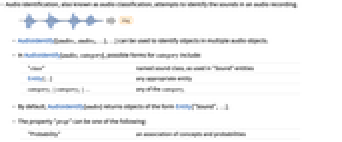
- 音频识别,亦称为音频分类,试图识别录音中的声音.
- AudioIdentify[{audio1,audio2,…},…] 可用来识别多个音频对象中的对象.
- 在 AudioIdentify[audio,category] 中,category 可能的形式包括:
-
"class" 已命名声音类别,与用在 "Sound" 实体中的类别一样 Entity[…] 任意合适的实体 category1|category2|… 任意 categoryi - 默认情况下,AudioIdentify[audio] 返回形式为 Entity["Sound",…] 的对象.
- 属性 "prop" 可为以下形式:
-
"Probability" 概念和概率的关联 "Sound" 声音实体对象 "prop" "Sound" 实体支持的属性 {prop1,…} 属性指定列表 - 可给出以下选项:
-
AcceptanceThreshold Automatic 视为可接受的最小概率 Masking All 感兴趣的区间 PerformanceGoal $PerformanceGoal 识别时优化的目标 SpecificityGoal Automatic 要寻找什么样特殊类型的对象 TargetDevice "CPU" 运行计算的目标设备 - PerformanceGoal 的可能的设置包括 "Speed" 和 "Quality".
- SpecificityGoal 的可能的设置包括
-
"Low" 希望找出一般类别的对象 "High" 希望找出特定种类的对象 s 位于 0(最低)和 1(最高)之间的特殊性 - 如果在可接受范围内(由 AcceptanceThreshold 指定的)没有识别出对象,AudioIdentify 返回 Missing["Unidentified"].
- AudioIdentify 使用机器学习. 在不同版本的 Wolfram 语言中,其方法、训练集和偏差可能会更改,并产生不同的结果.
- AudioIdentify 可下载将存储在 $LocalBase 本地对象库中的资源,可使用 LocalObjects[] 列出,用 ResourceRemove 删除.

范例
打开所有单元 关闭所有单元基本范例 (2)
范围 (3)
a = ExampleData[{"Audio", "Bird"}];AudioIdentify[a]AudioIdentify[a, "Human sounds", AcceptanceThreshold -> 0]AudioIdentify[a, "Human sounds" | "musical instrument", 3, AcceptanceThreshold -> 0]a = Import["ExampleData/rule30.wav"];AudioIdentify[a, All, 3]AudioIdentify[a, All, 10]a = Import["ExampleData/rule30.wav"];AudioIdentify[a, All, 3, "Probability"]选项 (4)
AcceptanceThreshold (2)
用 AcceptanceThreshold 控制返回结果的置信度:
a = \!\(\*AudioBox[""]\);AudioIdentify[a, AcceptanceThreshold -> .5]AudioIdentify[a, AcceptanceThreshold -> .9]在获取多个识别结果时,也可使用 AcceptanceThreshold:
a = \!\(\*AudioBox[""]\);AudioIdentify[a, All, 10]AudioIdentify[a, All, 10, AcceptanceThreshold -> 0]Masking (1)
SpecificityGoal (1)
用 SpecificityGoal 选项控制结果的普通性:
{#, AudioIdentify[ExampleData[{"Audio", "SubwayTrain"}], SpecificityGoal -> #]}& /@ {"Low", "High"}应用 (3)
识别 ExampleData 集合中的所有声音:
TextGrid[{#[[2]], Row@AudioIdentify[ExampleData[#], All, 2, SpecificityGoal -> "High"]}& /@ ExampleData["Audio"], Frame -> All]a = \!\(\*AudioBox[""]\);AudioIdentify[a, All, 5, "Probability"]用 AudioBlockMap 对 1 秒的时间段进行识别:
identifications = AudioBlockMap[AudioIdentify[Audio[#], AcceptanceThreshold -> .4]&, a, {1, .5}]//Normalintervals = {{First[#][[1]] - .5, Last[#][[1]] + .5}, #[[1, 2]]}& /@ SplitBy[Normal[identifications], Last]colors = Hue[#1, .2]& /@ Most[Range[0, 1, 1. / Length[intervals]]];
Legended[AudioPlot[a, Prolog -> Flatten@MapThread[{#2, Rectangle[{#1[[1]], -1}, {#1[[2]], 1}]}&, {intervals[[All, 1]], colors}]], SwatchLegend[colors, Part[intervals, All, 2]]]用 WebAudioSearch 构建动物声音的小数据集:
cows = WebAudioSearch["cow", "Samples", #Duration < 5&, MaxItems -> 10];
birds = WebAudioSearch["bird", "Samples", #Duration < 5&, MaxItems -> 10];
cats = WebAudioSearch["cat", "Samples", #Duration < 5&, MaxItems -> 10];
data = Join[Thread[cows -> [image]], Thread[birds -> [image]], Thread[cats -> [image]]]//Normal;RandomSample[data, 3]用 FeatureSpacePlot 可视化嵌入在语义上重要的 2D 空间中的信号:
FeatureSpacePlot[data, LabelingFunction -> Callout]recognizeAnimal[audio_ -> label_] := label -> AudioIdentify[audio, "animal", AcceptanceThreshold -> .1]用识别结果生成一个 WordCloud:
WordCloud /@ GroupBy[recognizeAnimal /@ data, First][[All, All, 2]]//Normal//Column属性和关系 (1)
可用 NetModel 访问 AudioIdentify 使用的神经网络:
net = NetModel["Wolfram AudioIdentify V1 Trained on AudioSet Data"]net[\!\(\*AudioBox[""]\), "TopProbabilities"]文本
Wolfram Research (2019),AudioIdentify,Wolfram 语言函数,https://reference.wolfram.com/language/ref/AudioIdentify.html.
CMS
Wolfram 语言. 2019. "AudioIdentify." Wolfram 语言与系统参考资料中心. Wolfram Research. https://reference.wolfram.com/language/ref/AudioIdentify.html.
APA
Wolfram 语言. (2019). AudioIdentify. Wolfram 语言与系统参考资料中心. 追溯自 https://reference.wolfram.com/language/ref/AudioIdentify.html 年
BibTeX
@misc{reference.wolfram_2026_audioidentify, author="Wolfram Research", title="{AudioIdentify}", year="2019", howpublished="\url{https://reference.wolfram.com/language/ref/AudioIdentify.html}", note=[Accessed: 12-August-2026]}
BibLaTeX
@online{reference.wolfram_2026_audioidentify, organization={Wolfram Research}, title={AudioIdentify}, year={2019}, url={https://reference.wolfram.com/language/ref/AudioIdentify.html}, note=[Accessed: 12-August-2026]}