将二维或三维图形 g 离散化为 BoundaryMeshRegion.
BoundaryDiscretizeGraphics[g,patt]
仅离散 g 中与模式 patt 匹配的元素.
BoundaryDiscretizeGraphics
将二维或三维图形 g 离散化为 BoundaryMeshRegion.
BoundaryDiscretizeGraphics[g,patt]
仅离散 g 中与模式 patt 匹配的元素.
更多信息和选项
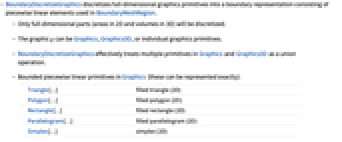
- BoundaryDiscretizeGraphics 将全维图形基元离散化为由分段线性元素组成的边界表示,用于 BoundaryMeshRegion.
- 只对全维部分(二维中的面积和三维中的体积)进行离散.
- 图形 g 可以是 Graphics、Graphics3D 或单独的图形基元.
- BoundaryDiscretizeGraphics 实际上将 Graphics 和 Graphics3D 中的多个基元作为联集运算.
- Graphics 中的有界分段线性基元(这些可以被确切表示):
-
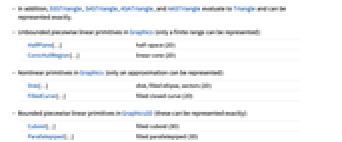
Triangle[…] 实心三角形(二维) Polygon[…] 实心多边形(二维) Rectangle[…] 实心矩形(二维) Parallelogram[…] 实心平行四边形(二维) Simplex[…] 单纯形(二维) - 另外,SSSTriangle、SASTriangle、ASATriangle 和 AASTriangle 可以计算为 Triangle,并能被确切表示.
- Graphics 中的无界分段线性基元(仅能表示有限的范围):
-
HalfPlane[…] 半空间(二维) ConicHullRegion[…] 线性锥(二维) - Graphics 中的非线性基元(仅能表示近似值):
-
Disk[…] 圆盘,实心椭圆,扇形(二维) FilledCurve[…] 实心闭合曲线(二维) - Graphics3D 中的有界分段线性基元(这些可以被确切表示):
-
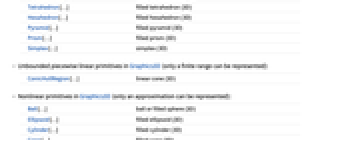
Cuboid[…] 实心长方体(三维) Parallelepiped[…] 实心平行六面体(三维) Tetrahedron[…] 实心四面体(三维) Hexahedron[…] 实心六面体(三维) Pyramid[…] 实心棱锥(三维) Prism[…] 实心棱柱(三维) Simplex[…] 单纯形(三维) - Graphics3D 中的无界分段线性基元(仅能表示有限的范围):
-
ConicHullRegion[…] 线性锥(三维) - Graphics3D 中的非线性基元(仅能表示近似值):
-
Ball[…] 球或实心球(三维) Ellipsoid[…] 实心椭球(三维) Cylinder[…] 实心圆柱(三维) Cone[…] 实心锥(三维) - BoundaryDiscretizeGraphics 具有与 BoundaryMeshRegion 相同的选项,并有以下增加和改变:
-
AccuracyGoal Automatic 所追求的准确度位数 MaxCellMeasure Automatic 最大单元度量 Method Automatic 所用方法 PlotRange Automatic 要包括的范围 PerformanceGoal $PerformanceGoal 考虑速度还是质量 PrecisionGoal Automatic 所追求的精度位数 - 在设置 AccuracyGoal->a 和 PrecisionGoal->p 下,将尝试把区域 reg 或离散化区域 dreg 与 RegionSymmetricDifference[reg,dreg] 中任意点之间的距离保持在

以内,其中
为图形范围对角线的长度.
范例
打开所有单元 关闭所有单元基本范例 (3)
离散包括 Disk 的二维特殊区域:
BoundaryDiscretizeGraphics[Disk[]]BoundaryDiscretizeGraphics[Parallelogram[{0, 0}, {{1, 1}, {1, 0}}]]离散包括 Cone 的三维特殊区域:
BoundaryDiscretizeGraphics[Cone[]]BoundaryDiscretizeGraphics[Prism[{{1, 0, 1}, {0, 0, 0}, {2, 0, 0}, {1, 2, 1}, {0, 2, 0}, {2, 2, 0}}]]离散整个二维 Graphics 场景,将多个基元当作联集处理:
BoundaryDiscretizeGraphics[[image]]Area[%]范围 (15)
Graphics (9)
离散包括 Disk 的二维特殊区域:
BoundaryDiscretizeGraphics[Graphics[{Disk[]}]]BoundaryDiscretizeGraphics[Graphics[{Parallelogram[{0, 0}, {{1, 1}, {1, 0}}]}]]用包括 Line 和 Polygon 的 GraphicsComplex 对 Graphics 进行离散:
v = {{0, 0}, {3, 0}, {3, 3}, {0, 3}};g = Graphics /@ {GraphicsComplex[v, Line[{1, 2, 3, 4, 1}]], GraphicsComplex[v, Polygon[{1, 2, 3, 4}]]}BoundaryDiscretizeGraphics /@ g用包括 Rectangle 和 Disk 的 GraphicsComplex 对 Graphics 进行离散:
v = {{0, 0}, {2, 0}, {2, 2}, {0, 2}};g = Graphics /@ {GraphicsComplex[v, Rectangle /@ {1, 2, 3, 4}], GraphicsComplex[v, Disk /@ {1, 2, 3, 4}]}BoundaryDiscretizeGraphics /@ g离散化整个二维 Graphics 场景,将多个基元当作联集处理:
BoundaryDiscretizeGraphics[[image]]Area[%]g = Graphics[{Orange, Triangle[{{2, -1}, {3, 0}, {2, 1}}], Triangle[{{1, -1}, {3, 0}, {1, 1}}], Blue, Rectangle[{0.4, -0.5}, {1.2, 0.5}], Brown, Disk[{0, 0}, 0.5]}]BoundaryDiscretizeGraphics[g, _Triangle | _Disk]BoundaryDiscretizeGraphics[g, x_ /; Area[x] < 1]离散 All 基元:
BoundaryDiscretizeGraphics[g, All]有界分段线性 Graphics 基元可以被确切表示:
g = Graphics[{Triangle[], Rectangle[{0.5, 1}], Polygon[{{1, 0.5}, {3, -0.5}, {2, 0.5}, {3, 1.5}}]}]BoundaryDiscretizeGraphics[g]无界分段线性 Graphics 基元可以在有限范围内表示:
p = {HalfPlane[{{1, 0}, {2, 1}}, {1, -1}], ConicHullRegion[{{-1, 0}}, {{-1, -1}, {-1, 1}}]};g = Graphics[p, PlotRange -> {{-3, 3}, {-1.5, 1.5}}]BoundaryDiscretizeGraphics[g]非线性 Graphics 基元仅能被近似表示:
g = Graphics[{Disk[{3, 0}, {6, 2}], Disk[{2, 0}, 5, {Pi / 4, 7Pi / 4}]}]BoundaryDiscretizeGraphics[g]使用 MaxCellMeasure 控制离散化水平:
g = Graphics[{Disk[{0, 0}], Disk[{1.5, 0}]}]Table[BoundaryDiscretizeGraphics[g, MaxCellMeasure -> {"Length" -> m}], {m, {0.9, 0.6, 0.3}}]Graphics3D (6)
离散包括 Cone 的三维特殊区域:
BoundaryDiscretizeGraphics[Graphics3D[{Cone[]}]]BoundaryDiscretizeGraphics[Graphics3D[{Prism[{{1, 0, 1}, {0, 0, 0}, {2, 0, 0}, {1, 2, 1}, {0, 2, 0}, {2, 2, 0}}]}]]g = Graphics3D[{Orange, Opacity[0.4], EdgeForm[Dashed], Cylinder[]}]BoundaryDiscretizeGraphics[g]用 Polyhedron 的 GraphicsComplex 离散 Graphics3D:
v = {{0, 0, 0}, {2, 0, 0}, {2, 2, 0}, {0, 2, 0}, {1, 1, 2}};
i = {{1, 2, 5}, {2, 3, 5}, {3, 4, 5}, {4, 1, 5}, {1, 2, 3, 4}};g = Graphics3D[GraphicsComplex[v, Polyhedron[i]]]BoundaryDiscretizeGraphics[g]有界分段线性 Graphics3D 基元可以被确切表示:
g = Graphics3D[Parallelepiped[{0, 0, 0}, {{1, 0, 0}, {1, 1, 0}, {0, 1, 1}}], Boxed -> False]BoundaryDiscretizeGraphics[g]非线性 Graphics3D 基元仅能被近似表示:
BoundaryDiscretizeGraphics[Graphics3D[{Ball[]}]]使用 MaxCellMeasure 控制离散化水平:
g = Graphics3D[{Ball[]}]Table[BoundaryDiscretizeGraphics[g, MaxCellMeasure -> m], {m, {0.3, 0.01, 0.001}}]选项 (23)
MaxCellMeasure (6)
g = Graphics[{Disk[{0, 0}], Disk[{1.5, 0}]}]BoundaryDiscretizeGraphics[g, MaxCellMeasure -> 0.1]g = Graphics[{Disk[{0, 0}], Disk[{1.5, 0}]}]br = BoundaryDiscretizeGraphics[g, MaxCellMeasure -> {"Length" -> 0.5}]AnnotationValue[{br, 1}, MeshCellMeasure]g = Graphics3D[{Ball[]}]BoundaryDiscretizeGraphics[g, MaxCellMeasure -> 0.05]g = Graphics3D[{Ball[]}]br = BoundaryDiscretizeGraphics[g, MaxCellMeasure -> {"Area" -> 0.1}]表面面积的 Histogram:
Histogram[AnnotationValue[{br, 2}, MeshCellMeasure]]g = Graphics[{Disk[{0, 0}], Disk[{1.5, 0}]}]Table[BoundaryDiscretizeGraphics[g, MaxCellMeasure -> {"Length" -> m}], {m, {0.9, 0.6, 0.3}}]g = Graphics3D[Ball[]]Table[BoundaryDiscretizeGraphics[g, MaxCellMeasure -> {"Area" -> m}], {m, {1, 0.01, 0.003}}]MeshCellHighlight (2)
MeshCellHighlight 允许指定部分 BoundaryMeshRegion 的突出显示:
BoundaryDiscretizeGraphics[Disk[], MeshCellHighlight -> {{1, All} -> Red, {0, All} -> Black}]BoundaryDiscretizeGraphics[Simplex[2], MeshCellHighlight -> {{1, 1} -> {Thick, Red}, {1, 2} -> {Dashed, Black}}]BoundaryDiscretizeGraphics[Simplex[2], MeshCellHighlight -> {Line[{1, 2}] -> {Thick, Red}, Line[{2, 3}] -> {Dashed, Black}}]MeshCellLabel (3)
MeshCellLabel 可用于标记部分 BoundaryMeshRegion:
BoundaryDiscretizeGraphics[Parallelogram[{0, 0}, {{1, 1}, {1, 0}}], MeshCellLabel -> {0 -> "Index"}]BoundaryDiscretizeGraphics[Rectangle[], MeshCellLabel -> {0 -> "Index", 1 -> "Index"}]BoundaryDiscretizeGraphics[Rectangle[], MeshCellLabel -> {{0, 1} -> "x", {0, 2} -> "y"}]BoundaryDiscretizeGraphics[Rectangle[], MeshCellLabel -> {Point[1] -> "x", Point[2] -> "y"}]MeshCellMarker (1)
MeshCellMarker 可用于给部分 BoundaryMeshRegion 赋值:
BoundaryDiscretizeGraphics[Rectangle[], MeshCellMarker -> {{0, 1} -> 1, {0, 2} -> 1}]使用 MeshCellLabel 显示标记:
BoundaryDiscretizeGraphics[Rectangle[], MeshCellMarker -> {{0, 1} -> 1, {0, 2} -> 2}, MeshCellLabel -> {0 -> "Marker"}]MeshCellShapeFunction (2)
MeshCellShapeFunction 允许指定部分 BoundaryMeshRegion 的函数:
BoundaryDiscretizeGraphics[Rectangle[], MeshCellShapeFunction -> {0 -> (Disk[#, .1]&)}]BoundaryDiscretizeGraphics[Rectangle[], MeshCellShapeFunction -> {{0, 1} -> (Disk[#, .1]&), {0, 2} -> (Disk[#, {.1, .2}]&)}]BoundaryDiscretizeGraphics[Rectangle[], MeshCellShapeFunction -> {Point[1] -> (Disk[#, .1]&), Point[2] -> (Disk[#, {.1, .2}]&)}]MeshCellStyle (2)
MeshCellStyle 允许指定部分 BoundaryMeshRegion 的样式:
BoundaryDiscretizeGraphics[Disk[], MeshCellStyle -> {{1, All} -> Red, {0, All} -> Black}]BoundaryDiscretizeGraphics[Simplex[2], MeshCellStyle -> {{1, 1} -> {Thick, Red}, {1, 2} -> {Dashed, Black}}]BoundaryDiscretizeGraphics[Simplex[2], MeshCellStyle -> {Line[{1, 2}] -> {Thick, Red}, Line[{2, 3}] -> {Dashed, Black}}]PlotRange (5)
Automatic 包括有限区域的整个范围:
g = Graphics[{Triangle[], Disk[{-1, -1}]}];BoundaryDiscretizeGraphics[g, PlotRange -> Automatic]Automatic 包括无限区域的部分范围:
g = Graphics[{HalfPlane[{{1, 0}, {2, 1}}, {1, -1}], ConicHullRegion[{{-1, 0}}, {{-1, -1}, {-1, 1}}]}];BoundaryDiscretizeGraphics[g, PlotRange -> Automatic]g = Graphics[{Disk[{0, 0}], Disk[{1.5, 0}]}, PlotRange -> {{-1, 3}, {-1, 1}}]BoundaryDiscretizeGraphics[g]BoundaryDiscretizeGraphics[g, PlotRange -> {{0, 3}, {0, 1}}]g = Graphics[{Disk[], HalfPlane[{{1, 0}, {2, 1}}, {1, -1}]}];BoundaryDiscretizeGraphics[g, PlotRange -> {{-3, 3}, {-3, 3}}]g = Graphics3D[{Cone[]}]BoundaryDiscretizeGraphics[g, PlotRange -> {{-1, 1}, {-1, 1}, {-1, 0}}]g = Graphics[{Disk[], HalfPlane[{{1, 0}, {2, 1}}, {1, -1}]}];Table[BoundaryDiscretizeGraphics[g, PlotRange -> pr], {pr, {All, Automatic, Full}}]应用 (3)
p = PolyhedronData["Dodecahedron", "Polyhedron"];ℛ = BoundaryDiscretizeGraphics[p]Volume[ℛ]将 Text 转换为一个几何区域:
t = Text[Style["π", Bold]]BoundaryDiscretizeGraphics[t, _Text, MaxCellMeasure -> 0.1]BoundaryDiscretizeGraphics[CountryData["USA", {"Polygon", "Mercator"}]]属性和关系 (9)
g = Graphics[{Disk[], Triangle[{{1.3, -1}, {3.3, 0}, {1.3, 1}}], Rectangle[{0.7, -0.5}]}]BoundaryDiscretizeGraphics[g]g = Graphics[{Triangle[], Rectangle[{0.5, 1}], Polygon[{{1, 0.5}, {3, -0.5}, {2, 0.5}, {3, 1.5}}]}]BoundaryDiscretizeGraphics[g]p = {HalfPlane[{{1, 0}, {2, 1}}, {1, -1}], ConicHullRegion[{{-1, 0}}, {{-1, -1}, {-1, 1}}]};g = Graphics[p, PlotRange -> {{-3, 3}, {-1.5, 1.5}}]BoundaryDiscretizeGraphics[g]g = Graphics[{Disk[{3, 0}, {6, 2}], Disk[{2, 0}, 5, {Pi / 4, 7Pi / 4}]}]BoundaryDiscretizeGraphics[g]使用 DiscretizeGraphics 得到 MeshRegion 表示:
g = Graphics[{Brown, Disk[{1.5, 1}], Orange, Rectangle[]}]{br, mr} = {BoundaryDiscretizeGraphics[g], DiscretizeGraphics[g]}{BoundaryMeshRegionQ[br], MeshRegionQ[mr]}BoundaryDiscretizeRegion 可用于离散任何 RegionQ 对象:
BoundaryDiscretizeRegion[ImplicitRegion[x ^ 2 - y ^ 2 ≤ 1, {{x, -2, 2}, {y, -2, 2}}]]BoundaryDiscretizeGraphics 可用于离散 Graphics 和 Graphics3D 对象:
BoundaryDiscretizeGraphics[Graphics[{Parallelogram[], Disk[{2, 2}]}]]{BoundaryDiscretizeRegion[Disk[]], BoundaryDiscretizeGraphics[Disk[]]}r = Disk[{0, 0}, 1];RegionQ[r]Area[r]Area[BoundaryDiscretizeGraphics[r]]Rasterize 离散含有 Raster 对象的 Graphics 的任意渲染表达式:
g = Graphics[{Disk[{0, 0}], Circle[{1, 0}]}]Rasterize[g, RasterSize -> {30, 20}, ImageSize -> 100]g = Graphics[{Disk[{0, 0}], Circle[{1, 0}]}]Image[g, ImageSize -> {30, 20}, Magnification -> 4]可能存在的问题 (1)
具有 Offset 坐标的基元不能被离散化:
g = Graphics[{Disk[{1, 1 / 2}, Offset[{10, 40}]], Triangle[]}, Frame -> True]BoundaryDiscretizeGraphics[g]文本
Wolfram Research (2014),BoundaryDiscretizeGraphics,Wolfram 语言函数,https://reference.wolfram.com/language/ref/BoundaryDiscretizeGraphics.html (更新于 2015 年).
CMS
Wolfram 语言. 2014. "BoundaryDiscretizeGraphics." Wolfram 语言与系统参考资料中心. Wolfram Research. 最新版本 2015. https://reference.wolfram.com/language/ref/BoundaryDiscretizeGraphics.html.
APA
Wolfram 语言. (2014). BoundaryDiscretizeGraphics. Wolfram 语言与系统参考资料中心. 追溯自 https://reference.wolfram.com/language/ref/BoundaryDiscretizeGraphics.html 年
BibTeX
@misc{reference.wolfram_2026_boundarydiscretizegraphics, author="Wolfram Research", title="{BoundaryDiscretizeGraphics}", year="2015", howpublished="\url{https://reference.wolfram.com/language/ref/BoundaryDiscretizeGraphics.html}", note=[Accessed: 12-September-2026]}
BibLaTeX
@online{reference.wolfram_2026_boundarydiscretizegraphics, organization={Wolfram Research}, title={BoundaryDiscretizeGraphics}, year={2015}, url={https://reference.wolfram.com/language/ref/BoundaryDiscretizeGraphics.html}, note=[Accessed: 12-September-2026]}