Animate
詳細とオプション
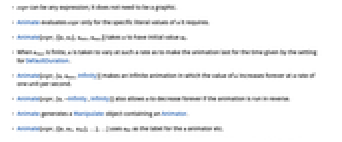
- expr はどのような式でもよく,グラフィックスである必要はない.
- Animateは,必要とする u の特定のリテラル値についてのみ expr を評価する.
- Animate[expr,{{u,u0},umin,umax}]は,u の初期値を u0とする.
- umax が有限のとき,u はDefaultDurationの設定値で与えられた時間の間アニメーションが継続するような速度で変化する.
- Animate[expr,{u,umin,Infinity}]は,u の値が1秒間に1単位の速度で永遠に増加し続ける無限のアニメーションを作成する.
- Animate[expr,{u,-Infinity,Infinity}]は,アニメーションが逆方向に実行されている場合に u が永遠に減り続けるようにする.
- AnimateはAnimatorオブジェクトを含むManipulateオブジェクト生成する.
- Animate[expr,{{u,u0, ulbl},…},…]は ulblを u アニメータ等のラベルとして使う.
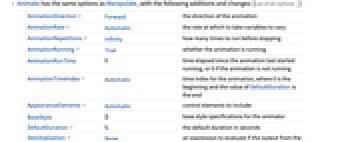
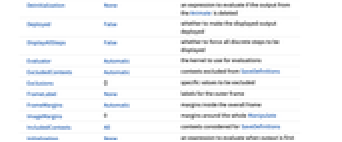
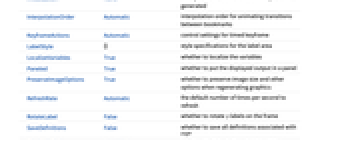
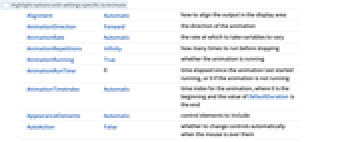
- AnimateにはManipulateのオプションに以下の追加・変更を加えたものが使える. [全オプションのリスト]
-
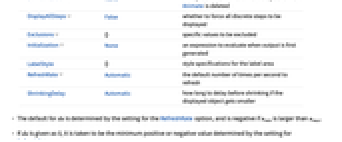
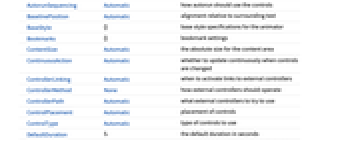
AnimationDirection Forward アニメーションの方向 AnimationRate Automatic 変数を変化させる速度 AnimationRepetitions Infinity 停止までに何回実行するか AnimationRunning True アニメーションが実行中かどうか AnimationRunTime 0 アニメーションが最後に開始されてからの経過時間.アニメーションが実行されていない場合は0 AnimationTimeIndex Automatic アニメーションの時間指標.始まりは0,DefaultDurationの値は終り AppearanceElements Automatic 含める制御要素 BaseStyle {} アニメータのベーススタイル指定 DefaultDuration 5. デフォルトの継続時間(秒) Deinitialization None Animateからの出力が削除された場合に評価する式 DisplayAllSteps False あらゆる離散的なステップを強制的に表示するかどうか Exclusions {} 除外すべき値を指定する Initialization None 出力が最初に生成されたときに評価する式 LabelStyle {} ラベルエリアのスタイル指定 RefreshRate Automatic 1秒間に更新するデフォルト回数 ShrinkingDelay Automatic 表示オブジェクトが小さくなる場合に,縮めるまでの遅延時間 - du のデフォルト値は,RefreshRateオプションの設定値で決まり,uminが umaxより大きい場合はこの値が負になる.
- du が0として与えられると,これはRefreshRateの設定で決められる最小の正または負の値であると解釈される.
- AnimationRateに明示的な設定が施されている場合,この設定はDefaultDurationの設定に優先する.
- デフォルトで,"ProgressSlider","PlayPauseButton","FasterSlowerButtons","DirectionButton"の要素が含まれる.これらの要素は,AppearanceElementsの設定値として,与えられるリストで任意の順に指定することができる.
- BaseStyleとLabelStyleの設定値は,一般に現行スタイルシートの"Animate"スタイルと"AnimateLabel"スタイルで与えられるデフォルトスタイルに付加される.
全オプションのリスト
例題
すべて開く すべて閉じる例 (3)
Animate[Plot[Sin[x + a], {x, 0, 10}], {a, 0, 5}, AnimationRunning -> False]Animate[ArrayPlot[CellularAutomaton[n, {{1}, 0}, {40, All}]], {n, 0, 255, 1}, AnimationRunning -> False]2つのパラメータaとbを連続的に変化させることでアニメーションにする:
Animate[Plot[Sin[a x] + Sin[b x], {x, 0, 10}, PlotRange -> 2], {a, 1, 5}, {b, 1, 5}, AnimationRunning -> False]スコープ (8)
Animateのコンテンツ (2)
Animate[Plot[Sin[x + a], {x, 0, 10}], {a, 0, 5}]Animate[FactorInteger[n], {n, 1, 2000, 1}, AnimationRunning -> False]Animate[Nest[Subsuperscript[#, #, #]&, x, n], {n, 1, 5, 1}, AnimationRunning -> False]Animateのコントロール (6)
Animate[Plot[Sin[x + a], {x, 0, 10}], {a, 0, 5}, AnimationRunning -> False]AppearanceElementsを使ってアニメータのコントロールを指定する:
Table[Animate[FactorInteger[n], {n, 1, 2000, 1, AppearanceElements -> a}], {a, {"ProgressSlider", "StepLeftButton", "StepRightButton", "PlayPauseButton", "FasterSlowerButtons", "DirectionButton", "ResetButton", "PlayButton", "ResetPlayButton"}}]Animate[Plot[BesselJ[n, x], {x, 0, 20}, PlotRange -> 1], {n, 1, 5, 1}, AnimationRunning -> False]無限のアニメーションを指定する.ここでは,アニメーション変数が単位速度で増加する:
Animate[Plot[Sin[x + a], {x, 0, 10}, PlotLabel -> a], {a, 0, Infinity}, AnimationRunning -> False]Animate[Plot[Sin[x + a], {x, 0, 10}], {a, {0, π, 2π, 3π}}, AnimationRunning -> False]Animate[Graphics[p], {p, {Rectangle[], Line[{{0, 0}, {1, 1}}], Disk[]}}, AnimationRunning -> False]Animate[Plot3D[Sin[x + a]Sin[y + b], {x, 0, 2Pi}, {y, 0, 2Pi}, PlotRange -> 1], {a, 0, Pi}, {b, 0, Pi}, AnimationRunning -> False]オプション (23)
Alignment (1)
AnimationDirection (1)
AnimationRate (1)
AnimationRepetitions (1)
AnimationRunning (2)
デフォルトで,Animateは評価されたときに実行される:
Animate[u, {u, 0, 1}]AnimationRunning->Falseと設定すると,Animateは静止状態で始まる:
Animate[u, {u, 0, 1}, AnimationRunning -> False]AppearanceElements (2)
デフォルトで,Animateは1つのAnimatorしか含まない:
Animate[u, {u, 0, 1}, AnimationRunning -> False]AppearanceElementsを使って追加的なコントロールを持たせることができる:
Table[Animate[u, {u, 0, 1}, AnimationRunning -> False, AppearanceElements -> a], {a, {"HideControlsButton", "SnapshotButton", "ResetButton", "UpdateButton", All}}]BaselinePosition (1)
ControlPlacement (1)
DefaultDuration (1)
Deinitialization (1)
Animateが表示されなくなったときに,評価される式を指定する:
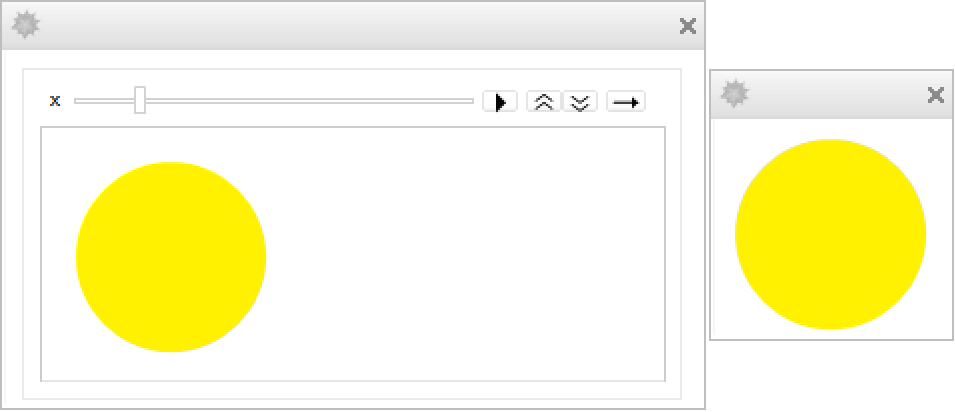
CreateDialog[Animate[f[x], {x, 0, 1}, Initialization :> {f[c_] := Graphics[{Hue[c], Disk[]}, ImageSize -> Tiny]}, Deinitialization :> CreateDialog[f[x]]]];Deployed (2)
Animate[Graphics[Disk[], ImageSize -> 50], {u, 0, 1}, AnimationRunning -> False]Deployedを使ってコンテンツのインタラクティビティを制限することができる:
Animate[Graphics[Disk[], ImageSize -> 50], {u, 0, 1}, AnimationRunning -> False, Deployed -> True]DisplayAllSteps (1)
Animate[Graphics[{Point[{Sin[x], Cos[x]Sin[x]}]}, PlotRange -> 1, ImageSize -> Tiny], {x, 0, 20 Pi, .1}, AnimationRunning -> False]DisplayAllStepsを使って省略を防ぐ:
Animate[Graphics[{Point[{Sin[x], Cos[x]Sin[x]}]}, PlotRange -> 1, ImageSize -> Tiny], {x, 0, 20 Pi, .1}, DisplayAllSteps -> True, AnimationRunning -> False]Exclusions (1)
FrameMargins (2)
ImageMargins (2)
Initialization (1)
RefreshRate (1)
アプリケーション (9)
Animate[Graphics[Translate[Rotate[{Circle[], Point[{0, 1}]}, -t], {t , 0}], PlotRange -> {{-2, 10}, {-2, 2}}, ImageSize -> {Large, Tiny}], {t, 0, 2π}, AnimationRunning -> False]Animate[Series[Sin[x], {x, 0, n}], {n, 1, 20, 2}, AnimationDirection -> ForwardBackward, AnimationRunning -> False]Animate[Plot[Evaluate[{Sin[x], Normal[Series[Sin[x], {x, 0, n}]]}], {x, -10, 10}, PlotRange -> 3], {n, 1, 20, 2}, AnimationDirection -> ForwardBackward, AnimationRunning -> False]Animate[ArrayPlot[CellularAutomaton[{i, 2, 2}, {{1}, 0}, {40, All}]], {i, 0, Infinity, 2}, AnimationRate -> 4, AnimationRunning -> False]Animate[{Slider[u ^ 2], Slider[1 - Sqrt[u]]}, {u, 0, 1}, AnimationRunning -> False]Animate[Column[{Plot[{Sin[f1 x + t], Sin[f2 x - t]}, {x, -2 π, 2 π}, PlotRange -> 1.1], Plot[Sin[f2 x - t] + Sin[f1 x + t], {x, -2 π, 2 π}, PlotRange -> 2]}], {f1, 1, 10}, {f2, 1, 10}, {t, 0, 2 π}, AnimationRunning -> False]
の異なる値についての平面
の複合写像
をアニメーションにする:
Animate[ParametricPlot[Through[{Re, Im}[(x + I y) ^ s]], {x, -2, 2}, {y, -2, 2}, PerformanceGoal -> "Quality", PlotLabel -> z^s, PlotRange -> {{-2, 2}, {-2, 2}}], {s, 0, 1}, AnimationRunning -> False]sphere[θ_, ϕ_] := {Cos[θ]Sin[ϕ / 2], Sin[θ]Sin[ϕ / 2], Cos[ϕ / 2]};torus[θ_, ϕ_] := {-Sin[ϕ] / 3, (2 - Cos[ϕ]) Sin[θ] / 3, (2 - Cos[ϕ])Cos[θ] / 3};Animate[ParametricPlot3D[(1 - λ)sphere[θ, ϕ] + λ torus[θ, ϕ], {θ, 0, 2π}, {ϕ, 0, 2π}, PlotRange -> 1, Mesh -> True], {λ, 0, 1}, AnimationDirection -> ForwardBackward, SaveDefinitions -> True, AnimationRunning -> False]roots[n_, c_] := Module[{r, x, l},
r = Flatten@Table[x /. NSolve[x ^ n + l.x ^ Range[1, n - 1] + c == 0, x], {l, Tuples[{-1, 1}, n - 1]}]; Transpose[{Re[r], Im[r]}]]Animate[Graphics[Point[roots[n, a + I b]], PlotRange -> 2, Frame -> True], {{n, 7, "degree n"}, 2, 8, 1}, {{a, 1, "real constant a"}, -3, 3}, {{b, 0, "imaginary constant b"}, -3, 3}, SaveDefinitions -> True, AnimationRunning -> False]p1[θ_] := RotationTransform[θ, {0, 0, 1}][{0, 2, 0}];
p2[θ_] := RotationTransform[θ + Pi / 2, {1, 0, 1}][{0, 2, 0}];
p3[θ_] := RotationTransform[θ + Pi, {1, 0, 0}][{0, 2, 0}];
p4[θ_] := RotationTransform[θ + 3Pi / 2, {1, 0, -1}][{0, 2, 0}];Animate[Graphics3D[Sphere[], Lighting -> {{"Point", Red, p1[θ]}, {"Point", Green, p2[θ]}, {"Point", Blue, p3[θ]}, {"Point", Yellow, p4[θ]}}], {θ, 0, 2Pi}, AnimationDirection -> ForwardBackward, SaveDefinitions -> True, AnimationRunning -> False]特性と関係 (2)
アニメーションの動作はAnimatorを基礎単位として使っても構築することができる:
DynamicModule[{x = 0, xlis = {{0, 0}}}, {Animator[Dynamic[x, (x = #;AppendTo[xlis, {#, #}])&]], Graphics[Line[Dynamic@xlis], Axes -> True, PlotRange -> {{0, 1}, {0, 1}}]}]式の固定リストのアニメーションはListAnimateを使って直接作ることもできる:
ListAnimate[Table[Graphics[Line[{{0, 0}, {x, x}}], Axes -> True, PlotRange -> {{0, 1}, {0, 1}}], {x, 0, 1, 0.01}]]考えられる問題 (2)
アニメーションが揺れるのを止めるようにPlotRangeを修正する:
Animate[Plot[Sinc[x t], {x, 0, 10}], {t, 0, 2}]Animate[Plot[Sinc[x t], {x, 0, 10}, PlotRange -> {-1, 1}], {t, 0, 2}]ImagePaddingを使って異なるラベルが画像サイズを変更しないようにする:
Animate[Plot[x ^ n Sin[x], {x, 0, 10}], {n, 1, 4}]Animate[Plot[x ^ n Sin[x], {x, 0, 10}, ImagePadding -> 25], {n, 1, 4}]おもしろい例題 (2)
Animate[Graphics[{Circle[], AbsolutePointSize[8], Point[{Cos[t], Sin[t]}]}], {t, 0, 2π}, AnimationRunning -> False]しかめ面がスマイリーへ変形していく様子のアニメーションを作成する:
Animate[Plot[t(x^2 - 1) + (1 - t)(-x^2), {x, -1, 1}, Axes -> False, Epilog -> {Circle[{0, 1}, 3], Disk[{1, 2}, .3], Disk[{-1, 2}, .3], Line[{{0, 0.6}, {0, 1.6}}]}, PlotRange -> {{-3, 4}, {-3, 4}}, AspectRatio -> 1], {t, 0, 1}, AnimationRunning -> False]テクニカルノート
関連するガイド
関連するワークフロー
- アニメーションをWebに配備する
テキスト
Wolfram Research (2007), Animate, Wolfram言語関数, https://reference.wolfram.com/language/ref/Animate.html (2014年に更新).
CMS
Wolfram Language. 2007. "Animate." Wolfram Language & System Documentation Center. Wolfram Research. Last Modified 2014. https://reference.wolfram.com/language/ref/Animate.html.
APA
Wolfram Language. (2007). Animate. Wolfram Language & System Documentation Center. Retrieved from https://reference.wolfram.com/language/ref/Animate.html
BibTeX
@misc{reference.wolfram_2026_animate, author="Wolfram Research", title="{Animate}", year="2014", howpublished="\url{https://reference.wolfram.com/language/ref/Animate.html}", note=[Accessed: 19-August-2026]}
BibLaTeX
@online{reference.wolfram_2026_animate, organization={Wolfram Research}, title={Animate}, year={2014}, url={https://reference.wolfram.com/language/ref/Animate.html}, note=[Accessed: 19-August-2026]}