Animate
更多信息和选项
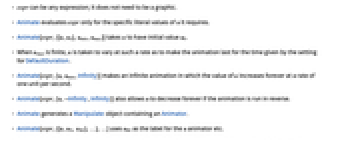
- expr 可以是任意表达式;不必是图形.
- Animate 仅对它要求的 u 的特定字面值计算 expr.
- Animate[expr,{{u,u0},umin,umax}] 使 u 具有初值 u0.
- 如果 umax 为有限值,u 的取值使其变化速率能够使动画持续 DefaultDuration 设定给出的时间.
- Animate[expr,{u,umin,Infinity}] 生成一个无限动画,u 值永远以每秒一个单位的速率增加.
- 如果该动画反向运行,Animate[expr,{u,-Infinity,Infinity}] 也允许 u 值永远减小.
- Animate 生成一个包含 Animator 的 Manipulate 对象.
- Animate[expr,{{u,u0, ulbl},…},…] 使用 ulbl 作为 u 动画器的标签,等等.
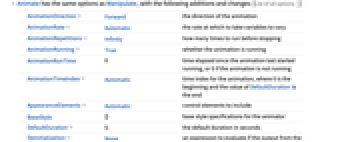
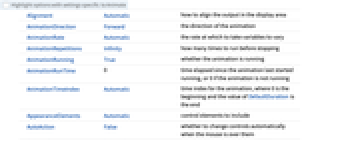
- Animate 的选项与 Manipulate 相同,并存在以下的增加和变化: [所有选项的列表]
-
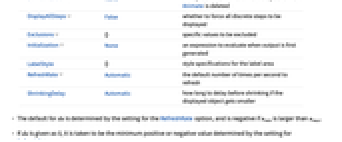
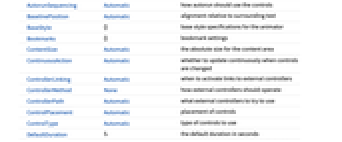
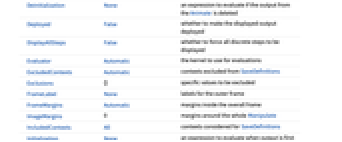
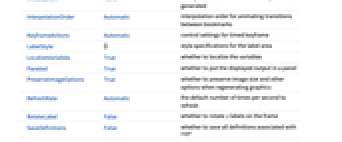
AnimationDirection Forward 动画的方向 AnimationRate Automatic 使变量变化的速率 AnimationRepetitions Infinity 停止以前的运行次数 AnimationRunning True 动画是否运行 AnimationRunTime 0 自动画上次启动运行所经过的时间,或者如果动画没有运行,则为0 AnimationTimeIndex Automatic 动画的时间索引,其中0为开始, DefaultDuration 的值为结束 AppearanceElements Automatic 包含的控制元素 BaseStyle {} 动画器的基本样式规范 DefaultDuration 5. 以秒为单位的缺省持续时间 Deinitialization None Animate 输出被删除时计算的表达式 DisplayAllSteps False 是否强制显示所有不连续的步长 Exclusions {} 将被排除的特定值 Initialization None 首次生成输出时计算的表达式. LabelStyle {} 标签区域的样式规范 RefreshRate Automatic 缺省的每秒钟刷新次数 ShrinkingDelay Automatic 如果显示的对象变小,收缩前需要延迟多长时间 - du 的缺省值取决于 RefreshRate 选项的设置,当 umin 大于 umax 时为负值.
- 如果 du 赋值为 0,则取设置 RefreshRate 确定的最小正值或由负值.
- 如果为 AnimationRate 指定了明确设置,则它的设置优先于 DefaultDuration 的设置.
- 缺省时包含以下元素:"ProgressSlider"、"PlayPauseButton"、"FasterSlowerButtons"、 "DirectionButton". 这些元素在为设置 AppearanceElements 给定的列表中可以按照任意顺序指定.
- BaseStyle 和 LabelStyle 的设置追加至缺省样式,缺省样式通常由当前样式表中的 "Animate" 和 "AnimateLabel" 样式给出.
所有选项的列表
范例
打开所有单元 关闭所有单元基本范例 (3)
Animate[Plot[Sin[x + a], {x, 0, 10}], {a, 0, 5}, AnimationRunning -> False]Animate[ArrayPlot[CellularAutomaton[n, {{1}, 0}, {40, All}]], {n, 0, 255, 1}, AnimationRunning -> False]Animate[Plot[Sin[a x] + Sin[b x], {x, 0, 10}, PlotRange -> 2], {a, 1, 5}, {b, 1, 5}, AnimationRunning -> False]范围 (8)
动画内容 (2)
Animate[Plot[Sin[x + a], {x, 0, 10}], {a, 0, 5}]Animate[FactorInteger[n], {n, 1, 2000, 1}, AnimationRunning -> False]Animate[Nest[Subsuperscript[#, #, #]&, x, n], {n, 1, 5, 1}, AnimationRunning -> False]动画控制 (6)
Animate[Plot[Sin[x + a], {x, 0, 10}], {a, 0, 5}, AnimationRunning -> False]利用 AppearanceElements 指定动画器控件:
Table[Animate[FactorInteger[n], {n, 1, 2000, 1, AppearanceElements -> a}], {a, {"ProgressSlider", "StepLeftButton", "StepRightButton", "PlayPauseButton", "FasterSlowerButtons", "DirectionButton", "ResetButton", "PlayButton", "ResetPlayButton"}}]Animate[Plot[BesselJ[n, x], {x, 0, 20}, PlotRange -> 1], {n, 1, 5, 1}, AnimationRunning -> False]Animate[Plot[Sin[x + a], {x, 0, 10}, PlotLabel -> a], {a, 0, Infinity}, AnimationRunning -> False]Animate[Plot[Sin[x + a], {x, 0, 10}], {a, {0, π, 2π, 3π}}, AnimationRunning -> False]Animate[Graphics[p], {p, {Rectangle[], Line[{{0, 0}, {1, 1}}], Disk[]}}, AnimationRunning -> False]Animate[Plot3D[Sin[x + a]Sin[y + b], {x, 0, 2Pi}, {y, 0, 2Pi}, PlotRange -> 1], {a, 0, Pi}, {b, 0, Pi}, AnimationRunning -> False]选项 (23)
Alignment (1)
AnimationDirection (1)
AnimationRate (1)
AnimationRepetitions (1)
AnimationRunning (2)
缺省时,Animate 在计算时开始运行:
Animate[u, {u, 0, 1}]通过设置 AnimationRunning->False, Animate 从暂停状态开始:
Animate[u, {u, 0, 1}, AnimationRunning -> False]AppearanceElements (2)
Animate[u, {u, 0, 1}, AnimationRunning -> False]利用 AppearanceElements 获得附加控件:
Table[Animate[u, {u, 0, 1}, AnimationRunning -> False, AppearanceElements -> a], {a, {"HideControlsButton", "SnapshotButton", "ResetButton", "UpdateButton", All}}]BaselinePosition (1)
ControlPlacement (1)
DefaultDuration (1)
Deinitialization (1)
当 Animate 不再显示时,指定要计算的表达式:
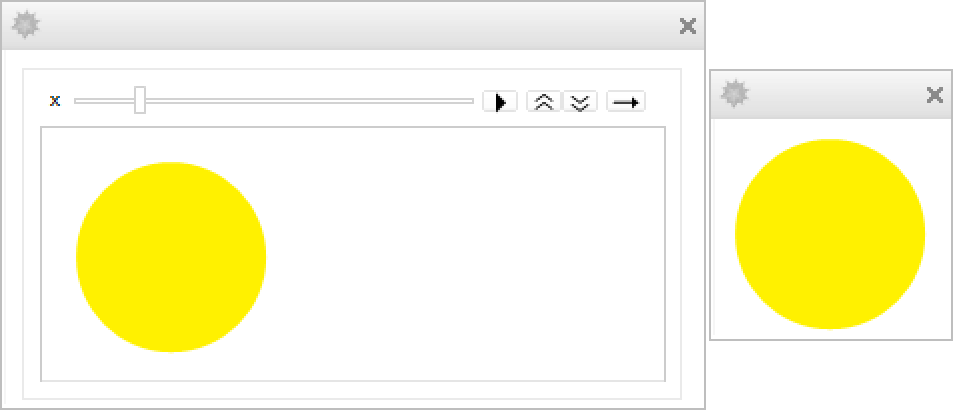
CreateDialog[Animate[f[x], {x, 0, 1}, Initialization :> {f[c_] := Graphics[{Hue[c], Disk[]}, ImageSize -> Tiny]}, Deinitialization :> CreateDialog[f[x]]]];Deployed (2)
Animate[Graphics[Disk[], ImageSize -> 50], {u, 0, 1}, AnimationRunning -> False]利用 Deployed 限制内容的交互作用性:
Animate[Graphics[Disk[], ImageSize -> 50], {u, 0, 1}, AnimationRunning -> False, Deployed -> True]DisplayAllSteps (1)
Animate[Graphics[{Point[{Sin[x], Cos[x]Sin[x]}]}, PlotRange -> 1, ImageSize -> Tiny], {x, 0, 20 Pi, .1}, AnimationRunning -> False]利用 DisplayAllSteps 防止遗漏:
Animate[Graphics[{Point[{Sin[x], Cos[x]Sin[x]}]}, PlotRange -> 1, ImageSize -> Tiny], {x, 0, 20 Pi, .1}, DisplayAllSteps -> True, AnimationRunning -> False]Exclusions (1)
FrameMargins (2)
ImageMargins (2)
Initialization (1)
RefreshRate (1)
应用 (9)
Animate[Graphics[Translate[Rotate[{Circle[], Point[{0, 1}]}, -t], {t , 0}], PlotRange -> {{-2, 10}, {-2, 2}}, ImageSize -> {Large, Tiny}], {t, 0, 2π}, AnimationRunning -> False]Animate[Series[Sin[x], {x, 0, n}], {n, 1, 20, 2}, AnimationDirection -> ForwardBackward, AnimationRunning -> False]Animate[Plot[Evaluate[{Sin[x], Normal[Series[Sin[x], {x, 0, n}]]}], {x, -10, 10}, PlotRange -> 3], {n, 1, 20, 2}, AnimationDirection -> ForwardBackward, AnimationRunning -> False]Animate[ArrayPlot[CellularAutomaton[{i, 2, 2}, {{1}, 0}, {40, All}]], {i, 0, Infinity, 2}, AnimationRate -> 4, AnimationRunning -> False]Animate[{Slider[u ^ 2], Slider[1 - Sqrt[u]]}, {u, 0, 1}, AnimationRunning -> False]Animate[Column[{Plot[{Sin[f1 x + t], Sin[f2 x - t]}, {x, -2 π, 2 π}, PlotRange -> 1.1], Plot[Sin[f2 x - t] + Sin[f1 x + t], {x, -2 π, 2 π}, PlotRange -> 2]}], {f1, 1, 10}, {f2, 1, 10}, {t, 0, 2 π}, AnimationRunning -> False]Animate[ParametricPlot[Through[{Re, Im}[(x + I y) ^ s]], {x, -2, 2}, {y, -2, 2}, PerformanceGoal -> "Quality", PlotLabel -> z^s, PlotRange -> {{-2, 2}, {-2, 2}}], {s, 0, 1}, AnimationRunning -> False]sphere[θ_, ϕ_] := {Cos[θ]Sin[ϕ / 2], Sin[θ]Sin[ϕ / 2], Cos[ϕ / 2]};torus[θ_, ϕ_] := {-Sin[ϕ] / 3, (2 - Cos[ϕ]) Sin[θ] / 3, (2 - Cos[ϕ])Cos[θ] / 3};Animate[ParametricPlot3D[(1 - λ)sphere[θ, ϕ] + λ torus[θ, ϕ], {θ, 0, 2π}, {ϕ, 0, 2π}, PlotRange -> 1, Mesh -> True], {λ, 0, 1}, AnimationDirection -> ForwardBackward, SaveDefinitions -> True, AnimationRunning -> False]roots[n_, c_] := Module[{r, x, l},
r = Flatten@Table[x /. NSolve[x ^ n + l.x ^ Range[1, n - 1] + c == 0, x], {l, Tuples[{-1, 1}, n - 1]}]; Transpose[{Re[r], Im[r]}]]Animate[Graphics[Point[roots[n, a + I b]], PlotRange -> 2, Frame -> True], {{n, 7, "degree n"}, 2, 8, 1}, {{a, 1, "real constant a"}, -3, 3}, {{b, 0, "imaginary constant b"}, -3, 3}, SaveDefinitions -> True, AnimationRunning -> False]p1[θ_] := RotationTransform[θ, {0, 0, 1}][{0, 2, 0}];
p2[θ_] := RotationTransform[θ + Pi / 2, {1, 0, 1}][{0, 2, 0}];
p3[θ_] := RotationTransform[θ + Pi, {1, 0, 0}][{0, 2, 0}];
p4[θ_] := RotationTransform[θ + 3Pi / 2, {1, 0, -1}][{0, 2, 0}];Animate[Graphics3D[Sphere[], Lighting -> {{"Point", Red, p1[θ]}, {"Point", Green, p2[θ]}, {"Point", Blue, p3[θ]}, {"Point", Yellow, p4[θ]}}], {θ, 0, 2Pi}, AnimationDirection -> ForwardBackward, SaveDefinitions -> True, AnimationRunning -> False]属性和关系 (2)
也可以利用 Animator 作为积木建立动画形象:
DynamicModule[{x = 0, xlis = {{0, 0}}}, {Animator[Dynamic[x, (x = #;AppendTo[xlis, {#, #}])&]], Graphics[Line[Dynamic@xlis], Axes -> True, PlotRange -> {{0, 1}, {0, 1}}]}]可以直接利用 ListAnimate 制作固定表达式列表的动画:
ListAnimate[Table[Graphics[Line[{{0, 0}, {x, x}}], Axes -> True, PlotRange -> {{0, 1}, {0, 1}}], {x, 0, 1, 0.01}]]可能存在的问题 (2)
固定 PlotRange,以防止动画出现摇晃:
Animate[Plot[Sinc[x t], {x, 0, 10}], {t, 0, 2}]Animate[Plot[Sinc[x t], {x, 0, 10}, PlotRange -> {-1, 1}], {t, 0, 2}]利用 ImagePadding 确保各种标签不会改变影像尺寸:
Animate[Plot[x ^ n Sin[x], {x, 0, 10}], {n, 1, 4}]Animate[Plot[x ^ n Sin[x], {x, 0, 10}, ImagePadding -> 25], {n, 1, 4}]巧妙范例 (2)
Animate a point traveling around a circle:
Animate[Graphics[{Circle[], AbsolutePointSize[8], Point[{Cos[t], Sin[t]}]}], {t, 0, 2π}, AnimationRunning -> False]Animate[Plot[t(x^2 - 1) + (1 - t)(-x^2), {x, -1, 1}, Axes -> False, Epilog -> {Circle[{0, 1}, 3], Disk[{1, 2}, .3], Disk[{-1, 2}, .3], Line[{{0, 0.6}, {0, 1.6}}]}, PlotRange -> {{-3, 4}, {-3, 4}}, AspectRatio -> 1], {t, 0, 1}, AnimationRunning -> False]相关指南
-
▪
- 动态可视化 ▪
- 交互式操控 ▪
- 使用 Wolfram 系统的演示 ▪
- 图表和信息可视化 ▪
- 独立界面
相关的工作流程
- 把动画部署到网页上
文本
Wolfram Research (2007),Animate,Wolfram 语言函数,https://reference.wolfram.com/language/ref/Animate.html (更新于 2014 年).
CMS
Wolfram 语言. 2007. "Animate." Wolfram 语言与系统参考资料中心. Wolfram Research. 最新版本 2014. https://reference.wolfram.com/language/ref/Animate.html.
APA
Wolfram 语言. (2007). Animate. Wolfram 语言与系统参考资料中心. 追溯自 https://reference.wolfram.com/language/ref/Animate.html 年
BibTeX
@misc{reference.wolfram_2026_animate, author="Wolfram Research", title="{Animate}", year="2014", howpublished="\url{https://reference.wolfram.com/language/ref/Animate.html}", note=[Accessed: 16-August-2026]}
BibLaTeX
@online{reference.wolfram_2026_animate, organization={Wolfram Research}, title={Animate}, year={2014}, url={https://reference.wolfram.com/language/ref/Animate.html}, note=[Accessed: 16-August-2026]}