---
title: "Dynamic"
language: "en"
type: "Symbol"
summary: "Dynamic[expr] represents an object that displays as the dynamically updated current value of expr. If the displayed form of Dynamic[expr] is interactively changed or edited, an assignment expr = val is done to give expr the new value val that corresponds to the displayed form. Dynamic[expr, None] does not allow interactive changing or editing. Dynamic[expr, f] continually evaluates f[val, expr] during interactive changing or editing of val. Dynamic[expr, {f, fend}] also evaluates fend[val, expr] when interactive changing or editing is complete. Dynamic[expr, {fstart, f, fend}] also evaluates fstart[val, expr] when interactive changing or editing begins."
keywords: 
- dynamic variables
- dynamic expressions
- dynamic graphics
- dynamic interfaces
- dynamic typesetting
- real-time updates
- real-time graphics
- real-time interfaces
- reactive programming
canonical_url: "https://reference.wolfram.com/language/ref/Dynamic.html"
source: "Wolfram Language Documentation"
related_guides: 
  - 
    title: "Dynamic Interactivity Language"
    link: "https://reference.wolfram.com/language/guide/DynamicInteractivityLanguage.en.md"
  - 
    title: "Custom Interface Construction"
    link: "https://reference.wolfram.com/language/guide/CustomInterfaceConstruction.en.md"
  - 
    title: "Click-Interactive Panels"
    link: "https://reference.wolfram.com/language/guide/ClickInteractivePanels.en.md"
  - 
    title: "Low-Level Interface Control"
    link: "https://reference.wolfram.com/language/guide/LowLevelInterfaceControl.en.md"
  - 
    title: "Creating Inspectors"
    link: "https://reference.wolfram.com/language/guide/CreatingInspectors.en.md"
  - 
    title: "Standard Namespaces"
    link: "https://reference.wolfram.com/language/guide/StandardNamespaces.en.md"
  - 
    title: "Evaluation Control"
    link: "https://reference.wolfram.com/language/guide/EvaluationControl.en.md"
  - 
    title: "Dialog Boxes"
    link: "https://reference.wolfram.com/language/guide/DialogBoxes.en.md"
  - 
    title: "Control Objects"
    link: "https://reference.wolfram.com/language/guide/ControlObjects.en.md"
  - 
    title: "Creating & Importing Images"
    link: "https://reference.wolfram.com/language/guide/CreatingAndImportingImages.en.md"
  - 
    title: "Symbolic Graphics Language"
    link: "https://reference.wolfram.com/language/guide/SymbolicGraphicsLanguage.en.md"
  - 
    title: "Setting Up User Interactions"
    link: "https://reference.wolfram.com/language/guide/SettingUpUserInteractions.en.md"
related_workflows: 
  - 
    title: "Put Autoupdating Dynamic Content in a Notebook"
    link: "https://reference.wolfram.com/language/workflow/PutAutoupdatingDynamicContentInANotebook.en.md"
  - 
    title: "Use Locator Controls"
    link: "https://reference.wolfram.com/language/workflow/UseLocatorControls.en.md"
  - 
    title: "Build a Manipulate"
    link: "https://reference.wolfram.com/language/workflow/BuildAManipulate.en.md"
  - 
    title: "Avoid Dynamic Content Warnings"
    link: "https://reference.wolfram.com/language/workflow/AvoidDynamicContentWarnings.en.md"
  - 
    title: "Dynamically Monitor Values of Variables"
    link: "https://reference.wolfram.com/language/workflow/DynamicallyMonitorValuesOfVariables.en.md"
related_functions: 
  - 
    title: "Manipulate"
    link: "https://reference.wolfram.com/language/ref/Manipulate.en.md"
  - 
    title: "Animate"
    link: "https://reference.wolfram.com/language/ref/Animate.en.md"
  - 
    title: "Control"
    link: "https://reference.wolfram.com/language/ref/Control.en.md"
  - 
    title: "Monitor"
    link: "https://reference.wolfram.com/language/ref/Monitor.en.md"
  - 
    title: "Refresh"
    link: "https://reference.wolfram.com/language/ref/Refresh.en.md"
  - 
    title: "Deploy"
    link: "https://reference.wolfram.com/language/ref/Deploy.en.md"
  - 
    title: "ContinuousAction"
    link: "https://reference.wolfram.com/language/ref/ContinuousAction.en.md"
  - 
    title: "FinishDynamic"
    link: "https://reference.wolfram.com/language/ref/FinishDynamic.en.md"
  - 
    title: "DynamicUpdating"
    link: "https://reference.wolfram.com/language/ref/DynamicUpdating.en.md"
  - 
    title: "PreemptProtect"
    link: "https://reference.wolfram.com/language/ref/PreemptProtect.en.md"
  - 
    title: "Button"
    link: "https://reference.wolfram.com/language/ref/Button.en.md"
  - 
    title: "SetDelayed"
    link: "https://reference.wolfram.com/language/ref/SetDelayed.en.md"
  - 
    title: "DynamicModule"
    link: "https://reference.wolfram.com/language/ref/DynamicModule.en.md"
  - 
    title: "DynamicSetting"
    link: "https://reference.wolfram.com/language/ref/DynamicSetting.en.md"
  - 
    title: "DynamicWrapper"
    link: "https://reference.wolfram.com/language/ref/DynamicWrapper.en.md"
  - 
    title: "SessionSubmit"
    link: "https://reference.wolfram.com/language/ref/SessionSubmit.en.md"
related_tutorials: 
  - 
    title: "Introduction to Dynamic"
    link: "https://reference.wolfram.com/language/tutorial/IntroductionToDynamic.en.md"
  - 
    title: "Advanced Dynamic Functionality"
    link: "https://reference.wolfram.com/language/tutorial/AdvancedDynamicFunctionality.en.md"
  - 
    title: "Notebook Security"
    link: "https://reference.wolfram.com/language/tutorial/NotebookSecurity.en.md"
---
# Dynamic

Dynamic[expr] represents an object that displays as the dynamically updated current value of expr. If the displayed form of Dynamic[expr] is interactively changed or edited, an assignment expr = val is done to give expr the new value val that corresponds to the displayed form. 

Dynamic[expr, None] does not allow interactive changing or editing. 

Dynamic[expr, f] continually evaluates f[val, expr] during interactive changing or editing of val. 

Dynamic[expr, {f, fend}] also evaluates fend[val, expr] when interactive changing or editing is complete. 

Dynamic[expr, {fstart, f, fend}] also evaluates fstart[val, expr] when interactive changing or editing begins.

## Details and Options

* ``Dynamic[expr]`` can appear not only directly as an expression to display, but also for example as a coordinate in a graphics primitive or an object such as a slider, or as a setting for an option.

* When used to assign values to ``expr`` through interactive operations, the expression in ``Dynamic[expr]`` will most often be a symbol ``x``, an object ``x[i]``, a part ``e[[i]]``, or a list ``{x, y, …}``.

* In graphics, for example, ``Point[Dynamic[{x, y}]]`` represents a point whose position is dynamically updated to be given by the current values of ``x`` and ``y``. Whenever the point is interactively moved, assignments of the form ``{x, y} = {valx, valy}`` are done. ``Point[Dynamic[{x, y}]]`` can be moved interactively; ``Dynamic[Point[{x, y}]]`` cannot.

* ``Dynamic[expr]`` evaluates ``expr`` whenever it needs its value and it determines that any type of value of symbols on which it depends might have changed.

* If ``Refresh`` or ``Clock`` objects appear in the evaluation of the expression in ``Dynamic[expr]``, then ``expr`` will always continually be reevaluated.

* ``Dynamic`` has attribute ``HoldFirst``, so that ``expr`` is not evaluated until its value is needed for display.

* ``Dynamic[expr]`` is equivalent to ``Dynamic[expr, (expr = #)&]``.

* ``Dynamic[expr, f]`` makes interactive operations not change ``expr`` except by virtue of the evaluation of ``f[val, expr]``.

* Objects represented by ``Dynamic[expr, None]`` cannot be changed interactively, but will change if the value of ``expr`` changes for other reasons.

* ``Dynamic[expr, Temporary]`` allows the displayed form of an object to change in the course of interactive operations, but assigns an updated value to ``expr`` only when the operations are complete.

* For interactive mouse operations, ``Dynamic[expr, {fstart, f, fend}]`` typically evaluates ``fstart[val, expr]`` once when the mouse is pressed, then evaluates ``f[val, expr]`` whenever the mouse is moved, and then evaluates ``fend[val, expr]`` once when the mouse is released.

* If the mouse is not moved, ``fstart``, ``f``, and ``fend`` are each evaluated exactly once.

* ``f[val, expr]`` is always evaluated once immediately after the evaluation of ``fstart[val, expr]``, and when it is last evaluated, the value of ``val`` is always the same as in ``fend[val, expr]``.

* Interactive operations that can affect ``Dynamic`` objects include dragging of elements in graphics or in objects such as ``Slider``, as well as editing of fields in objects such as ``InputField``.

* The functions ``fstart``, ``f``, and ``fend`` can be the following:

|           |                                                         |
| :-------- | :------------------------------------------------------ |
| Automatic | assign values using Set                                 |
| None      | perform no action                                       |
| Temporary | allow interactive operations to make temporary changes  |
| func      | evaluate func[val, expr]                                |

* ``Dynamic[expr, f]`` is equivalent to ``Dynamic[expr, {None, f, None}]``.

* ``Dynamic[expr, Temporary]`` is equivalent to ``Dynamic[expr, {None, Temporary, Automatic}]``.

* ``Dynamic[expr, f]`` can be used to enforce constraints on values assigned to ``expr``.

* ``Dynamic[expr, f]`` can be used to do assignments for individual variables when ``expr`` is an expression like ``x + y``.

* A function ``func[val, expr]`` should have attribute ``HoldRest`` if it is going to perform an assignment to ``expr``. This can be achieved with ``Function[{v, e}, body, HoldRest]``.

* The following options can be given:

|                      |           |                                                                          |
| :------------------- | :-------- | :----------------------------------------------------------------------- |
| BaseStyle            | {}        | base style specifications for the displayed object                       |
| Deinitialization     | None      | an expression to evaluate when the Dynamic can no longer be displayed    |
| Evaluator            | Automatic | the kernel to use for evaluations                                        |
| Initialization       | None      | an expression to evaluate when the Dynamic is first displayed            |
| ShrinkingDelay       | 0.        | how long to delay before shrinking if the displayed object gets smaller  |
| SynchronousUpdating  | True      | whether to evaluate contents synchronously                               |
| TrackedSymbols       | All       | symbols whose changes trigger an update                                  |
| UpdateInterval       | Infinity  | time interval at which to do updates                                     |

* ``Dynamic[e]`` displays as the dynamically updated current value of ``e`` in ``StandardForm`` and ``TraditionalForm``, but just as ``Dynamic[e]`` in ``InputForm`` and ``OutputForm``.

* ``Dynamic[expr]`` provides an analog of delayed assignment, where values are implicitly requested by the need to display, rather than by evaluation of an expression.

---

## Examples (55)

### Basic Examples (1)

``Dynamic`` simply returns the current value of its argument:

```wl
In[1]:= Dynamic[x]

Out[1]= Dynamic[x]
```

Assign a value to $x$ to update the output above:

```wl
In[2]:= x = 0.5

Out[2]= 0.5
```

Tie the symbol $x$ to a ``Slider`` :

```wl
In[3]:= Slider[Dynamic[x]]

Out[3]= Slider[Dynamic[x]]
```

### Scope (24)

#### Basic Dynamic (6)

Any expression can be wrapped with ``Dynamic`` :

```wl
In[1]:= Dynamic /@ {1 + x, "string", Graphics[{Red, Disk[]}, ImageSize -> Tiny]}

Out[1]= {Dynamic[1 + x], Dynamic["string"], Dynamic[Graphics[{RGBColor[1, 0, 0], Disk[{0, 0}]}, ImageSize -> Tiny]]}
```

``Dynamic`` is not shown in ``StandardForm``, but is still present:

```wl
In[2]:= InputForm /@ %

Out[2]= {InputForm[Dynamic[1 + x]], InputForm[Dynamic["string"]], InputForm[Dynamic[Graphics[{RGBColor[1, 0, 0], Disk[{0, 0}]}, ImageSize -> Tiny]]]}
```

---

Use ``Dynamic`` to link the currently displayed value depending on $n$ :

```wl
In[1]:= Dynamic[n]

Out[1]= Dynamic[n]

In[2]:= Slider[Dynamic[n]]

Out[2]= Slider[Dynamic[n]]

In[3]:= Dynamic[NIntegrate[Sin[t], {t, -Pi, n}]]

Out[3]= Dynamic[NIntegrate[Sin[t], {t, -Pi, n}]]

In[4]:= SetterBar[Dynamic[n], Range[0, 1, 0.2]]

Out[4]= SetterBar[Dynamic[n], {0., 0.2, 0.4, 0.6000000000000001, 0.8, 1.}]

In[5]:= Dynamic[Plot[Sin[(n + 1) x], {x, 0, 6}]]

Out[5]= Dynamic[Plot[Sin[(n + 1)*x], {x, 0, 6}]]
```

---

By default, variables inside ``Dynamic`` are not localized:

```wl
In[1]:= {Slider[Dynamic[x]], Dynamic[x]}

Out[1]= {Slider[Dynamic[Cell$$1022`x]], Dynamic[Cell$$1022`x]}
```

Use ``DynamicModule`` to localize variables:

```wl
In[2]:= {DynamicModule[{x}, {Slider[Dynamic[x]], Dynamic[x]}], Dynamic[x]}

Out[2]= {DynamicModule[«3»], Dynamic[Cell$$1022`x]}
```

And to initialize variables:

```wl
In[3]:= {DynamicModule[{x = 0.5}, {Slider[Dynamic[x]], Dynamic[x]}], Dynamic[x]}

Out[3]= {DynamicModule[«3»], Dynamic[Cell$$1022`x]}
```

---

A ``Dynamic`` expression can be self-triggering:

```wl
In[1]:= DynamicModule[{x = 1}, Dynamic[x = Max[0, x - 0.01]]]

Out[1]= DynamicModule[«3»]
```

Use with ``Slider`` :

```wl
In[2]:= DynamicModule[{x = 1}, {Slider[Dynamic[x]], Dynamic[x = Max[0, x - 0.01]]}]

Out[2]= DynamicModule[«3»]
```

---

Expressions such as ``RandomReal`` and ``DateString`` do not automatically update:

```wl
In[1]:= Dynamic[RandomReal[]]

Out[1]= Dynamic[RandomReal[]]

In[2]:= Dynamic[DateString[]]

Out[2]= Dynamic[DateString[]]
```

Use ``UpdateInterval`` to force dynamic updating:

```wl
In[3]:= Dynamic[RandomReal[], UpdateInterval -> 1 / 2]

Out[3]= Dynamic[RandomReal[]]

In[4]:= Dynamic[DateString[], UpdateInterval -> 1]

Out[4]= Dynamic[DateString[]]
```

---

``Dynamic`` holds its argument and never evaluates it unless it displays as output:

```wl
In[1]:= Dynamic[a = 5];
```

Since the above ``Dynamic`` was never displayed, the assignment was never executed:

```wl
In[2]:= a

Out[2]= a
```

#### Placing Dynamic (3)

``Plot`` needs specific numerical values to create the output:

```wl
In[1]:= DynamicModule[{x}, {Slider[Dynamic[x], {1, 5}], Plot[Sin[Dynamic[x]i], {i, 0, 2Pi}]}]

Out[1]= DynamicModule[«3»]

In[2]:= DynamicModule[{x}, {Slider[Dynamic[x], {1, 5}], Dynamic[Plot[Sin[x i], {i, 0, 2Pi}]]}]

Out[2]= DynamicModule[«3»]
```

---

Separate ``Dynamic`` expressions update independently, allowing for efficiency:

```wl
In[1]:= x = Plot3D[Sin[n m], {n, 0, 4}, {m, 0, 4}];

In[2]:= Slider[Dynamic[y]]

Out[2]= Slider[Dynamic[y]]

In[3]:= TabView[{{Dynamic[x], Dynamic[y]}, Dynamic[{x, y}]}]

Out[3]=
TabView[{{1, 1 -> {Dynamic[x, ImageSizeCache -> {7.2, {0., 5.832}}], 
     Dynamic[y, ImageSizeCache -> {14.4, {0.14400000000000002, 7.8}}]}}, 
  {2, 2 -> Dynamic[{x, y}, ImageSizeCache -> 
      {47.52234375, {2.556, 7.8}}]}}, 2]
```

---

Use graphics coordinates as control input by placing ``Dynamic`` around them:

```wl
In[1]:= {DynamicModule[{p = {0, 0}}, Framed@Graphics[{Locator[Dynamic[p]]}, PlotRange -> 1, PlotLabel -> Dynamic[p]]], DynamicModule[{p = {0, 0}}, Framed@Graphics[{Dynamic[Locator[p]]}, PlotRange -> 1, PlotLabel -> Dynamic[p]]]}

Out[1]= {DynamicModule[«3»], DynamicModule[«3»]}
```

Use the graphics coordinates as control input and see the effects on 2D sliders:

```wl
In[2]:= DynamicModule[{p1 = {0, 0}, p2 = {1, 0}, p3 = {0, 1}}, {Framed@Graphics[Polygon[{Dynamic[p1], Dynamic[p2], Dynamic[p3]}], PlotRange -> 1], Column[Slider2D[#, {-1, 1}]& /@ {Dynamic[p1], Dynamic[p2], Dynamic[p3]}]}]

Out[2]= DynamicModule[«3»]
```

#### Interactive Dynamic (8)

Use ``Dynamic`` to connect variables with interactive controls, such as ``Slider`` :

```wl
In[1]:= {Slider[Dynamic[x]], Dynamic[x]}

Out[1]= {Slider[Dynamic[x]], Dynamic[x]}
```

---

``Slider2D`` :

```wl
In[1]:= {Slider2D[Dynamic[x]], Dynamic[x]}

Out[1]= {Slider2D[Dynamic[x]], Dynamic[x]}
```

---

``InputField`` :

```wl
In[1]:= {InputField[Dynamic[x]], Dynamic[x]}

Out[1]= {InputField[Dynamic[x]], Dynamic[x]}
```

---

$$\fbox{$\text{ColorSlider}$}$$ :

```wl
In[1]:= {ColorSlider[Dynamic[x]], Dynamic[x]}

Out[1]= {ColorSetter[Dynamic[x], "SwatchSpectrum"], Dynamic[x]}
```

---

``PopupMenu`` :

```wl
In[1]:= {PopupMenu[Dynamic[x], Range[10]], Dynamic[x]}

Out[1]=
{PopupMenu[Dynamic[x], {1 -> "1", 2 -> "2", 3 -> "3", 4 -> "4", 5 -> "5", 6 -> "6", 
  7 -> "7", 8 -> "8", 9 -> "9", 10 -> "10"}], Dynamic[x]}
```

---

``Locator`` :

```wl
In[1]:= DynamicModule[{x = {0, 0}}, {Graphics[Locator[Dynamic[x]], PlotRange -> 1], Dynamic[x]}]

Out[1]= DynamicModule[«3»]
```

---

Use ``Dynamic`` to control view elements, such as ``TabView`` :

```wl
In[1]:= d = Table[Graphics[Disk[], ImageSize -> t], {t, {10, 20, 30, 40}}]

Out[1]= {[image], [image], [image], [image]}

In[2]:= {TabView[d, Dynamic[x]], Dynamic[x]}

Out[2]=
{TabView[{{1, 1 -> ErrorBox["[image]"]}, {2, 2 -> ErrorBox["[image]"]}, 
  {3, 3 -> ErrorBox["[image]"]}, {4, 4 -> ErrorBox["[image]"]}}, Dynamic[x]], Dynamic[x]}
```

``FlipView`` :

```wl
In[3]:= {FlipView[d, Dynamic[x]], Dynamic[x]}

Out[3]=
{FlipView[{Graphics[Disk[{0, 0}], ImageSize -> 10], Graphics[Disk[{0, 0}], ImageSize -> 20], 
  Graphics[Disk[{0, 0}], ImageSize -> 30], Graphics[Disk[{0, 0}], ImageSize -> 40]}, Dynamic[x]], Dynamic[x]}
```

``PopupView`` :

```wl
In[4]:= {PopupView[d, Dynamic[x]], Dynamic[x]}

Out[4]=
{PopupView[{Graphics[Disk[{0, 0}], ImageSize -> 10], Graphics[Disk[{0, 0}], ImageSize -> 20], 
  Graphics[Disk[{0, 0}], ImageSize -> 30], Graphics[Disk[{0, 0}], ImageSize -> 40]}, Dynamic[x]], Dynamic[x]}
```

``OpenerView`` :

```wl
In[5]:= {OpenerView[{Disk, d}, Dynamic[t]], Dynamic[t]}

Out[5]=
{OpenerView[{Disk, {Graphics[Disk[{0, 0}], ImageSize -> 10], 
   Graphics[Disk[{0, 0}], ImageSize -> 20], Graphics[Disk[{0, 0}], ImageSize -> 30], 
   Graphics[Disk[{0, 0}], ImageSize -> 40]}}, Dynamic[t]], Dynamic[t]}
```

---

Use ``Dynamic`` to set a front end option, such as ``ImageSize`` :

```wl
In[1]:= Column[{PopupMenu[Dynamic[size], {Tiny, Small, Medium, Large}], Graphics[Disk[], ImageSize -> Dynamic[size]]}]

Out[1]=
PopupMenu[Dynamic[size], {Tiny -> "Tiny", Small -> "Small", Medium -> "Medium", 
  Large -> "Large"}]
[image]
```

#### Advanced Dynamic (7)

By default, ``Dynamic`` performs an assignment operation when used in an interactive element:

```wl
In[1]:= {Slider[Dynamic[x]], Dynamic[x]}

Out[1]= {Slider[Dynamic[x]], Dynamic[x]}

In[2]:= {Slider[Dynamic[y, (y = #)&]], Dynamic[y]}

Out[2]= {Slider[Dynamic[y, (y = #1) & ]], Dynamic[y]}

In[3]:= {Slider[Dynamic[z, Automatic]], Dynamic[z]}

Out[3]= {Slider[Dynamic[z, Automatic]], Dynamic[z]}
```

---

Use the second argument to specify a function to be evaluated during interaction:

```wl
In[1]:= col = None;{Slider[Dynamic[x, (col = Blue;x = #)&], Background -> Dynamic[col]], Dynamic[x]}

Out[1]=
{Slider[Dynamic[x, (col = Blue; x = #1) & ], 
 Background -> Dynamic[col]], Dynamic[x]}
```

---

Supply a list of two functions to be evaluated during and after interaction:

```wl
In[1]:= col = None;{Slider[Dynamic[x, {(col = Blue;x = #)&, (col = Green)&}], Background -> Dynamic[col]], Dynamic[x]}

Out[1]=
{Slider[Dynamic[x, {(col = Blue; x = #1) & , 
   (col = Green) & }], Background -> Dynamic[col]], Dynamic[x]}
```

---

Supply a list of three functions to be evaluated before, during, and after interaction:

```wl
In[1]:= x = 0.5;{Slider[Dynamic[x, {(y = x)&, (x = #)&, (x = y)&}]], Dynamic[x]}

Out[1]=
{Slider[Dynamic[x, {(y = x) & , (x = #1) & , 
   (x = y) & }]], Dynamic[x]}
```

---

Use ``Temporary`` to update the dynamic variable at the end of interaction:

```wl
In[1]:= {Slider[Dynamic[x, Temporary]], Dynamic[x]}

Out[1]= {Slider[Dynamic[x, Temporary]], Dynamic[x]}
```

---

Use ``None`` to disallow updating the dynamic variable:

```wl
In[1]:= {Slider[Dynamic[x, None]], Dynamic[x]}

Out[1]= {Slider[Dynamic[x, None]], Dynamic[x]}
```

---

``Dynamic`` also performs assignment operations for interactively settable front end options:

```wl
In[1]:= DynamicModule[{pt = {2, 4, 2}}, Column[{Dynamic[pt], Graphics3D[Cuboid[], ViewPoint -> Dynamic[pt]]}]]

Out[1]= DynamicModule[«3»]
```

### Options (10)

#### BaseStyle (1)

Set the base style:

```wl
In[1]:= DynamicModule[{x = "this is some text"}, Dynamic[x, BaseStyle -> {FontColor -> Orange}]]

Out[1]= DynamicModule[«3»]
```

#### Deinitialization (1)

Specify expressions to be evaluated when output is no longer displayed:

```wl
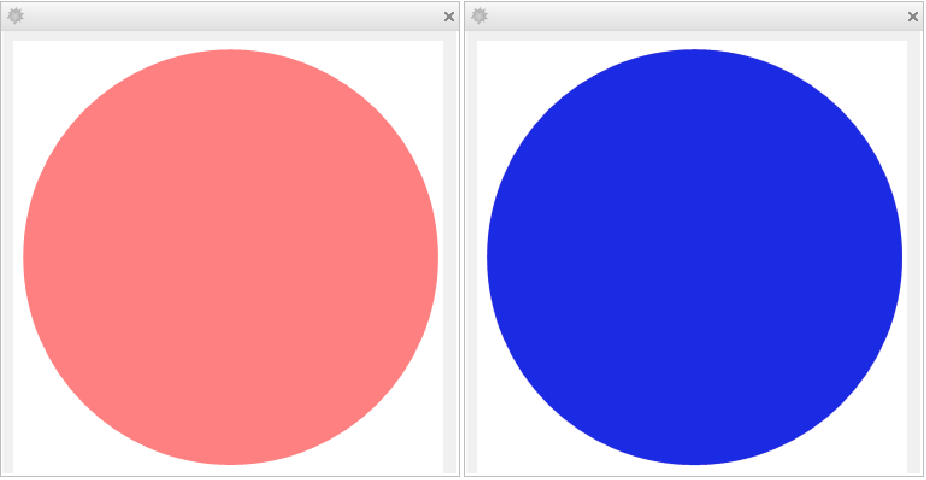
In[1]:= CreateDialog[Dynamic[f[Pink], Initialization :> (f[x_] := Graphics[{x, Disk[]}]), Deinitialization :> CreateDialog[f[Blue]]]];
```

[image][image]

#### Evaluator (1)

Specify a ``Dynamic`` that will only run in the kernel named ``"Local"`` :

```wl
In[1]:= Dynamic[$CommandLine, Evaluator -> "Local"]

Out[1]= Dynamic[$CommandLine]
```

#### ExcludedContexts (1)

By default, certain system-internal contexts are not saved in the initialization option:

```wl
In[1]:=
x := $TimeZone
Dynamic[x, SaveDefinitions -> True]//ToBoxes

Out[1]= DynamicBox[ToBoxes[x, StandardForm], Initialization :> (x := $TimeZone)]
```

Uses ``ExcludedContexts -> {}`` to save definitions of all non-protected symbols:

```wl
In[2]:= Dynamic[x, ExcludedContexts -> {}, SaveDefinitions -> True]//ToBoxes

Out[2]= DynamicBox[ToBoxes[x, StandardForm], Initialization :> {x := $TimeZone, $TimeZone = -5.}]
```

#### IncludedContexts (1)

Limit recursive inclusion of symbol definitions to the contexts ``"c1`"`` and ``"c2`"`` only:

```wl
In[1]:=
c1`x := {c1`Private`bar , c2`baz}
c1`Private`bar := 1
c2`baz := 3

In[2]:= Dynamic[c1`x, IncludedContexts -> {"c1`", "c2`"}, SaveDefinitions -> True]//ToBoxes

Out[2]= DynamicBox[ToBoxes[c1`x, StandardForm], Initialization :> {c1`x := {c1`Private`bar, c2`baz}, c2`baz := 3}]
```

#### Initialization (2)

By default, external definitions are lost between kernel sessions:

```wl
In[1]:= f[x_] := Range[x]

In[2]:= Dynamic[f[10]]

Out[2]= Dynamic[f[10]]
```

---

Use ``Initialization`` to evaluate expressions necessary for displaying the output:

```wl
In[1]:= Dynamic[g[10], Initialization :> (g[x_] := Range[x])]

Out[1]= Dynamic[g[10]]
```

#### ShrinkingDelay (1)

Assign a number or graphics to $h$ :

```wl
In[1]:= SetterBar[Dynamic[h], {Graphics[Disk[], ImageSize -> Tiny] -> "Graphics", 1 -> "Number"}]

Out[1]= SetterBar[Dynamic[h], {Graphics[Disk[{0, 0}], ImageSize -> Tiny] -> "Graphics", 1 -> "Number"}]
```

Use ``ShrinkingDelay`` to allow lapse time before shrinking the size of the output:

```wl
In[2]:= Framed /@ {Dynamic[h], Dynamic[h, ShrinkingDelay -> 2]}

Out[2]= {Dynamic[h], Dynamic[h]}
```

#### SynchronousUpdating (1)

Prevent a lengthy evaluation from timing out or hanging the system:

```wl
In[1]:= Dynamic[Pause[5];"result", SynchronousUpdating -> False]

Out[1]= Dynamic[Pause[5]; "result"]
```

#### TrackedSymbols (1)

Updates ``y`` only when ``x`` changes:

```wl
In[1]:= DynamicModule[{x, y}, Column@{Labeled[Slider[Dynamic[x]], "x", Left], Labeled[Slider[Dynamic[y]], "y", Left], Dynamic[{x, y}, TrackedSymbols :> {x}]}]

Out[1]= DynamicModule[«3»]
```

### Applications (5)

Constrain the coordinates of a point to lie on a circle:

```wl
In[1]:= DynamicModule[{p = {0, 1}}, Graphics[{Dashed, Circle[], PointSize[0.1], Point[Dynamic[p, (p = Normalize[#])&]]}, ImageSize -> Tiny, PlotRange -> 1.2]]

Out[1]= DynamicModule[«3»]
```

---

Construct a dynamic calculating interface:

```wl
In[1]:= DynamicModule[{a = 0, b = 0, s = {{5, 30}, {1, Infinity}}}, Deploy[Style[Panel[Grid[Transpose[{{Style["input a number", Red], Style["input another number", Red], "here is their sum", "their difference", "their product"}, {InputField[Dynamic[a], Number], InputField[Dynamic[b], Number], InputField[Dynamic[a + b], Enabled -> False], InputField[Dynamic[a - b], Enabled -> False], InputField[Dynamic[a b], Enabled -> False]}}], Alignment -> Right], ImageMargins -> 10], DefaultOptions -> {InputField -> {ContinuousAction -> True, FieldSize -> s}}]]]

Out[1]= DynamicModule[«3»]
```

---

Create a timer to track lapsed minutes and seconds, with ``Trigger`` for the controls:

```wl
In[1]:= {Trigger[Dynamic[x, (a = FractionalPart[#];x = Round[#])&], {0, Infinity}], Dynamic[{Quotient[x, 60], Mod[x, 60], SetPrecision[10a, 2]}]}

Out[1]=
{Animator[Dynamic[x, (a = FractionalPart[#1]; 
    x = Round[#1]) & ], {0, Infinity}, AnimationRepetitions -> 1, 
 AnimationRunTime -> 0., AnimationRunning -> False, AnimationTimeIndex -> 5.406630516052246, 
 AppearanceElements -> {"ResetPlayButton", "PauseButton", "ResetButton"}, DefaultBaseStyle -> {}], Dynamic[{Quotient[x, 60], Mod[x, 60], SetPrecision[10*a, 2]}]}
```

---

Create a simple interface that looks up the shapes of countries:

```wl
In[1]:= DynamicModule[{c}, {PopupMenu[Dynamic[c], CountryData[]], Dynamic[CountryData[c, "Shape"], SynchronousUpdating -> False]}]

Out[1]= DynamicModule[«3»]
```

---

Construct custom controls, e.g. an angular slider with range $(-\pi ,\pi )$ :

```wl
In[1]:= DynamicModule[{angle = 0, p = {1, 0}}, {LocatorPane[Dynamic[p, (angle = ArcTan@@#;p = {Cos[angle], Sin[angle]})&], Graphics[{Circle[], Arrowheads[0.15], Arrow[Dynamic[{{0, 0}, p}]]}, ImageSize -> Tiny], Appearance -> None], Dynamic[angle]}]

Out[1]= DynamicModule[«3»]
```

An angular slider with range $(-\infty ,\infty )$ :

```wl
In[2]:= DynamicModule[{angle = 0, p = {1, 0}, angleCalc}, {LocatorPane[Dynamic[p, (angleCalc@@Normalize /@ {#, p})&], Graphics[{Circle[], Arrowheads[0.15], Arrow[Dynamic[{{0, 0}, p}]]}, ImageSize -> Tiny], Appearance -> None], Dynamic[angle]}, Initialization :> (angleCalc[newp_, oldp_] := (angle = angle + ArcCos[newp.oldp]Sign[Cross[newp].(newp - oldp)];p = {Cos[angle], Sin[angle]}))]

Out[2]= DynamicModule[«4»]
```

### Properties & Relations (4)

``Dynamic`` may be used to directly display its contents:

```wl
In[1]:= DynamicModule[{x = 0}, Dynamic[x]]

Out[1]= DynamicModule[«3»]
```

A ``Dynamic`` that simply displays has no interactivity, and the second argument does not affect it:

```wl
In[2]:= DynamicModule[{x = 0}, Dynamic[x, (x = 1)&]]

Out[2]= DynamicModule[«3»]
```

Alternatively, ``Dynamic`` may be fed as a value to an interactive control, object or option:

```wl
In[3]:= DynamicModule[{x = 0}, Slider[Dynamic[x]]]

Out[3]= DynamicModule[«3»]
```

A value-style ``Dynamic`` invokes its second argument when the value is interactively changed:

```wl
In[4]:= DynamicModule[{x = 0}, Slider[Dynamic[x, (x = 1)&]]]

Out[4]= DynamicModule[«3»]
```

---

Dynamic expressions do not evaluate their contents until the result is displayed onscreen:

```wl
In[1]:=
x=.;
result = Dynamic[x = 5];
Print["x = ", x]

During evaluation of In[1]:= "x = "x
```

Even showing the result is not a guarantee that it will resolve immediately:

```wl
In[2]:=
result
Print["x = ", x];

Out[2]= Dynamic[x = 5]

During evaluation of In[4]:= "x = "x
```

Use ``FinishDynamic`` when timing is important:

```wl
In[3]:=
Dynamic[y = 10]
FinishDynamic[]
Print["y = ", y];

Out[3]= Dynamic[y = 10]

During evaluation of In[6]:= "y = "10
```

---

Synchronous dynamics are time-limited according to the value of ``DynamicEvaluationTimeout`` :

```wl
In[1]:= Style[Dynamic[Pause[2];"result"], DynamicEvaluationTimeout -> 1]

Out[1]= Dynamic[Pause[2]; "result"]
```

---

An evaluation can detect if it's being dynamically evaluated by using ``\$DynamicEvaluation`` :

```wl
In[1]:= {Dynamic[$DynamicEvaluation], $DynamicEvaluation}

Out[1]= {Dynamic[$DynamicEvaluation], False}
```

### Possible Issues (5)

The following example does not work because the assignment operation fails:

```wl
In[1]:= {Slider[Dynamic[1 - x]], Dynamic[x]}

Out[1]= {Slider[Dynamic[1 - x]], Dynamic[x]}
```

Use the second argument of ``Dynamic`` to control the assignment operation:

```wl
In[2]:= {Slider[Dynamic[1 - y, (y = 1 - #)&]], Dynamic[y]}

Out[2]= {Slider[Dynamic[1 - y, (y = 1 - #1) & ]], Dynamic[y]}
```

---

Self-triggering ``Dynamic`` can easily cause infinite loops (delete the output to stop it):

```wl
In[1]:= DynamicModule[{x = 1}, Dynamic[x = x + 1]]
```

---

By default, view elements generate the entire contents before displaying:

```wl
In[1]:= Timing[MenuView[(# -> PolyhedronData[#])& /@ PolyhedronData["Uniform"]]]

Out[1]= {0.462013, DynamicModule[«3»]}
```

Use ``Dynamic`` and ``ImageSize -> Automatic`` to generate the contents only when displayed:

```wl
In[2]:= Timing[MenuView[(# -> Dynamic[PolyhedronData[#]])& /@ PolyhedronData["Uniform"], ImageSize -> Automatic]]

Out[2]= {0.074463, DynamicModule[«3»]}
```

---

``Module`` variables are not initialized, and returning a ``Module`` variable leaks the symbol name:

```wl
In[1]:=
Module[{x = 5}, Dynamic[x]]
FinishDynamic[];
Quit[]

Out[1]= Dynamic[x$1149]
```

Generally, variables should be initialized and localized using ``DynamicModule`` instead:

```wl
In[2]:=
DynamicModule[{x = 5}, Dynamic[x]]
FinishDynamic[];
Quit[]

Out[2]= DynamicModule[«3»]
```

It is also acceptable to wrap ``Dynamic`` entirely around a ``Module`` :

```wl
In[3]:=
Dynamic[Module[{x = 5}, x]]
FinishDynamic[];
Quit[]

Out[3]= Dynamic[Module[{x = 5}, x]]
```

---

By default, definitions attached to ``"System`"`` symbols are not pulled in:

```wl
In[1]:=
x := Subscript[y, 1]
Subscript[y, 1] := 17
Options[Dynamic[x, SaveDefinitions -> True]//ToBoxes, Initialization]

Out[1]= {Initialization :> (x := Subscript[y, 1])}
```

Use ``ExcludedContexts -> {}`` to pull in definitions from all contexts:

```wl
In[2]:= Options[Dynamic[x, SaveDefinitions -> True, ExcludedContexts -> {}]//ToBoxes, Initialization]

Out[2]= {Initialization :> {x := Subscript[y, 1], Attributes[Subscript] = {NHoldRest}, Subscript[y, 1] := 17}}
```

Alternatively, attach definitions to your own symbols:

```wl
In[3]:=
Clear[Subscript]
y/:Subscript[y, 1] = 17
Options[Dynamic[x, SaveDefinitions -> True]//ToBoxes, Initialization]

Out[3]= 17

Out[3]= {Initialization :> {x := Subscript[y, 1], y/:Subscript[y, 1] = 17}}
```

### Neat Examples (6)

Coupled ``Slider`` :

```wl
In[1]:= {Slider[Dynamic[x]], Slider[Dynamic[1 - x, (x = 1 - #)&]]}

Out[1]= {Slider[Dynamic[x]], Slider[Dynamic[1 - x, (x = 1 - #1) & ]]}
```

---

Coupled ``Slider2D`` :

```wl
In[1]:= {Slider2D[Dynamic[r], {-1, 1}], Slider2D[Dynamic[Through[{Cos, Sin}[ArcTan@@r]], (r = Normalize[#])&], {-1, 1}], Slider2D[Dynamic[{r[[1]], Sin[r[[1]] Pi]}, (r = {#[[1]], Sin[#[[1]] Pi]})&], {-1, 1}], Slider2D[Dynamic[{r[[1]], Cos[r[[1]] Pi]}, (r = {#[[1]], Cos[#[[1]] Pi]})&], {-1, 1}]}

Out[1]=
{Slider2D[Dynamic[r], {-1, 1}], Slider2D[Dynamic[Through[{Cos, Sin}[ArcTan @@ r]], 
  (r = Normalize[#1]) & ], {-1, 1}], Slider2D[Dynamic[{r[[1]], Sin[r[[1]]*Pi]}, 
  (r = {#1[[1]], Sin[#1[[1]]*Pi]}) & ], {-1, 1}], Slider2D[Dynamic[{r[[1]], Cos[r[[1]]*Pi]}, 
  (r = {#1[[1]], Cos[#1[[1]]*Pi]}) & ], {-1, 1}]}
```

---

A "droopy" ``Slider`` :

```wl
In[1]:= DynamicModule[{x = 1}, {Slider[Dynamic[x]], Dynamic[x = Max[0, x - 0.01]]}]

Out[1]= DynamicModule[«3»]
```

---

Center a disk at the mouse position as it moves over the graphics area:

```wl
In[1]:= Framed@Graphics[Disk[Dynamic[MousePosition[{"Graphics", Graphics}, {0, 0}]], 0.2], PlotRange -> 2]

Out[1]= [image]
```

---

Remember the last mouse position as it leaves the graphics area:

```wl
In[1]:= DynamicModule[{pt = {0, 0}}, Framed@Graphics[Disk[Dynamic[pt = MousePosition[{"Graphics", Graphics}, pt];pt], 0.2], PlotRange -> 2]]

Out[1]= DynamicModule[«3»]
```

---

Click inside the framed area to see bouncing balls:

```wl
In[1]:= Framed@DynamicModule[{contents = {}}, EventHandler[Graphics[{PointSize[0.1], Point[Dynamic[contents = Map[If[#[[1, 2]] ≥ 0, {#[[1]] - #[[2]], #[[2]] + {0, 0.001}}, {{#[[1, 1]], 0}, {1, -0.8}#[[2]]}]&, contents];Map[First, contents]]]}, PlotRange -> {{0, 1}, {0, 1}}], "MouseDown" :> (AppendTo[contents, {MousePosition["Graphics"], {0, 0}}])]]

Out[1]= DynamicModule[«3»]
```

## See Also

* [`Manipulate`](https://reference.wolfram.com/language/ref/Manipulate.en.md)
* [`Animate`](https://reference.wolfram.com/language/ref/Animate.en.md)
* [`Control`](https://reference.wolfram.com/language/ref/Control.en.md)
* [`Monitor`](https://reference.wolfram.com/language/ref/Monitor.en.md)
* [`Refresh`](https://reference.wolfram.com/language/ref/Refresh.en.md)
* [`Deploy`](https://reference.wolfram.com/language/ref/Deploy.en.md)
* [`ContinuousAction`](https://reference.wolfram.com/language/ref/ContinuousAction.en.md)
* [`FinishDynamic`](https://reference.wolfram.com/language/ref/FinishDynamic.en.md)
* [`DynamicUpdating`](https://reference.wolfram.com/language/ref/DynamicUpdating.en.md)
* [`PreemptProtect`](https://reference.wolfram.com/language/ref/PreemptProtect.en.md)
* [`Button`](https://reference.wolfram.com/language/ref/Button.en.md)
* [`SetDelayed`](https://reference.wolfram.com/language/ref/SetDelayed.en.md)
* [`DynamicModule`](https://reference.wolfram.com/language/ref/DynamicModule.en.md)
* [`DynamicSetting`](https://reference.wolfram.com/language/ref/DynamicSetting.en.md)
* [`DynamicWrapper`](https://reference.wolfram.com/language/ref/DynamicWrapper.en.md)
* [`SessionSubmit`](https://reference.wolfram.com/language/ref/SessionSubmit.en.md)

## Tech Notes

* [Introduction to Dynamic](https://reference.wolfram.com/language/tutorial/IntroductionToDynamic.en.md)
* [Advanced Dynamic Functionality](https://reference.wolfram.com/language/tutorial/AdvancedDynamicFunctionality.en.md)
* [Notebook Security](https://reference.wolfram.com/language/tutorial/NotebookSecurity.en.md)

## Related Guides

* [Dynamic Interactivity Language](https://reference.wolfram.com/language/guide/DynamicInteractivityLanguage.en.md)
* [Custom Interface Construction](https://reference.wolfram.com/language/guide/CustomInterfaceConstruction.en.md)
* [Click-Interactive Panels](https://reference.wolfram.com/language/guide/ClickInteractivePanels.en.md)
* [Low-Level Interface Control](https://reference.wolfram.com/language/guide/LowLevelInterfaceControl.en.md)
* [Creating Inspectors](https://reference.wolfram.com/language/guide/CreatingInspectors.en.md)
* [Standard Namespaces](https://reference.wolfram.com/language/guide/StandardNamespaces.en.md)
* [Evaluation Control](https://reference.wolfram.com/language/guide/EvaluationControl.en.md)
* [Dialog Boxes](https://reference.wolfram.com/language/guide/DialogBoxes.en.md)
* [Control Objects](https://reference.wolfram.com/language/guide/ControlObjects.en.md)
* [Creating & Importing Images](https://reference.wolfram.com/language/guide/CreatingAndImportingImages.en.md)
* [Symbolic Graphics Language](https://reference.wolfram.com/language/guide/SymbolicGraphicsLanguage.en.md)
* [Setting Up User Interactions](https://reference.wolfram.com/language/guide/SettingUpUserInteractions.en.md)

## Related Workflows

* [Put Autoupdating Dynamic Content in a Notebook](https://reference.wolfram.com/language/workflow/PutAutoupdatingDynamicContentInANotebook.en.md)
* [Use Locator Controls](https://reference.wolfram.com/language/workflow/UseLocatorControls.en.md)
* [Build a Manipulate](https://reference.wolfram.com/language/workflow/BuildAManipulate.en.md)
* [Avoid Dynamic Content Warnings](https://reference.wolfram.com/language/workflow/AvoidDynamicContentWarnings.en.md)
* [Dynamically Monitor Values of Variables](https://reference.wolfram.com/language/workflow/DynamicallyMonitorValuesOfVariables.en.md)

## Related Links

* [Fast Introduction for Programmers: Interactive Interfaces](http://www.wolfram.com/language/fast-introduction-for-programmers/interactive-interfaces/)

## History

* [Introduced in 2007 (6.0)](https://reference.wolfram.com/language/guide/SummaryOfNewFeaturesIn60.en.md)