---
title: "MoleculePlot3D"
language: "en"
type: "Symbol"
summary: "MoleculePlot3D[mol] creates a three-dimensional model of the molecule mol. MoleculePlot3D[mol, patt] creates a model of mol where all atoms and bonds matching the pattern patt are highlighted."
keywords: 
- 3D
- chemistry
- chemical structure
- Lewis structure
- molecular computation
- molecular graphics
- molecular visualization
- molecule
- structural depiction
- structural diagram
- structure diagram
canonical_url: "https://reference.wolfram.com/language/ref/MoleculePlot3D.html"
source: "Wolfram Language Documentation"
related_guides: 
  - 
    title: "Physics & Chemistry: Data and Computation"
    link: "https://reference.wolfram.com/language/guide/PhysicsAndChemistryDataAndComputation.en.md"
  - 
    title: "Molecular Structure & Computation"
    link: "https://reference.wolfram.com/language/guide/MolecularStructureAndComputation.en.md"
---
[EXPERIMENTAL]

# MoleculePlot3D

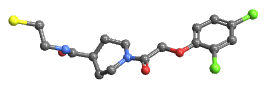
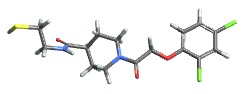
MoleculePlot3D[mol] creates a three-dimensional model of the molecule mol.

MoleculePlot3D[mol, patt] creates a model of mol where all atoms and bonds matching the pattern patt are highlighted.

## Details and Options

* If the molecule does not have structure diagram coordinates, they will be generated automatically according to the molecule's ``AtomCoordinates`` option.

* ``mol`` can be a ``Molecule`` object or something that can be easily converted to one, such as a systematic chemical name, a ``"Chemical"`` entity or ``ExternalIdentifier``.

* Possible forms for ``patt`` include:

|                         |                                       |
| ----------------------- | ------------------------------------- |
| n                       | the index of a particular atom        |
| Atom[…]                 | a pattern for an atom                 |
| Bond[…]                 | a pattern for a bond                  |
| MoleculePattern[…]      | a pattern for a molecule substructure |
| {patt1, patt2, …}       | a list of patterns                    |
| <\|label1 -> patt1, …\|> | an Association of labels and patterns |

* Patterns entered as ``Style[patt, spec]``will be styled according to ``spec``.

* ``MoleculePlot3D`` has the same options as ``Graphics3D``, with the following additions and changes: []

|                  |           |                                       |
| ---------------- | --------- | ------------------------------------- |
| AtomLabels       | None      | labels and label placements for atoms |
| AtomLabelStyle   | Automatic | style to use for atom labels          |
| BondLabels       | None      | labels and label placements for bonds |
| BondLabelStyle   | Automatic | style to use for bond labels          |
| Boxed            | False     | whether to draw the bounding box      |
| ColorRules       | Automatic | a list of rules                       |
| IncludeHydrogens | True      | whether to show hydrogen atoms        |
| PlotLegends      | None      | legends for highlights                |
| PlotTheme        | Automatic | overall theme for the plot            |

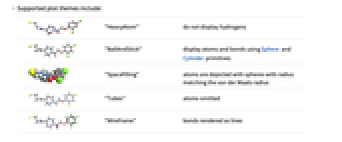
* Supported plot themes include:

|         |                |                                                                               |
| ------- | -------------- | ----------------------------------------------------------------------------- |
| [image] | "BallAndStick" | display atoms and bonds using Sphere and Cylinder primitives                  |
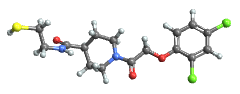
| [image] | "Spacefilling" | atoms are depicted with spheres with radius matching the van der Waals radius |
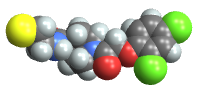
| [image] | "Tubes"        | atoms omitted                                                                 |
| [image] | "Wireframe"    | bonds rendered as lines                                                       |

* Typical settings for ``PlotLegends`` include:

|                  |                                    |
| ---------------- | ---------------------------------- |
| None             | no legend                          |
| Automatic        | automatically determine legend     |
| {lbl1, lbl2, …}  | use lbl1, lbl2, … as legend labels |
| Placed[lspec, …] | specify placement for legend       |

* When ``patt`` is entered as an ``Association``, the ``labeli`` will be used in the ``PlotLegends``.

### List of all options

|                      |                 |                                                                                    |
| -------------------- | --------------- | ---------------------------------------------------------------------------------- |
| AlignmentPoint       | Center          | the default point in the graphic to align with                                     |
| AspectRatio          | Automatic       | ratio of height to width                                                           |
| AtomLabels           | None            | labels and label placements for atoms                                              |
| AtomLabelStyle       | Automatic       | style to use for atom labels                                                       |
| Axes                 | False           | whether to draw axes                                                               |
| AxesEdge             | Automatic       | on which edges to put axes                                                         |
| AxesLabel            | None            | axes labels                                                                        |
| AxesOrigin           | Automatic       | where axes should cross                                                            |
| AxesStyle            | {}              | graphics directives to specify the style for axes                                  |
| Background           | None            | background color for the plot                                                      |
| BaselinePosition     | Automatic       | how to align with a surrounding text baseline                                      |
| BaseStyle            | {}              | base style specifications for the graphic                                          |
| BondLabels           | None            | labels and label placements for bonds                                              |
| BondLabelStyle       | Automatic       | style to use for bond labels                                                       |
| Boxed                | False           | whether to draw the bounding box                                                   |
| BoxRatios            | Automatic       | bounding 3D box ratios                                                             |
| BoxStyle             | {}              | style specifications for the box                                                   |
| ClipPlanes           | None            | clipping planes                                                                    |
| ClipPlanesStyle      | Automatic       | style specifications for clipping planes                                           |
| ColorRules           | Automatic       | a list of rules                                                                    |
| ContentSelectable    | Automatic       | whether to allow contents to be selected                                           |
| ControllerLinking    | False           | when to link to external rotation controllers                                      |
| ControllerPath       | Automatic       | what external controllers to try to use                                            |
| Epilog               | {}              | 2D graphics primitives to be rendered after the main plot                          |
| FaceGrids            | None            | grid lines to draw on the bounding box                                             |
| FaceGridsStyle       | {}              | style specifications for face grids                                                |
| FormatType           | TraditionalForm | default format type for text                                                       |
| ImageMargins         | 0.              | the margins to leave around the graphic                                            |
| ImagePadding         | All             | what extra padding to allow for labels, etc.                                       |
| ImageSize            | Automatic       | absolute size at which to render the graphic                                       |
| IncludeHydrogens     | True            | whether to show hydrogen atoms                                                     |
| LabelStyle           | {}              | style specifications for labels                                                    |
| Lighting             | Automatic       | simulated light sources to use                                                     |
| Method               | Automatic       | details of 3D graphics methods to use                                              |
| PlotLabel            | None            | a label for the plot                                                               |
| PlotLegends          | None            | legends for highlights                                                             |
| PlotRange            | All             | range of values to include                                                         |
| PlotRangePadding     | Automatic       | how much to pad the range of values                                                |
| PlotRegion           | Automatic       | final display region to be filled                                                  |
| PlotTheme            | Automatic       | overall theme for the plot                                                         |
| PreserveImageOptions | Automatic       | whether to preserve image options when displaying new versions of the same graphic |
| Prolog               | {}              | 2D graphics primitives to be rendered before the main plot                         |
| RotationAction       | "Fit"           | how to render after interactive rotation                                           |
| SphericalRegion      | Automatic       | whether to make the circumscribing sphere fit in the final display area            |
| Ticks                | Automatic       | specification for ticks                                                            |
| TicksStyle           | {}              | style specification for ticks                                                      |
| TouchscreenAutoZoom  | False           | whether to zoom to fullscreen when activated on a touchscreen                      |
| ViewAngle            | Automatic       | angle of the field of view                                                         |
| ViewCenter           | Automatic       | point to display at the center                                                     |
| ViewMatrix           | Automatic       | explicit transformation matrix                                                     |
| ViewPoint            | {1.3, -2.4, 2.} | viewing position                                                                   |
| ViewProjection       | Automatic       | projection method for rendering objects distant from the viewer                    |
| ViewRange            | All             | range of viewing distances to include                                              |
| ViewVector           | Automatic       | position and direction of a simulated camera                                       |
| ViewVertical         | {0, 0, 1}       | direction to make vertical                                                         |

---

## Examples (14)

### Basic Examples (3)

Create a molecule and plot it in 3D:

```wl
In[1]:= MoleculePlot3D[Molecule["NC(=O)C[C@H](C(=O)O)N"]]

Out[1]= [image]
```

Highlight the first and third atoms:

```wl
In[2]:= MoleculePlot3D[Molecule["NC(=O)C[C@H](C(=O)O)N"], {1, 3}]

Out[2]= [image]
```

Highlight all oxygen atoms:

```wl
In[3]:= MoleculePlot3D[Molecule["NC(=O)C[C@H](C(=O)O)N"], Atom["O"]]

Out[3]= [image]
```

---

Highlight two different patterns:

```wl
In[1]:= MoleculePlot3D["O=C(C1CCC1)S[C@@H]1CCC1(C)C", <|"carbonyl" -> Bond[{"C", "O"}, "Double"], "ring carbons" -> Atom["C", "RingAtomQ" -> True]|>]

Out[1]= [image]
```

---

Use different plot themes:

```wl
In[1]:= MoleculePlot3D[Molecule["CCCC"], PlotTheme -> #]& /@ {"Wireframe", "Tubes", "BallAndStick", "SpaceFilling"}

Out[1]= {[image], [image], [image], [image]}
```

### Scope (2)

A pattern can match one or multiple positions in a molecule:

```wl
In[1]:=
m = Molecule[{Atom["C"], Atom["C"], Atom["C"], Atom["O"], Atom["N"], Atom["C"], Atom["O"], Atom["N"], 
  Atom["C"], Atom["C"], Atom["C"], Atom["O"], Atom["O"], Atom["C"], Atom["N"], Atom["C"], 
  Atom["C"], Atom["O"], Atom["O"], Atom["C"], Atom["C"], A ... er" -> 10, "Direction" -> "Clockwise", "FiducialAtom" -> 9, 
    "Ligands" -> {11, 5, 34}], Association["StereoType" -> "Tetrahedral", "ChiralCenter" -> 16, 
    "Direction" -> "Counterclockwise", "FiducialAtom" -> 15, "Ligands" -> {17, 20, 40}]}];
carbonylPattern = Bond[{"C", "O"}, "Double"];
```

Highlight each carbonyl separately:

```wl
In[2]:= MoleculePlot3D[m, carbonylPattern]

Out[2]= [image]
```

Highlight each carbonyl as a single color:

```wl
In[3]:= MoleculePlot3D[m, {carbonylPattern}]

Out[3]= [image]
```

---

Highlight several patterns:

```wl
In[1]:=
MoleculePlot3D[Molecule[{Atom["C"], Atom["N"], Atom["C"], Atom["C"], Atom["C"], Atom["N"], Atom["C"], Atom["O"], 
  Atom["C"], Atom["C"], Atom["C"], Atom["C"], Atom["H"], Atom["H"], Atom["H"], Atom["H"], 
  Atom["H"], Atom["H"], Atom["H"], Atom["H"], Atom["H"], A ... e"], 
  Bond[{6, 22}, "Single"], Bond[{10, 23}, "Single"], Bond[{10, 24}, "Single"], 
  Bond[{11, 25}, "Single"], Bond[{11, 26}, "Single"], Bond[{11, 27}, "Single"], 
  Bond[{12, 28}, "Single"], Bond[{12, 29}, "Single"], Bond[{12, 30}, "Single"]}], {1, Bond[{"C", "C"}, "Double"]}]

Out[1]= [image]
```

### Options (8)

#### AtomLabels (1)

Label all atoms by their index:

```wl
In[1]:= MoleculePlot3D[Molecule["2,3-dichloro-4-nitro-1H-pyrrole"], AtomLabels -> "AtomIndex"]

Out[1]= [image]
```

Label only chlorine atoms by their index:

```wl
In[2]:= MoleculePlot3D[Molecule["2,3-dichloro-4-nitro-1H-pyrrole"], AtomLabels -> {Atom["Cl"] -> "AtomIndex"}]

Out[2]= [image]
```

Label non-hydrogen atoms by their hybridization:

```wl
In[3]:= MoleculePlot3D[Molecule["2,3-dichloro-4-nitro-1H-pyrrole"], AtomLabels -> {Atom[Except["H"]] -> MoleculeProperty["OrbitalHybridization"]}]

Out[3]= [image]
```

#### AtomLabelStyle (1)

Set all labels to have the same style:

```wl
In[1]:= MoleculePlot3D[Molecule["2,3-dichloro-4-nitro-1H-pyrrole"], AtomLabels -> "AtomIndex", AtomLabelStyle -> Directive[FontSize -> 16, Blue]]

Out[1]= [image]
```

Set the label style depending on atom type:

```wl
In[2]:= MoleculePlot3D[Molecule["2,3-dichloro-4-nitro-1H-pyrrole"], AtomLabels -> "AtomIndex", AtomLabelStyle -> {Atom["C"] -> Directive[16, Blue], Atom["O"] -> Directive[22, Purple, Bold], _ -> Italic}]

Out[2]= [image]
```

#### BondLabels (1)

Label all bonds by their index:

```wl
In[1]:= MoleculePlot3D[Molecule["2,3-dichloro-4-nitro-1H-pyrrole"], BondLabels -> "BondIndex"]

Out[1]= [image]
```

Label only bonds to chlorine atoms by their bond type:

```wl
In[2]:= MoleculePlot3D[Molecule["2,3-dichloro-4-nitro-1H-pyrrole"], BondLabels -> {Bond[{"Cl", _}] -> MoleculeProperty["BondType"]}]

Out[2]= [image]
```

#### BondLabelStyle (1)

Give all bond labels the same style:

```wl
In[1]:= MoleculePlot3D[Molecule["2,3-dichloro-4-nitro-1H-pyrrole"], BondLabels -> "BondIndex", BondLabelStyle -> Directive[FontSize -> 22, Red]]

Out[1]= [image]
```

Label bonds differently based on their atoms:

```wl
In[2]:= MoleculePlot3D[Molecule["2,3-dichloro-4-nitro-1H-pyrrole"], BondLabels -> "BondIndex", BondLabelStyle -> {Bond[{"N", _}] -> Directive[FontSize -> 22, Red], Bond[{"Cl", _}] -> Directive[FontSize -> 22, Blue]}]

Out[2]= [image]
```

#### ColorRules (1)

Specify different colors for atomic elements:

```wl
In[1]:= m = Molecule["Nc1nccc(n1)c1c(C)onc1c1ccccc1"]

Out[1]=
Molecule[{"N", "C", "N", "C", "C", "C", "N", "C", "C", "C", "O", "N", "C", "C", "C", "C", "C", "C", 
  "C"}, {Bond[{1, 2}, "Single"], Bond[{2, 3}, "Aromatic"], Bond[{3, 4}, "Aromatic"], 
  Bond[{4, 5}, "Aromatic"], Bond[{5, 6}, "Aromatic"], Bond[{6 ... 14}, "Single"], Bond[{14, 15}, "Aromatic"], Bond[{15, 16}, "Aromatic"], 
  Bond[{16, 17}, "Aromatic"], Bond[{17, 18}, "Aromatic"], Bond[{18, 19}, "Aromatic"], 
  Bond[{7, 2}, "Aromatic"], Bond[{13, 8}, "Aromatic"], Bond[{19, 14}, "Aromatic"]}, {}]

In[2]:= MoleculePlot3D[m]

Out[2]= [image]

In[3]:= MoleculePlot3D[m, ColorRules -> {"C" -> RGBColor[0.79, 0.34, 0.5], "N" -> RGBColor[0.5, 0.51, 0.81], _ -> GrayLevel[.7]}]

Out[3]= [image]
```

#### IncludeHydrogens (1)

By default, all hydrogen atoms are shown:

```wl
In[1]:= MoleculePlot3D[Molecule["2-cycloheptanol"]]

Out[1]= [image]
```

Show only the heavy atoms:

```wl
In[2]:= MoleculePlot3D[Molecule["2-cycloheptanol"], IncludeHydrogens -> None]

Out[2]= [image]
```

Create a molecule with only a few explicit hydrogens and show them in 3D:

```wl
In[3]:= MoleculePlot3D[Molecule["[H]C([H])=CC"], IncludeHydrogens -> "ExplicitOnly"]

Out[3]= [image]
```

#### PlotLegends (1)

Use placeholders for plot legends:

```wl
In[1]:=
m = Molecule[{Atom["C"], Atom["N"], Atom["C"], Atom["C"], Atom["C"], Atom["N"], Atom["C"], Atom["O"], 
  Atom["C"], Atom["C"], Atom["C"], Atom["C"], Atom["H"], Atom["H"], Atom["H"], Atom["H"], 
  Atom["H"], Atom["H"], Atom["H"], Atom["H"], Atom["H"], A ... e"], 
  Bond[{6, 22}, "Single"], Bond[{10, 23}, "Single"], Bond[{10, 24}, "Single"], 
  Bond[{11, 25}, "Single"], Bond[{11, 26}, "Single"], Bond[{11, 27}, "Single"], 
  Bond[{12, 28}, "Single"], Bond[{12, 29}, "Single"], Bond[{12, 30}, "Single"]}];

In[2]:= MoleculePlot3D[m, {1, Bond[{"C", "C"}, "Double"]}, PlotLegends -> Automatic]

Out[2]= [image]
```

Use the expressions to label the highlights:

```wl
In[3]:= MoleculePlot3D[m, {1, Bond[{"C", "C"}, "Double"]}, PlotLegends -> Placed["Expressions", Below]]

Out[3]= [image]
```

#### PlotTheme (1)

Use different plot themes to visualize a molecule in 3D:

```wl
In[1]:= m = Molecule["Nc1nccc(n1)c1c(C)onc1c1ccccc1"];

In[2]:= MoleculePlot3D[m, PlotTheme -> "Tubes"]

Out[2]= [image]

In[3]:= MoleculePlot3D[m, PlotTheme -> {"Spacefilling", "Monochrome"}]

Out[3]= [image]
```

### Neat Examples (1)

Combine a 3D molecule plot with a surface mesh using ``MoleculeMesh`` :

```wl
In[1]:=
With[{m = Molecule[{"O", "C", Atom["C", "HydrogenCount" -> 1], "C", "C", "C", 
  Atom["C", "HydrogenCount" -> 1], Atom["C", "HydrogenCount" -> 1], "O", "C", "C", 
  Atom["C", "HydrogenCount" -> 1], Atom["C", "HydrogenCount" -> 1], "C", "O", "C", "O", "N", 
  ... ection" -> "Clockwise"], 
    Association["StereoType" -> "Tetrahedral", "ChiralCenter" -> 29, "Direction" -> "Clockwise"], 
    Association["StereoType" -> "DoubleBond", "StereoBond" -> {5, 6}, "Ligands" -> {4, 7}, 
     "Value" -> "Opposite"]}}]}, 
	Show[MoleculePlot3D[m, PlotTheme -> "Tubes"], MoleculeMesh[m, "Gaussian", BaseStyle -> Opacity[0.5]]
	]
	]

Out[1]= [image]
```

## See Also

* [`MoleculePlot`](https://reference.wolfram.com/language/ref/MoleculePlot.en.md)
* [`Molecule`](https://reference.wolfram.com/language/ref/Molecule.en.md)
* [`AtomLabels`](https://reference.wolfram.com/language/ref/AtomLabels.en.md)
* [`AtomLabelStyle`](https://reference.wolfram.com/language/ref/AtomLabelStyle.en.md)
* [`BondLabels`](https://reference.wolfram.com/language/ref/BondLabels.en.md)
* [`BondLabelStyle`](https://reference.wolfram.com/language/ref/BondLabelStyle.en.md)
* [`BioMoleculePlot3D`](https://reference.wolfram.com/language/ref/BioMoleculePlot3D.en.md)
* [`MoleculeMesh`](https://reference.wolfram.com/language/ref/MoleculeMesh.en.md)
* [`Chemical`](https://reference.wolfram.com/language/ref/entity/Chemical.en.md)
* [`Protein`](https://reference.wolfram.com/language/ref/entity/Protein.en.md)
* [`MOL`](https://reference.wolfram.com/language/ref/format/MOL.en.md)
* [`SDF`](https://reference.wolfram.com/language/ref/format/SDF.en.md)
* [`PDB`](https://reference.wolfram.com/language/ref/format/PDB.en.md)

## Related Guides

* [Physics & Chemistry: Data and Computation](https://reference.wolfram.com/language/guide/PhysicsAndChemistryDataAndComputation.en.md)
* [Molecular Structure & Computation](https://reference.wolfram.com/language/guide/MolecularStructureAndComputation.en.md)

## History

* [Introduced in 2019 (12.0)](https://reference.wolfram.com/language/guide/SummaryOfNewFeaturesIn120.en.md) \| [Updated in 2021 (13.0)](https://reference.wolfram.com/language/guide/SummaryOfNewFeaturesIn130.en.md)