AnatomyPlot3D[primitives,options]
表示一个三维图形图像,可用于解剖学条目和三维图形基元和指令.
AnatomyPlot3D
AnatomyPlot3D[primitives,options]
表示一个三维图形图像,可用于解剖学条目和三维图形基元和指令.
更多信息和选项
- 使用 AnatomyPlot3D 时需要网络连接.
- AnatomyPlot3D 允许仅用解剖学条目来表示附注的三维基元,来代替该条目的 "Graphics3D" 属性.
- 出现在基元里的条目可用作坐标说明符,代替条目的 "RegionCentroid".
- AnatomyPlot3D 在 StandardForm 中显示为图形图像.
- PlotRange 可用解剖学条目指定,代替该条目的 "RegionBounds".
- 解剖学条目的坐标值分別对应以毫米表示的平均成年男性和平均成年动物的数值.
- AnatomyPlot3D 和 Graphics3D 使用的指令基本一样,有如下添加:
-
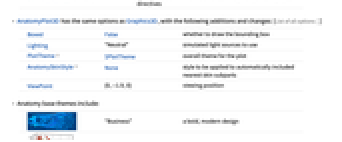
AnatomyStyling[directives] 解剖学条目使用指定的图形指令绘制 - AnatomyPlot3D 和 Graphics3D 使用的选项基本一样,有如下添加和改变: [所有选项的列表]
-
Boxed False 是否绘制边界箱 Lighting "Neutral" 模拟使用的光源 PlotTheme $PlotTheme 绘制的整体主题 AnatomySkinStyle None 自动使用的样式,包括最近的皮肤部分 ViewPoint {0,-1.9,0} 查看位置 - 解剖基础主题包括:
-

"Business" 一个大胆、现代的设计 
"Detailed" 使用标记的轴和网格线来识别尺寸 
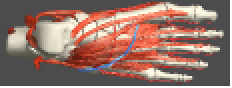
"Marketing" 适合市场需求的优雅设计 
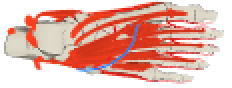
"Minimal" 带有最小细节的平面阴影 
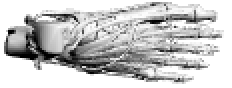
"Monochrome" 单色设计 
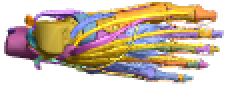
"Scientific" 由工具提示识别的单独的彩色部分 
"Web" 适合网络的明亮阴影和颜色 
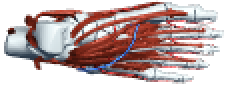
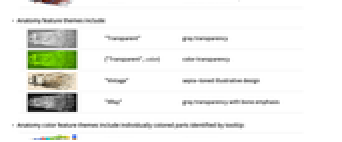
"Classic" 历史暗色 - 解剖特征主题包括:
-
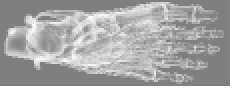
"Transparent" 灰色透明度 
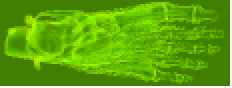
{"Transparent",color} 彩色透明度 
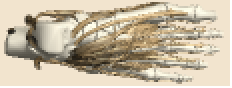
"Vintage" 棕褐色色调说明性设计 
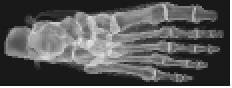
"XRay" 强调骨骼的灰色透明度 - 解剖颜色特征主题包括由工具提示识别的单独颜色部分:
-
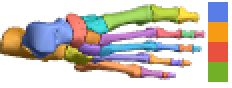
"BoldColor" 12 种鲜明的颜色 
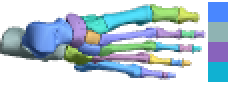
"CoolColor" 8 种冷色 
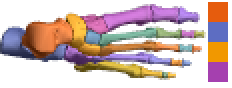
"DarkColor" 8 种暗色 
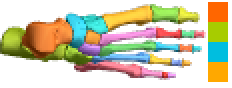
"NeonColor" 8 种霓虹色 
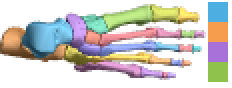
"PastelColor" 8 种柔和色 
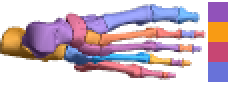
"RoyalColor" 8 种皇家颜色 
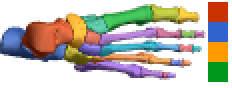
"VibrantColor" 10 种鲜艳的颜色 
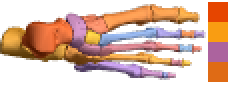
"WarmColor" 8 种暖色
所有选项的列表
范例
打开所有单元 关闭所有单元基本范例 (5)
AnatomyPlot3D[Entity["AnatomicalStructure", "LeftFemur"]]AnatomyPlot3D[Entity["AnimalAnatomicalStructure", "LeftFemur::CanisLupusFamiliaris::4t62p"]]AnatomyPlot3D[{Entity["AnatomicalStructure", "RightHand"]}]AnatomyPlot3D[{Entity["AnimalAnatomicalStructure", "LeftForefoot::CanisLupusFamiliaris::4t62p"]}]AnatomyPlot3D[{Entity["AnatomicalStructure", "LeftClavicle"], StandardRed, Entity["AnatomicalStructure", "LeftScapula"]}]AnatomyPlot3D[{Entity["AnatomicalStructure", "RightHand"]}, PlotTheme -> "Business"]AnatomyPlot3D[{Entity["AnatomicalStructure", "LeftHand"], AbsoluteThickness[2], StandardBlue, Arrow[{Entity["AnatomicalStructure", "DistalPhalanxOfLeftThumb"], Entity["AnatomicalStructure", "DistalPhalanxOfLeftIndexFinger"]}]}]范围 (11)
上色和样式 (3)
AnatomyPlot3D[{StandardBlue, Entity["AnatomicalStructure", "LeftArm"]}]下列范例说明,也可操作诸如肱二头肌的“中等”结构,尽管这些结构由更小的微成分组成:
AnatomyPlot3D[{AnatomyStyling[<|Entity["AnatomicalStructure", "BicepsBrachii"] -> StandardGreen|>], Entity["AnatomicalStructure", "LeftArm"]}]AnatomyPlot3D[{AnatomyStyling[<|Entity["AnatomicalStructure", "LongHeadOfLeftBicepsBrachii"] -> StandardGreen, Entity["AnatomicalStructure", "ShortHeadOfLeftBicepsBrachii"] -> StandardBlue|>], Entity["AnatomicalStructure", "LeftArm"]}]下列范例说明,你可以给所有对象都上同一个颜色,但肌肉(或其他条目)除外,这些结构的颜色不同:
AnatomyPlot3D[{AnatomyStyling[<|_ -> StandardRed, Entity["AnatomicalStructure", "Muscle"] -> StandardBlue|>], Entity["AnatomicalStructure", "LeftArm"]}]没有参数的话,AnatomyForm 的表现与 FaceForm[] 一样:
AnatomyPlot3D[{AnatomyStyling[], EdgeForm[StandardBlue], Entity["AnatomicalStructure", "SeventhCervicalVertebra"]}]AnatomyForm["Natural"] 忽略更早的指令,将样式储存为其原始状态:
AnatomyPlot3D[{StandardRed, Entity["AnatomicalStructure", "SeventhCervicalVertebra"], AnatomyStyling["Natural"], Entity["AnatomicalStructure", "FirstThoracicVertebra"]}]基元 (6)
AnatomyPlot3D[{Entity["AnatomicalStructure", "LeftHand"], Entity["AnatomicalStructure", "RightHand"], StandardRed, Line[{Entity["AnatomicalStructure", "LeftHand"], Entity["AnatomicalStructure", "RightHand"]}]}]AnatomyPlot3D[{Entity["AnatomicalStructure", "SkeletonOfRightHand"], StandardRed, Arrow[{{-175, -130, 758}, Entity["AnatomicalStructure", "RightFifthMetacarpalBone"]}, 5], Text["5th metacarpal", {-175, -130, 758}, {0, -1}]}]AnatomyPlot3D[{Entity["AnatomicalStructure", "HipBone"], Entity["AnatomicalStructure", "Scapula"], Opacity[.5, StandardRed], Cuboid[Entity["AnatomicalStructure", "LeftHipBone"], Entity["AnatomicalStructure", "RightScapula"]]}]AnatomyPlot3D[{Entity["AnatomicalStructure", "SkeletonOfLeftUpperLimb"], Opacity[.5], Sphere[Entity["AnatomicalStructure", "LeftElbow"], 50]}]AnatomyPlot3D[{Entity["AnatomicalStructure", "LeftHumerus"], Entity["AnatomicalStructure", "LeftHand"], Opacity[.3], Cylinder[{Entity["AnatomicalStructure", "LeftElbow"], Entity["AnatomicalStructure", "LeftWrist"]}, 20]}]AnatomyPlot3D[{Entity["AnatomicalStructure", "LeftClavicle"], Entity["AnatomicalStructure", "LeftScapula"], Entity["AnatomicalStructure", "LeftHand"], StandardRed, Tube[{Entity["AnatomicalStructure", "LeftShoulder"], Entity["AnatomicalStructure", "LeftElbow"], Entity["AnatomicalStructure", "LeftWrist"]}, 10]}]为次结构(subpart)添加标签 (1)
切割层次 (1)
AnatomyPlot3D[{Entity["AnatomicalStructure", "Aorta"], ClipPlanes -> {InfinitePlane[{{-3, -123, 1226}, {17, -143, 1226}, {-3, -143, 1206}}]}, Entity["AnatomicalStructure", "Heart"]}, PlotRange -> Entity["AnatomicalStructure", "Heart"]]AnatomyPlot3D[{Entity["AnatomicalStructure", "LeftHand"], ClipPlanesStyle -> {Directive[Opacity[.3], StandardRed], Directive[Opacity[.3], StandardBlue]}, ClipPlanes -> {InfinitePlane[{{273 - 20, -146, 725}, {273 - 20, -146 - 20, 725}, {273, -146 - 20, 725}}], InfinitePlane[{{273 + 20, -146 - 20, 735}, {273 + 20, -146, 735 - 20}, {273, -146 - 20, 735 - 20}}]}, Entity["AnatomicalStructure", "SkinOfLeftHand"]}, Boxed -> True, Axes -> True]选项 (29)
AnatomySkinStyle (3)
AnatomyPlot3D[{Entity["AnatomicalStructure", "LeftFemur"], Entity["AnatomicalStructure", "RightFemur"]}, AnatomySkinStyle -> Automatic]AnatomyPlot3D[{StandardRed, Entity["AnatomicalStructure", "PituitaryGland"]}, AnatomySkinStyle -> Directive[StandardBlue, Opacity[.3]], ViewPoint -> Left]AnatomyPlot3D[{Entity["AnatomicalStructure", "LeftFemur"]}, AnatomySkinStyle -> None]Axes (3)
默认情况下为 AnatomyPlot3D 绘制 Axes:
AnatomyPlot3D[{Entity["AnimalAnatomicalStructure", "LeftForefoot::CanisLupusFamiliaris::4t62p"]}]AnatomyPlot3D[{Entity["AnimalAnatomicalStructure", "LeftForefoot::CanisLupusFamiliaris::4t62p"]}, Axes -> True]{AnatomyPlot3D[{Entity["AnimalAnatomicalStructure", "LeftForefoot::CanisLupusFamiliaris::4t62p"]}, PlotLabel -> "X axis", Axes -> {True, False, False}], AnatomyPlot3D[{Entity["AnimalAnatomicalStructure", "LeftForefoot::CanisLupusFamiliaris::4t62p"]}, PlotLabel -> "Y axis", Axes -> {False, True, False}], AnatomyPlot3D[{Entity["AnimalAnatomicalStructure", "LeftForefoot::CanisLupusFamiliaris::4t62p"]}, PlotLabel -> "Z axis", Axes -> {False, False, True}]}AxesLabel (3)
AnatomyPlot3D[{Entity["AnimalAnatomicalStructure", "LeftForefoot::CanisLupusFamiliaris::4t62p"]}, Axes -> True]AnatomyPlot3D[{Entity["AnimalAnatomicalStructure", "LeftForefoot::CanisLupusFamiliaris::4t62p"]}, Axes -> True, AxesLabel -> z]AnatomyPlot3D[{Entity["AnimalAnatomicalStructure", "LeftForefoot::CanisLupusFamiliaris::4t62p"]}, Axes -> True, AxesLabel -> {x, y, z}]AxesOrigin (2)
AnatomyPlot3D[{Entity["AnimalAnatomicalStructure", "LeftForefoot::CanisLupusFamiliaris::4t62p"]}, Axes -> True]AnatomyPlot3D[{Entity["AnimalAnatomicalStructure", "LeftForefoot::CanisLupusFamiliaris::4t62p"]}, Axes -> True, AxesOrigin -> {0, 0, -100}]AxesStyle (4)
AnatomyPlot3D[Entity["AnatomicalStructure", "LeftHand"], Axes ->
True, AxesStyle -> StandardRed]AnatomyPlot3D[Entity["AnatomicalStructure", "LeftHand"], Axes ->
True, AxesStyle -> {Directive[Thick, StandardRed], Directive[Thick, StandardBlue], Directive[Thick, StandardGreen]}]AnatomyPlot3D[Entity["AnatomicalStructure", "LeftHand"], Axes ->
True, AxesStyle -> StandardBlue, TicksStyle -> StandardRed]AnatomyPlot3D[Entity["AnatomicalStructure", "LeftHand"], Axes ->
True, AxesStyle -> StandardPurple, LabelStyle -> StandardRed]Method (2)
默认情况下可显示提示条,可通过 "Tooltips" 禁用:
AnatomyPlot3D[Entity["AnatomicalStructure", "LeftIndexFinger"], Method -> {"Tooltips" -> False}]对于某些 PlotTheme,默认情况下禁用工具条,可通过 "Tooltips" 启用:
AnatomyPlot3D[Entity["AnatomicalStructure", "LeftIndexFinger"], PlotTheme -> "Minimal", Method -> {"Tooltips" -> True}]AnatomyPlot3D[Entity["AnatomicalStructure", "LeftFoot"]]可通过 "ShrinkWrap" 最小化这些 3D 结构周围的白色区域:
AnatomyPlot3D[Entity["AnatomicalStructure", "LeftFoot"], Method -> {"ShrinkWrap" -> True}]PlotRange (1)
将 PlotRange 限制到指定条目,填充范围为 50 mm:
AnatomyPlot3D[{Entity["AnatomicalStructure", "LeftFemur"], Entity["AnatomicalStructure", "LeftTibia"], Entity["AnatomicalStructure", "LeftFibula"], Entity["AnatomicalStructure", "LeftPatella"]}, PlotRange -> Entity["AnatomicalStructure", "LeftPatella"], PlotRangePadding -> 50]PlotTheme (2)
AnatomyPlot3D[{Entity["AnatomicalStructure", "LeftHand"]}, PlotTheme -> "Classic"]AnatomyPlot3D[{Entity["AnatomicalStructure", "LeftHand"]}, PlotTheme -> "Scientific"]AnatomyPlot3D[{Entity["AnatomicalStructure", "LeftHand"]}, PlotTheme -> "Minimal"]AnatomyPlot3D[{Entity["AnatomicalStructure", "LeftHand"]}, PlotTheme -> "Vintage"]AnatomyPlot3D[{Entity["AnatomicalStructure", "LeftHand"]}, PlotTheme -> "XRay"]AnatomyPlot3D[{AnatomyStyling[<|EntityClass["AnatomicalStructure", "Bones"] -> "Natural"|>], Entity["AnatomicalStructure", "LeftHand"]}, PlotTheme -> {"Transparent", Hue[.58]}]SphericalRegion (1)
AnatomyPlot3D[Entity["AnatomicalStructure", "RightFoot"]]SphericalRegion 可用于在特定场景元素周围重新定位场景,并将视图限制在元素的边界球体内:
AnatomyPlot3D[Entity["AnatomicalStructure", "RightFoot"], SphericalRegion -> Entity["AnatomicalStructure", "RightThirdMetatarsalBone"]]Ticks (4)
AnatomyPlot3D[{Entity["AnatomicalStructure", "LeftHand"]}, PlotTheme -> "Classic", Axes -> True]AnatomyPlot3D[{Entity["AnatomicalStructure", "LeftHand"]}, PlotTheme -> "Classic", Axes -> True, Ticks -> None]AnatomyPlot3D[{Entity["AnatomicalStructure", "LeftHand"]}, PlotTheme -> "Classic", Axes -> True, Ticks -> {{220, 250, 300}, {-100, -120, -150}, {650, 700, 800}}]AnatomyPlot3D[{Entity["AnatomicalStructure", "LeftHand"]}, PlotTheme -> "Classic", Axes -> True, Ticks -> {{{220, a}, {250, b}, {300, c}}, {{-100, d}, {-120, e}, {-150, f}}, {{650, g}, {700, h}, {800, i}}}]TicksStyle (4)
AnatomyPlot3D[{Entity["AnatomicalStructure", "LeftHand"]}, PlotTheme -> "Classic", Axes -> True, TicksStyle -> Directive[Bold, StandardRed]]AnatomyPlot3D[{Entity["AnatomicalStructure", "LeftHand"]}, PlotTheme -> "Classic", Axes -> True, TicksStyle -> {Directive[StandardPurple, Bold], Directive[Bold, StandardRed], Directive[Bold, StandardBlue]}]AnatomyPlot3D[{Entity["AnatomicalStructure", "LeftHand"]}, PlotTheme -> "Classic", Axes -> True, Ticks -> {{{220, a, .1}, {250, b, .1}, {300, c, .1}}, {{-100, d, .2}, {-120, e, .2}, {-150, f, .2}}, {{650, g, .15}, {700, h, .15}, {800, i, .15}}}]AnatomyPlot3D[{Entity["AnatomicalStructure", "LeftHand"]}, PlotTheme -> "Classic", Axes -> True, Ticks -> {{{220, a, .1, Directive[StandardRed]}, {250, b, .1, Directive[StandardRed]}, {300, c, .1, Directive[StandardRed]}}, {{-100, d, .2, Directive[StandardBlue, Thick]}, {-120, e, .2, Directive[StandardBlue, Thick]}, {-150, f, .2, Directive[StandardBlue, Thick]}}, {{650, g, .15, Directive[StandardBlue]}, {700, h, .15, Directive[StandardBlue]}, {800, i, .15, Directive[StandardBlue]}}}]应用 (1)
anatomyCallouts[entities_, callouts_List] := Module[{scene, pr, sc, sr, cr},
pr = PlotRange /. AbsoluteOptions[scene = AnatomyPlot3D[{entities}], PlotRange];{sc, sr} = {Mean /@ pr, Norm[Subtract@@@pr] / 2};
cr = Rule@@@AnatomyData[callouts, {"Name", "RegionCentroid"}];
Show[scene, Graphics3D[{Red, Line[{#[[2]], sr Normalize[(#[[2]] - sc)] + sc}]& /@ cr, Black, Inset[Style[#[[1]], Bold, 16], 1.1sr Normalize[(#[[2]] - sc)] + sc, Background -> GrayLevel[.95]]& /@ cr}], ImageSize -> {500, 400}]]anatomyCallouts[{Entity["AnatomicalStructure", "Skull"]}, {Entity["AnatomicalStructure", "FrontalBone"], Entity["AnatomicalStructure", "OccipitalBone"], Entity["AnatomicalStructure", "RightTemporalBone"], Entity["AnatomicalStructure", "RightParietalBone"], Entity["AnatomicalStructure", "LeftParietalBone"], Entity["AnatomicalStructure", "LeftTemporalBone"]}]属性和关系 (1)
该模型与 AnatomyPlot3D 一起使用,它与从 EntityValue 的 "Graphics3D" 属性中获取的模型一样:
model = Entity["AnatomicalStructure", "HipBone"]["Graphics3D"]该模型的结构中,每个次结构都有一个 Annotation,在添加标签和保持其他引用中很有用:
Cases[model, _Annotation, ∞] /. Annotation[body_, ann_] :> Inactive[Annotation][Graphics3D[body], ann]巧妙范例 (4)
使用 Overlay 将解剖结构放置在皮肤轮廓上:
Block[{opts = {PlotRange -> Entity["AnatomicalStructure", "Skin"], ViewAngle -> 14°, ViewCenter -> {.5, 0, .7}}}, Overlay[{AnatomyPlot3D[{AnatomyStyling[{Directive[Lighting -> {{"Ambient", White}}, GrayLevel[.3]]}], Entity["AnatomicalStructure", "Skin"]}, Background -> GrayLevel[.2], opts], AnatomyPlot3D[{Entity["AnatomicalStructure", "AlimentarySystem"]}, opts]}]]在透明结构中定位子部件时控制 Opacity:
AnatomyPlot3D[{AnatomyStyling[<|_ -> Opacity[.15], Entity["AnatomicalStructure", "TricuspidValve"] -> White|>], Entity["AnatomicalStructure", "Heart"]}, PlotTheme -> {"Transparent", StandardRed}]对解剖学结构使用 Rotate:
Manipulate[AnatomyPlot3D[{Entity["AnatomicalStructure", "Neurocranium"], Entity["AnatomicalStructure", "ZygomaticBone"], Entity["AnatomicalStructure", "SphenoidBone"], Entity["AnatomicalStructure", "NasalBone"], Entity["AnatomicalStructure", "Maxilla"], Entity["AnatomicalStructure", "MaxillaryDentition"], Rotate[{Entity["AnatomicalStructure", "Mandible"], Entity["AnatomicalStructure", "MandibularDentition"]}, Dynamic[t Degree], {1, 0, 0}, {0.33, -106., 1470.}]}, SphericalRegion -> True, PlotRange -> Entity["AnatomicalStructure", "Skull"], PlotRangePadding -> 20], {t, 0, 20}, SynchronousUpdating -> False]
| |
在场景中对特定对象使用 ClipPlanes:
Manipulate[
AnatomyPlot3D[{Entity["AnatomicalStructure", "LeftUpperLimb"], ClipPlanes -> Dynamic[{InfinitePlane[{{0, -300, z}, {300, -300, z + 200}, {200, 0, z}}]}], Entity["AnatomicalStructure", "SkinOfLeftUpperLimb"]}],
{z, 400, 1400}, SynchronousUpdating -> False
]相关指南
-
▪
- 生命科学和医学:数据与计算 ▪
- 数据可视化
文本
Wolfram Research (2016),AnatomyPlot3D,Wolfram 语言函数,https://reference.wolfram.com/language/ref/AnatomyPlot3D.html (更新于 2019 年).
CMS
Wolfram 语言. 2016. "AnatomyPlot3D." Wolfram 语言与系统参考资料中心. Wolfram Research. 最新版本 2019. https://reference.wolfram.com/language/ref/AnatomyPlot3D.html.
APA
Wolfram 语言. (2016). AnatomyPlot3D. Wolfram 语言与系统参考资料中心. 追溯自 https://reference.wolfram.com/language/ref/AnatomyPlot3D.html 年
BibTeX
@misc{reference.wolfram_2026_anatomyplot3d, author="Wolfram Research", title="{AnatomyPlot3D}", year="2019", howpublished="\url{https://reference.wolfram.com/language/ref/AnatomyPlot3D.html}", note=[Accessed: 13-September-2026]}
BibLaTeX
@online{reference.wolfram_2026_anatomyplot3d, organization={Wolfram Research}, title={AnatomyPlot3D}, year={2019}, url={https://reference.wolfram.com/language/ref/AnatomyPlot3D.html}, note=[Accessed: 13-September-2026]}