Cepstrogram[data]
data の各パーティションについて計算されたパワーケプストラムの配列をプロットする.
Cepstrogram[data,n]
長さ n のパーティションを使う.
Cepstrogram[data,n,d]
パーティションをオフセット d で使う.
Cepstrogram[data,n,d,wfun]
各パーティションに平滑化窓 wfun を適用する.
Cepstrogram[data,n,d,wfun,m]
変換の計算前にパーティションをゼロで長さ m まで充填する.
Cepstrogram
Cepstrogram[data]
data の各パーティションについて計算されたパワーケプストラムの配列をプロットする.
Cepstrogram[data,n]
長さ n のパーティションを使う.
Cepstrogram[data,n,d]
パーティションをオフセット d で使う.
Cepstrogram[data,n,d,wfun]
各パーティションに平滑化窓 wfun を適用する.
Cepstrogram[data,n,d,wfun,m]
変換の計算前にパーティションをゼロで長さ m まで充填する.
詳細とオプション
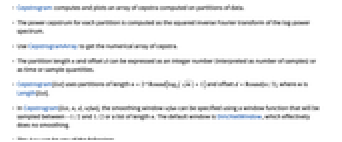
- Cepstrogramは,データのパーティションについて計算されたケプストラムの配列を計算してプロットする.
- 各パーティションについてのパワーケプストラムは,対数パワースペクトラムの逆フーリエ(Fourier)変換の平方として計算される.
- CepstrogramArrayを使ってケプストラムの数値配列を得る.
- パーティションの長さ n とオフセット d は(サンプル数として解釈される)整数として,あるいは時間またはサンプル量として表すことができる.
- Cepstrogram[list]は長さ

のパーティションとオフセット
を使う.ただし,m はLength[list]である. - Cepstrogram[list,n,d,wfun]の平滑化窓 wfun は,
から
まででサンプルを取った窓関数または長さ n のリストを使って指定することができる.デフォルトの窓は,事実上平滑化を行わないDirichletWindowである. - data は次の任意のものでよい.
-
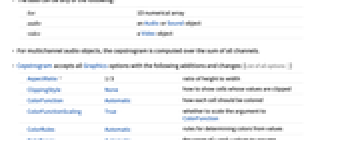
list 1D数値配列 audio AudioオブジェクトまたはSoundオブジェクト video Videoオブジェクト - 多チャンネルの音声オブジェクトについては,ケプストログラムは全チャンネルの和について計算される.
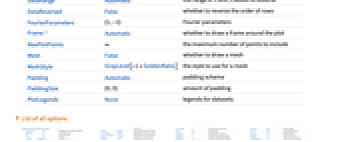
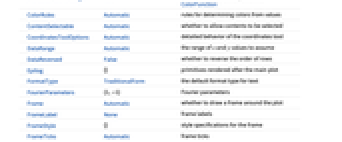
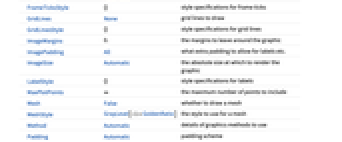
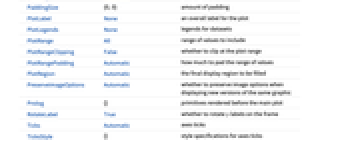
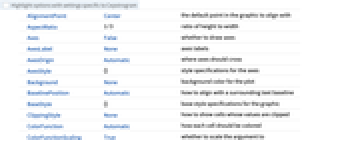
- Cepstrogramには,Graphicsの全オプションに以下の追加・変更を加えたものが使える. [全オプションのリスト]
-
AspectRatio 1/3 縦横比 ClippingStyle None 値が切り取られたセルをどのように表示するか ColorFunction Automatic 各セルにどのように彩色するか ColorFunctionScaling True ColorFunctionへの引数をスケールするかどうか ColorRules Automatic 値から色を決定する規則 DataRange Automatic 仮定する
値と
値の範囲DataReversed False 行の順序を逆にするかどうか FourierParameters {1,-1} フーリエパラメータ Frame Automatic プロットの周囲に枠を描くかどうか MaxPlotPoints ∞ 含める点の最大数 Mesh False メッシュを描画するかどうか MeshStyle GrayLevel[-1+GoldenRatio] メッシュに使用するスタイル Padding Automatic 充填方法 PaddingSize {0,0} 充填量 PlotLegends None データ集合の凡例
全オプションのリスト
例題
すべて開く すべて閉じる例 (2)
スコープ (2)
a = \!\(\*AudioBox[""]\);Cepstrogram[a]Cepstrogram[a, 64]Cepstrogram[a, 64, 32]Cepstrogram[a, 256, 64]Cepstrogram[a, 256, 64, HammingWindow]Cepstrogram[a, 256, 64, None]Cepstrogram[\!\(\*VideoBox[""]\)]オプション (50)
AspectRatio (3)
デフォルトで,Cepstrogramは固定の縦横比でプロットする:
Cepstrogram[IconizedObject[«sawtooth wave»]]AspectRatio1を使って縦と横を等しくする:
Cepstrogram[IconizedObject[«sawtooth wave»], AspectRatio -> 1]AspectRatioFullは他の構造物にピッタリ収まるように縦と横を調整する:
plot = Cepstrogram[IconizedObject[«sawtooth wave»], AspectRatio -> Full];{Framed[Pane[plot, {200, 150}]], Framed[Pane[plot, {200, 100}]]}Axes (4)
デフォルトで,Cepstrogramは軸ではなく枠を使う:
Cepstrogram[IconizedObject[«sawtooth wave»]]Cepstrogram[IconizedObject[«sawtooth wave»], Frame -> False, Axes -> True]AxesOriginを使って軸の交点を指定する:
Cepstrogram[IconizedObject[«sawtooth wave»], Frame -> False, Axes -> True, AxesOrigin -> {0, 0}]{Cepstrogram[IconizedObject[«sawtooth wave»], Frame -> False, Axes -> {True, False}], Cepstrogram[IconizedObject[«sawtooth wave»], Frame -> False, Axes -> {False, True}]}AxesLabel (3)
Cepstrogram[IconizedObject[«sawtooth wave»], Frame -> False, Axes -> True]Cepstrogram[IconizedObject[«sawtooth wave»], Frame -> False, Axes -> True, AxesLabel -> Label]Cepstrogram[IconizedObject[«sawtooth wave»], Frame -> False, Axes -> True, AxesLabel -> {Label1, Label2}]AxesOrigin (2)
AxesStyle (4)
Cepstrogram[IconizedObject[«sawtooth wave»], Frame -> False, Axes -> True, AxesStyle -> Red]Cepstrogram[IconizedObject[«sawtooth wave»], Frame -> False, Axes -> True, AxesStyle -> {{Thick, Red}, {Thick, Blue}}]Cepstrogram[IconizedObject[«sawtooth wave»], Frame -> False, Axes -> True, AxesStyle -> Green, TicksStyle -> Red]Cepstrogram[IconizedObject[«sawtooth wave»], Frame -> False, Axes -> True, AxesStyle -> Green, LabelStyle -> Gray]Frame (4)
Cepstrogramはデフォルトで枠を使う:
Cepstrogram[ \!\(\*AudioBox[""]\)]Cepstrogram[ \!\(\*AudioBox[""]\), Frame -> False]Cepstrogram[ \!\(\*AudioBox[""]\), Frame -> {{True, True}, {False, False}}]Cepstrogram[ \!\(\*AudioBox[""]\), Frame -> {{True, False}, {True, False}}]FrameLabel (2)
Cepstrogram[ \!\(\*AudioBox[""]\), FrameLabel -> {{"Bottom", None}, {None, None}}]Cepstrogram[ \!\(\*AudioBox[""]\), FrameLabel -> {{"Bottom", "Top"}, {"Left", "Right"}}]FrameStyle (2)
Cepstrogram[ \!\(\*AudioBox[""]\), FrameStyle -> Directive[StandardGray, Thick]]Cepstrogram[ \!\(\*AudioBox[""]\), FrameStyle -> {{Directive[StandardGreen, Thick], Directive[Red]}, {Directive[StandardGray, Thick], Directive[StandardBlue]}}]FrameTicks (6)
Cepstrogram[ \!\(\*AudioBox[""]\)]Cepstrogram[ \!\(\*AudioBox[""]\)]Allを使ってすべての辺に目盛ラベルを置く:
Cepstrogram[ \!\(\*AudioBox[""]\), FrameTicks -> All]Cepstrogram[ \!\(\*AudioBox[""]\), FrameTicks -> {{{.001, .005, .008}, None}, {Automatic, Automatic}}]Cepstrogram[ \!\(\*AudioBox[""]\), FrameTicks -> {{{{.001, a}, {.005, b}, {.008, c}}, Automatic}, {{{.1, a}, {.5, b}, {.8, c}}, Automatic}}]Cepstrogram[ \!\(\*AudioBox[""]\), FrameTicks -> {{{{.001, a, .05}, {.005, b, .1}, {.008, c, .1}}, Automatic}, {{{.1, a, .1}, {.5, b, .2}, {.8, c, .2}}, Automatic}}]Cepstrogram[ \!\(\*AudioBox[""]\), FrameTicks -> {{{{.001, a, {.05, .1}}, {.005, b, {.1, .1}}, {.008, c, {.1, .1}}}, Automatic}, {Automatic, Automatic}}]Cepstrogram[ \!\(\*AudioBox[""]\), FrameTicks -> {{{{.001, a, {.05, .1}, Directive[Thick, Blue, Dashed]}, {.005, b, {.1, .1}, Directive[Thick, Red]}, {.008, c, {.1, .1}, Directive[Thick, Green]}}, Automatic}, {Automatic, Automatic}}]FrameTicksStyle (3)
デフォルトで,枠目盛と枠目盛ラベルには枠と同じスタイルが使われる:
Cepstrogram[ \!\(\*AudioBox[""]\), FrameStyle -> Directive[Red]]Cepstrogram[ \!\(\*AudioBox[""]\), FrameTicksStyle -> Directive[Blue, Thick]]Cepstrogram[ \!\(\*AudioBox[""]\), FrameTicksStyle -> {{Directive[Red, Thick], Directive[Blue, Thick]}, {Directive[StandardGray, Thick], Directive[Darker@Green, Thick]}}, FrameTicks -> All]ImageSize (7)
Tiny,Small,Medium,Largeのような名前付きのサイズを使う:
{Cepstrogram[IconizedObject[«sawtooth wave»], ImageSize -> Tiny], Cepstrogram[IconizedObject[«sawtooth wave»], ImageSize -> Small]}{Cepstrogram[IconizedObject[«sawtooth wave»], ImageSize -> 150], Cepstrogram[IconizedObject[«sawtooth wave»], AspectRatio -> 1.5, ImageSize -> 150]}{Cepstrogram[IconizedObject[«sawtooth wave»], ImageSize -> {Automatic, 120}], Cepstrogram[IconizedObject[«sawtooth wave»], AspectRatio -> 2, ImageSize -> {Automatic, 120}]}{Cepstrogram[IconizedObject[«sawtooth wave»], ImageSize -> UpTo[200]], Cepstrogram[IconizedObject[«sawtooth wave»], AspectRatio -> 2, ImageSize -> UpTo[200]]}グラフィックスの幅と高さを指定して,必要があれば空白で充填する:
Cepstrogram[IconizedObject[«sawtooth wave»], ImageSize -> {200, 200}, Background -> StandardBlue]AspectRatioFullとすると使用可能な空間が埋められる:
Cepstrogram[IconizedObject[«sawtooth wave»], AspectRatio -> Full, ImageSize -> {200, 200}, Background -> StandardBlue]{Cepstrogram[IconizedObject[«sawtooth wave»], ImageSize -> {UpTo[200], UpTo[100]}], Cepstrogram[IconizedObject[«sawtooth wave»], AspectRatio -> 1, ImageSize -> {UpTo[200], UpTo[300]}]}ImageSizeFullを使ってオブジェクト内の使用可能な空間を埋める:
Framed[Pane[Cepstrogram[IconizedObject[«sawtooth wave»], ImageSize -> Full, Background -> StandardBlue], {200, 100}]]Framed[Pane[Cepstrogram[IconizedObject[«sawtooth wave»], AspectRatio -> Full, ImageSize -> {Scaled[0.5], Full}, Background -> StandardBlue], {400, 150}]]Ticks (6)
Cepstrogram[ \!\(\*AudioBox[""]\), Frame -> False, Axes -> True]Cepstrogram[ \!\(\*AudioBox[""]\), Frame -> False, Axes -> True, Ticks -> None]Cepstrogram[ \!\(\*AudioBox[""]\), Frame -> False, Axes -> True, Ticks -> {{.5, 1, 1.6}, {.005, .007, .01}}]Cepstrogram[ \!\(\*AudioBox[""]\), Frame -> False, Axes -> True, Ticks -> {{{.5, a}, {1, b}, {1.6, c}}, {{.005, d}, {.007, e}, {.01, f}}}]Cepstrogram[ \!\(\*AudioBox[""]\), Frame -> False, Axes -> True, Ticks -> {{{.5, a, .05}, {1, b, .1}, {1.6, c, .2}}, {{.005, d, .05}, {.007, e, .1}, {.01, f, .2}}}]Cepstrogram[ \!\(\*AudioBox[""]\), Frame -> False, Axes -> True, Ticks -> {Automatic, {{.005, d, {.05, .05}}, {.007, e, {.1, .1}}, {.01, f, {.2, .2}}}}]Cepstrogram[ \!\(\*AudioBox[""]\), Frame -> False, Axes -> True,
Ticks -> {{{.5, a, .05, Directive[Red, Thick]}, {1, b, .1,
Directive[Red]}, {1.6, c, .2,
Directive[Red, Dashed, Thick]}}, {{.005, d, .05,
Directive[Blue, Thick]}, {.007, e, .1, Directive[Blue]}, {.01,
f, .2, Directive[Blue, Dashed, Thick]}}}]TicksStyle (4)
デフォルトで,目盛と目盛ラベルには軸と同じスタイルが使われる:
Cepstrogram[ \!\(\*AudioBox[""]\), Frame -> False, Axes -> True]Cepstrogram[ \!\(\*AudioBox[""]\), Frame -> False, Axes -> True, TicksStyle -> Red]Cepstrogram[ \!\(\*AudioBox[""]\), Frame -> False, Axes -> True, TicksStyle -> {Directive[Red, Thick], Directive[Blue, Thick]}]Cepstrogram[ \!\(\*AudioBox[""]\), Frame -> False, Axes -> True, TicksStyle -> Directive[Red, Thick], LabelStyle -> Blue]アプリケーション (2)
録音の中の「フレンジャー」(時間変化櫛形フィルタ)の効果を検出する:
a = \!\(\*AudioBox[""]\);Spectrogram[a]ケプストログラムを使うと信号とフレンジャーから成分を分離することができる:
Cepstrogram[a]i = [image];Cepstrogram[Flatten[ImageData[i]], 512, 64, HannWindow]特性と関係 (2)
多チャンネルのSoundまたはAudioについては,ケプストログラムはチャンネルの和について計算される:
a = \!\(\*AudioBox[""]\);AudioChannels[a]Cepstrogram[a] === Cepstrogram@Total@AudioChannelSeparate[a]CepstrogramArrayからケプストログラムを作る:
chirp = Table[SawtoothWave[( i/100) + ((i/1000))^2], {i, 10000}];
ca = CepstrogramArray[chirp];ListDensityPlot[Transpose[Abs[ca]][[ ;; (Last@Dimensions[ca] / 2)]], Frame -> None, AspectRatio -> 1 / 3]Cepstrogramの出力との比較:
Cepstrogram[chirp, Frame -> False]関連するガイド
-
▪
- フーリエ(Fourier)解析 ▪
- 音声解析 ▪
- 音声計算 ▪
- 総和変換 ▪
- 音声表現 ▪
- 動画計算機能の更新履歴 ▪
- 動画解析 ▪
- 信号の可視化と解析 ▪
- 音声処理
テキスト
Wolfram Research (2017), Cepstrogram, Wolfram言語関数, https://reference.wolfram.com/language/ref/Cepstrogram.html (2024年に更新).
CMS
Wolfram Language. 2017. "Cepstrogram." Wolfram Language & System Documentation Center. Wolfram Research. Last Modified 2024. https://reference.wolfram.com/language/ref/Cepstrogram.html.
APA
Wolfram Language. (2017). Cepstrogram. Wolfram Language & System Documentation Center. Retrieved from https://reference.wolfram.com/language/ref/Cepstrogram.html
BibTeX
@misc{reference.wolfram_2026_cepstrogram, author="Wolfram Research", title="{Cepstrogram}", year="2024", howpublished="\url{https://reference.wolfram.com/language/ref/Cepstrogram.html}", note=[Accessed: 07-August-2026]}
BibLaTeX
@online{reference.wolfram_2026_cepstrogram, organization={Wolfram Research}, title={Cepstrogram}, year={2024}, url={https://reference.wolfram.com/language/ref/Cepstrogram.html}, note=[Accessed: 07-August-2026]}