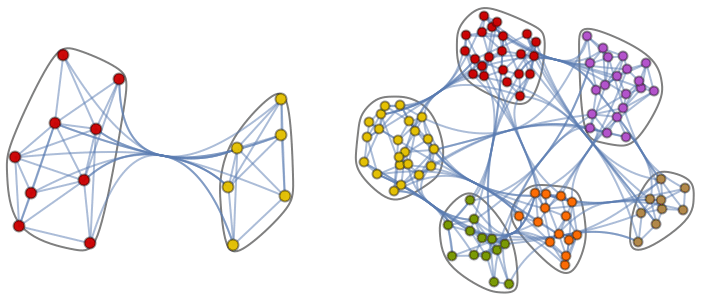
生成显示图 g 的社区结构的图线.
CommunityGraphPlot[g,{{vi1,vi2,…},…}]
生成图 g 的图线,其中图有社区 {vi1,vi2,…}, ….
CommunityGraphPlot[g,{…,wj[{vi1,…}],…}]
生成图线,其中突出显示由符号封装 wj 定义的特征.
CommunityGraphPlot[{vi1vj1,vi2vj2,…},…]
生成图的图线,图中顶点 vik 与顶点 vjk 相连接.
CommunityGraphPlot[m,…]
生成由邻接矩阵 m 表示的图的图线.
CommunityGraphPlot
生成显示图 g 的社区结构的图线.
CommunityGraphPlot[g,{{vi1,vi2,…},…}]
生成图 g 的图线,其中图有社区 {vi1,vi2,…}, ….
CommunityGraphPlot[g,{…,wj[{vi1,…}],…}]
生成图线,其中突出显示由符号封装 wj 定义的特征.
CommunityGraphPlot[{vi1vj1,vi2vj2,…},…]
生成图的图线,图中顶点 vik 与顶点 vjk 相连接.
CommunityGraphPlot[m,…]
生成由邻接矩阵 m 表示的图的图线.
更多信息和选项
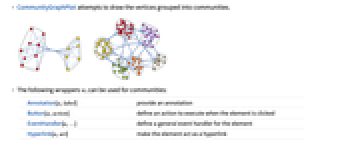
- CommunityGraphPlot 尝试绘制按社区分组的顶点.
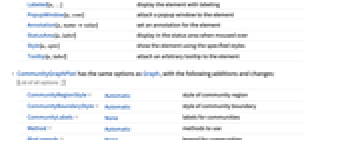
- 对社区可以使用以下封装 wi:
-
Annotation[a,label] 提供注解 Button[a,action] 定义元素被点击时执行的操作 EventHandler[a,…] 为元素定义通用事件处理程序 Hyperlink[a,uri] 将元素变成超链接 Labeled[a,…] 显示具有标签的元素 PopupWindow[a,cont] 对元素附加弹出窗口 Annotation[a,namevalue] 为元素设置注释 StatusArea[a,label] 当鼠标滑过时,在状态区域中显示 Style[a,opts] 使用指定样式显示元素 Tooltip[a,label] 对元素附加任意工具提示条 - CommunityGraphPlot 与 Graph 具有相同的选项,另外有下列添加和改动: [所有选项的列表]
-
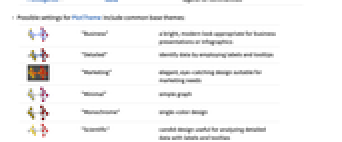
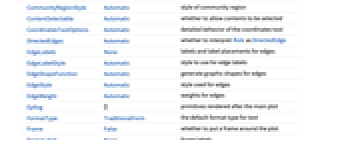
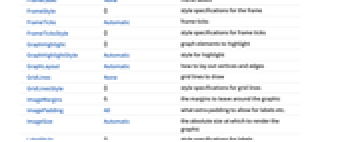
CommunityRegionStyle Automatic 社区样式 CommunityBoundaryStyle Automatic 社区边界样式 CommunityLabels None 社区标签 Method Automatic 所使用的方法 PlotLegends None 社区图例 - PlotTheme 可能的设置包括常见的主题:
-
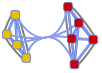
"Business" 明亮、现代的外观,适宜于商业演示或信息图 
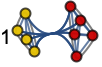
"Detailed" 通过使用标签和工具条标示数据 
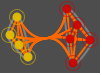
"Marketing" 优雅夺目的设计,适宜于市场拓展 
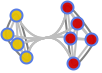
"Minimal" 简单的图形 
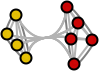
"Monochrome" 单色设计 
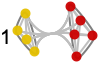
"Scientific" 直白的设计,适合用标签和工具条分析详细数据 
"Web" 简洁大胆的设计,适宜于商用网站或博客 
"Classic" 传统的图形设计,与现有用途保持兼容
所有选项的列表
范例
打开所有单元 关闭所有单元基本范例 (2)
范围 (8)
CommunityGraphPlot 可用于无向图:
CommunityGraphPlot[[image]]CommunityGraphPlot[[image]]CommunityGraphPlot[[image]]CommunityGraphPlot[[image]]CommunityGraphPlot[{1 -> 3, 1 -> 5, 1 -> 7, 1 -> 10, 1 -> 13, 2 -> 5, 2 -> 6, 2 -> 8, 2 -> 10, 2 -> 14, 3 -> 4, 4 -> 5, 2 -> 3, 1 -> 2, 14 -> 1}]CommunityGraphPlot[(| | | | | | |
| - | - | - | - | - | - |
| 0 | 1 | 1 | 1 | 0 | 0 |
| 1 | 0 | 1 | 1 | 1 | 0 |
| 1 | 1 | 0 | 1 | 1 | 1 |
| 1 | 1 | 1 | 0 | 1 | 1 |
| 0 | 1 | 1 | 1 | 0 | 1 |
| 0 | 0 | 1 | 1 | 1 | 0 |)]CommunityGraphPlot[[image], {{4, 5, 7}, {1, 2, 3}, {6, 9, 8}}]CommunityGraphPlot[[image], {Style[{4, 5, 7, 1, 2}, Green], {3, 6, 9, 8}}]CommunityGraphPlot[[image], {Labeled[{4, 5, 7, 1, 2}, "A"], {3, 6, 9, 8}}]选项 (17)
AspectRatio (2)
默认情况下,CommunityGraphPlot 会自动确定绘图的高宽比:
CommunityGraphPlot[IconizedObject[«graph»]]使用 AspectRatio1 使高度与宽度相同:
CommunityGraphPlot[IconizedObject[«graph»], AspectRatio -> 1]CommunityBoundaryStyle (4)
CommunityGraphPlot[[image], CommunityBoundaryStyle -> Automatic]CommunityGraphPlot[[image], CommunityBoundaryStyle -> Black]使用 None 不显示边界线:
CommunityGraphPlot[[image], CommunityBoundaryStyle -> None]CommunityGraphPlot[[image], CommunityBoundaryStyle -> {Red, Dashed}]CommunityLabels (3)
CommunityGraphPlot[[image], CommunityLabels -> {"one", "two", "three"}]使用 Labeled 来指定单个标签:
CommunityGraphPlot[[image], {Labeled[{1, 4, 10, 6}, "one"], {2, 5, 8}, {9, 3, 7}}]使用 Placed 来控制标签位置:
CommunityGraphPlot[[image], CommunityLabels -> Placed[{"one", "two", "three"}, Below]]CommunityRegionStyle (3)
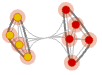
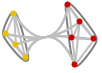
默认社区样式是 None:
CommunityGraphPlot[[image]]这也可以使用 CommunityRegionStyle->None 获得:
CommunityGraphPlot[[image], CommunityRegionStyle -> None]CommunityGraphPlot[[image], CommunityRegionStyle -> Green]CommunityGraphPlot[[image], CommunityRegionStyle -> {Red, Blue}]Method (2)
默认情况下,CommunityGraphPlot 使用力导向布局:
CommunityGraphPlot[[image]]这也可以通过 Method->"SpringElectrical" 获得:
CommunityGraphPlot[[image], Method -> "SpringElectrical"]对分层布局使用 Method->"Hierarchical":
CommunityGraphPlot[[image], Method -> "Hierarchical"]PlotLegends (3)
CommunityGraphPlot[[image], PlotLegends -> {"one", "two", "three"}]使用 Legended 来指定单个图例项:
CommunityGraphPlot[[image], {Legended[{1, 4, 10, 6}, "one"], {2, 5, 8}, {9, 3, 7}}]使用 Placed 来控制图例位置:
CommunityGraphPlot[[image], PlotLegends -> Placed[Automatic, Below]]相关链接
文本
Wolfram Research (2012),CommunityGraphPlot,Wolfram 语言函数,https://reference.wolfram.com/language/ref/CommunityGraphPlot.html.
CMS
Wolfram 语言. 2012. "CommunityGraphPlot." Wolfram 语言与系统参考资料中心. Wolfram Research. https://reference.wolfram.com/language/ref/CommunityGraphPlot.html.
APA
Wolfram 语言. (2012). CommunityGraphPlot. Wolfram 语言与系统参考资料中心. 追溯自 https://reference.wolfram.com/language/ref/CommunityGraphPlot.html 年
BibTeX
@misc{reference.wolfram_2026_communitygraphplot, author="Wolfram Research", title="{CommunityGraphPlot}", year="2012", howpublished="\url{https://reference.wolfram.com/language/ref/CommunityGraphPlot.html}", note=[Accessed: 16-August-2026]}
BibLaTeX
@online{reference.wolfram_2026_communitygraphplot, organization={Wolfram Research}, title={CommunityGraphPlot}, year={2012}, url={https://reference.wolfram.com/language/ref/CommunityGraphPlot.html}, note=[Accessed: 16-August-2026]}