Classify[{in1class1,in2class2,…}]
例 iniから classiを予測しようとするClassifierFunctionを生成する.
Classify[data,input]
与えられた訓練例から input に関連付けられた出力を予測しようとする.
Classify[data,input,prop]
指定された特性 prop を予測と相対的に計算する.
Classify
組込み分類器のリスト »Classify[{in1class1,in2class2,…}]
例 iniから classiを予測しようとするClassifierFunctionを生成する.
Classify[data,input]
与えられた訓練例から input に関連付けられた出力を予測しようとする.
Classify[data,input,prop]
指定された特性 prop を予測と相対的に計算する.
詳細とオプション
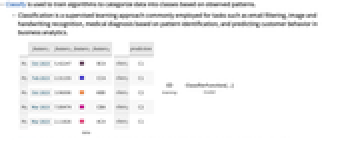
- Classifyは,観測されたパターンに基づいてデータをクラスに分類するアルゴリズムの訓練に使われる.
- 分類は,電子メールのフィルタリング,画像や手書きの認識,パターン識別に基づく医療診断,ビジネス分析における顧客行動の予測等によく使われる,教師あり学習のアプローチである.
- Classifyは,数値,テキスト,サウンド,画像,それらの組合せを含む,さまざまなデータタイプに使うことができる.
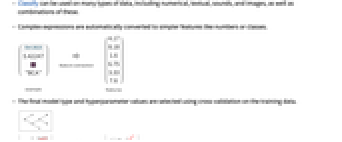
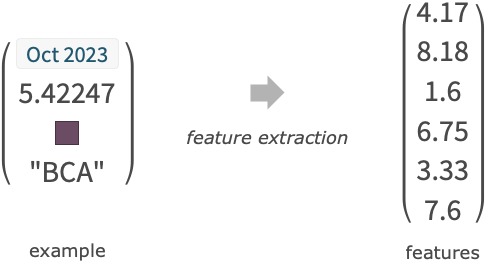
- 複雑な式は数やクラスのようなより簡単な特徴に自動的に変換される.
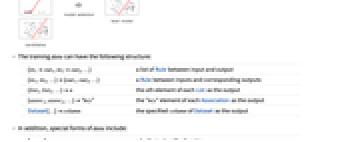
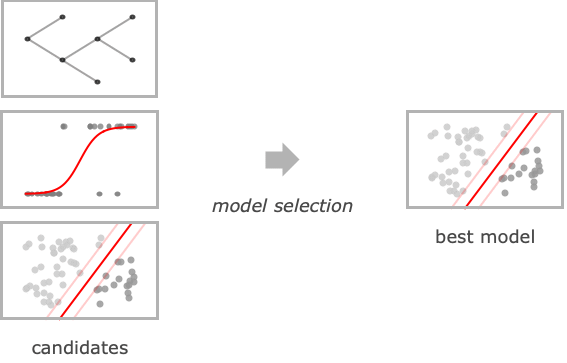
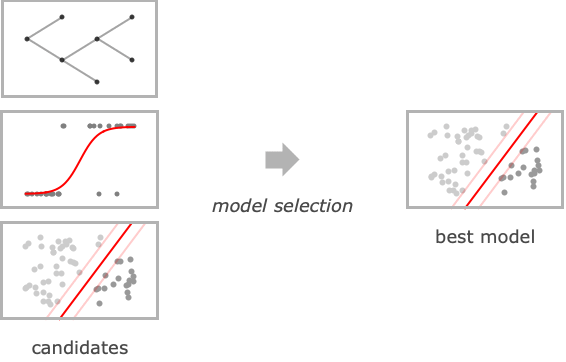
- 最終的なモデルタイプとハイパーパラメータ値は,訓練データについての相互検定を使って選択される.
- 訓練 data は以下の構造を持つことができる.
-
{in1out1,in2out2,…} 入出力間のRuleのリスト {in1,in2,…}{out1,out2,…} 入力と対応する出力の間のRule {list1,list2,…}n 出力としての各Listの n 番目の要素 {assoc1,assoc2,…}"key" 出力としての各Associationの"key"要素 Dataset[…]column 出力としてのDatasetの指定されたcolumn Tabular[…]column 出力としてのTabularの指定された column - data の特殊形には以下がある.
-
"name" 組込みの分類器関数 FittedModel[…] ClassifierFunctionに変換されたフィットモデル NetChain[…],NetGraph[…] 分類器を表すネットをClassifierFunctionに変換する - 各例の入力 iniは,単一のデータ要素,リスト{feature1, …},あるいは連想<|"feature1"value1,…|>でよい.
- 各例の出力 outiは,文字列,整数,あるいはブール値のような任意の原子式でよい.
- 予測の特性 prop はClassifierFunctionにおけるのと同じで,以下がある.
-
"Decision" 確率と効用関数に基づく最良クラス "TopProbabilities" 最もあり得るクラスの確率 "TopProbabilities"n n 番目に最もあり得るクラスの確率 "Probability"class 特定のクラスの確率 "Probabilities" 可能なすべてのクラスについての確率の連想 "SHAPValues" 各例についてのシャープレイ加算特徴の説明 "Properties" 使用可能な全特性のリスト - "SHAPValues"は,さまざまな特徴を削除し次に合成した結果の予測を比較することで特徴の貢献度を評価する.オプションMissingValueSynthesisを使って欠測値を合成する方法が指定できる.SHAPの説明は訓練出力の平均からの偏差として与えられる."SHAPValues"n を使ってSHAPの説明の数値推定に使われるサンプル数が制御できる.
- 組込み分類器関数の例
-
"CountryFlag" 画像の国旗がどこの国のものか "FacebookTopic" Facebookの投稿が何の話題についてのものか "FacialAge" 顔から推測される年齢 "FacialExpression" 顔が表している感情のタイプ "FacialGender" 顔から推測される性別 "Language" テキストがどの自然言語のものか "LanguageExtended" テキストの言語(希少言語を含む) "NameGender" 名前の性別 "NotablePerson" 画像がどの著名人のものか "NSFWImage" 画像が「職場にふさわしくない」とみなされるかどうか "Profanity" テキストに不敬な言葉が含まれているかどうか "ProgrammingLanguage" どのプログラミング言語のテキストが入っているか "Sentiment" ソーシャルメディアの投稿の感情 "Spam" 電子メールが迷惑メールかどうか "SpokenLanguage" 音声録音が何語のものか - 使用可能なオプション
-
AnomalyDetector None 分類器が使う異常検出器 AcceptanceThreshold Automatic 異常検出器の稀少確率閾値 ClassPriors Automatic クラスの明示的な優先確率 FeatureExtractor Identity 学習対象となる特徴をどのように抽出するか FeatureNames Automatic 入力データに割り当てる特徴名 FeatureTypes Automatic 入力データに仮定する特徴タイプ IndeterminateThreshold 0 どの確率未満でIndeterminateを返すか Method Automatic 使用する分類アルゴリズム MissingValueSynthesis Automatic 欠測値の合成方法 PerformanceGoal Automatic パフォーマンスのどの面について最適化するか RandomSeeding 1234 どのような擬似乱数生成器のシードを内部的に使うべきか RecalibrationFunction Automatic クラス確率をどのように後処理するか TargetDevice "CPU" 訓練を行うターゲットデバイス TimeGoal Automatic 分類器の訓練にどのくらい時間をかけるか TrainingProgressReporting Automatic 訓練中の進捗状況をどのようにレポートするか UtilityFunction Automatic 実際のクラスおよび予測されたクラスの関数としての効用 ValidationSet Automatic 生成されたモデルを確かめるためのデータ - 次は,Methodの可能な設定である.
-

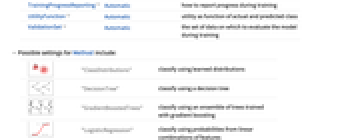
"ClassDistributions" 学習済みの分布を使って分類する 
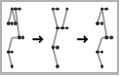
"DecisionTree" 決定木を使って分類する 
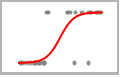
"GradientBoostedTrees" 勾配ブースティングで訓練された木のアンサンブルを使って分類する 

"LogisticRegression" 特徴の線形結合からの確率を使って分類する 

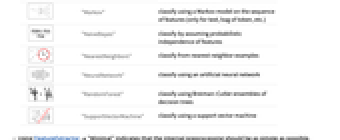
"Markov" 特徴のシーケンスにマルコフ(Markov)モデルを使って分類する(テキスト,トークンのバッグ等のみ) 
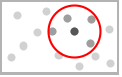
"NaiveBayes" 特徴の確率的独立性を仮定して分類する 
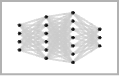
"NearestNeighbors" 最近傍の例から分類する 

"NeuralNetwork" 人工のニューラルネットワークを使って分類する 

"RandomForest" 決定木のBreiman–Cutlerアンサンブルを使って分類する 

"SupportVectorMachine" サポートベクターマシンを使って分類する - FeatureExtractor"Minimal"を使うことは,内部処理をできるだけ簡単にすることを意味する.
- PerformanceGoalの可能な設定値
-
"DirectTraining" モデルを検索することなしに,直接データ集合全体について訓練する "Memory" 分類器の保存条件を最小にする "Quality" 分類器の確度を最大にする "Speed" 分類器のスピードを最大にする "TrainingSpeed" 分類器の作成に使う時間を最短にする Automatic スピード,確度,メモリの自動トレードオフ {goal1,goal2,…} goal1, goal2等を自動的に組み合せる - TrainingProgressReportingの設定として以下を使うことができる.
-
"Panel" 動的に更新されるグラフィカルなパネルを表示する "Print" Printを使って定期的に情報をレポートする "ProgressIndicator" 簡単なProgressIndicatorを表示する "SimplePanel" 学習曲線なしでパネルを動的に更新する None 情報は何もレポートしない - RandomSeedingの可能な設定
-
Automatic 関数が呼び出されるたびに自動的にシードを変える Inherited 外部シードの乱数を使う seed 明示的な整数または文字列をシードとして使う - Classify[ClassifierFunction[…],FeatureExtractorfe]では,FeatureExtractorFunction[…] fe は,既存の特徴抽出器の先頭に追加される.
- 得られた ClassifierFunction[…]にInformationを使うことができる.
例題
すべて開く すべて閉じる例 (2)
c = Classify[{1 -> "A", 2 -> "A", 3.5 -> "B", 4 -> "B"}]c[3.1]特徴の関数として例のクラスが"B"である確率をプロットする:
Plot[c[x, "Probability" -> "B"], {x, 1, 4}]c = Classify[{{1.5, Blue} -> "A", {3.2, Blue} -> "A", {4.1, Red} -> "B", {5.3, Red} -> "B", {10., Green} -> "C", {12.4, Red} -> "C"}]c[{{10.1, Blue}, {1.2, Missing[]}}]スコープ (33)
データ形式 (7)
Classify[{0.63 -> "A", -0.78 -> "B", 0.58 -> "A", -0.62 -> "B", -0.52 -> "B", -0.87 -> "B"}]Classify[{{0.63, -0.78} -> "A", {0.58, -0.62} -> "A", {-0.52, -0.87} -> "B", {0.08, -0.54} -> "A", {-0.21, 0.4} -> "B"}]Classify[{<|"f1" -> 0.63, "f2" -> -0.78|> -> "A", <|"f1" -> 0.58, "f2" -> -0.62|> -> "A", <|"f1" -> -0.52, "f2" -> -0.87|> -> "B", <|"f1" -> 0.08, "f2" -> -0.54|> -> "A", <|"f1" -> -0.21, "f2" -> 0.4|> -> "B"}]入力リストと出力リストの間の規則のリストとして訓練集合を指定する:
Classify[{0.63, -0.78, 0.58, -0.62, -0.52, -0.87} -> {"A", "B", "A", "B", "B", "B"}]Classify[{{0.63, "A"}, {-0.78, "B"}, {0.58, "A"}, {-0.62, "B"}, {-0.52, "B"}, {-0.87, "B"}} -> 2]連想のリスト中のすべてのデータを指定し,出力キーをマークする:
Classify[{<|"f1" -> 0.63, "f2" -> "A"|>, <|"f1" -> -0.78, "f2" -> "B"|>, <|"f1" -> 0.58, "f2" -> "A"|>, <|"f1" -> -0.62, "f2" -> "B"|>, <|"f1" -> -0.52, "f2" -> "B"|>, <|"f1" -> -0.87, "f2" -> "B"|>} -> "f2"]Classify[Dataset[{Association["f1" -> 0.63, "f2" -> "A"], Association["f1" -> -0.78, "f2" -> "B"],
Association["f1" -> 0.58, "f2" -> "A"], Association["f1" -> -0.62, "f2" -> "B"],
Association["f1" -> -0.52, "f2" -> "B"], Association["f1" -> -0.87, "f2" -> "B"]}] -> "f2"]データ型 (13)
数値 (3)
Classify[{0.63 -> "A", -0.78 -> "B", 0.58 -> "A", -0.62 -> "B", -0.52 -> "B", -0.87 -> "B"}]Classify[{{0.63, -0.78} -> "A", {0.58, -0.62} -> "A", {-0.52, -0.87} -> "B", {0.08, -0.54} -> "A", {-0.21, 0.4} -> "B"}]Classify[{{{-0.58, 0.5}, {-0.15, -0.51}} -> "B", {{0.95, 0.65}, {0.85, 0.16}} -> "A", {{-0.41, -0.58}, {0.16, -0.74}} -> "B", {{-0.39, 0.42}, {-0.22, 0.64}} -> "A", {{-0.35, 0.19}, {0.04, -0.66}} -> "B"}]名義 (3)
Classify[{"XXX" -> "A", "YYY" -> "B", "XXX" -> "A", "YYY" -> "B", "YYY" -> "B"}]c = Classify[<|"Treatment" -> {"A", "B", "A", "C", "B", "C", "A", "B", "C", "A"}, "Severity" -> {"High", "Medium", "Low", "High", "Low", "Medium", "Medium", "High", "Low", "High"}, "RecoveryTime" -> {8, 6, 4, 9, 5, 7, 6, 8, 5, 8}|> -> "Treatment"]c[<|"RecoveryTime" -> 4, "Severity" -> "High"|>]c = Classify[Dataset[{Association["Age" -> 35, "Gender" -> "Male", "BloodPressure" -> 120,
"CholesterolLevel" -> 180, "Diabetes" -> "No"], Association["Age" -> 42, "Gender" -> "Female",
"BloodPressure" -> 130, "CholesterolLevel" -> 210, "Diabetes" -> "Yes"],
Association["Age" -> 55, "Gender" -> "Male", "BloodPressure" -> 140, "CholesterolLevel" -> 240,
"Diabetes" -> "No"], Association["Age" -> 28, "Gender" -> "Female", "BloodPressure" -> 115,
"CholesterolLevel" -> 190, "Diabetes" -> "No"], Association["Age" -> 68, "Gender" -> "Male",
"BloodPressure" -> 150, "CholesterolLevel" -> 280, "Diabetes" -> "Yes"],
Association["Age" -> 48, "Gender" -> "Female", "BloodPressure" -> 125, "CholesterolLevel" -> 200,
"Diabetes" -> "No"]}] -> "Diabetes"]c[<|"Age" -> 45, "Gender" -> "Male", "BloodPressure" -> 180, "CholesterolLevel" -> 230|>]数量 (1)
Quantityオブジェクトを含むデータで分類器を訓練する:
c = Classify[Dataset[{Association["Neighborhood" -> "Sunnypoint", "Area" -> Quantity[1500, "Feet"^2],
"Price" -> Quantity[300000, "USDollars"]], Association["Neighborhood" -> "Moonbrook",
"Area" -> Quantity[1800, "Feet"^2], "Price" -> Quantity[360000, "USDollars"]],
Association["Neighborhood" -> "Sunnypoint", "Area" -> Quantity[1700, "Feet"^2],
"Price" -> Quantity[340000, "USDollars"]], Association["Neighborhood" -> "Starville",
"Area" -> Quantity[2000, "Feet"^2], "Price" -> Quantity[500000, "USDollars"]],
Association["Neighborhood" -> "Moonbrook", "Area" -> Quantity[1600, "Feet"^2],
"Price" -> Quantity[320000, "USDollars"]], Association["Neighborhood" -> "Starville",
"Area" -> Quantity[2200, "Feet"^2], "Price" -> Quantity[550000, "USDollars"]],
Association["Neighborhood" -> "Sunnypoint", "Area" -> Quantity[1400, "Feet"^2],
"Price" -> Quantity[280000, "USDollars"]], Association["Neighborhood" -> "Moonbrook",
"Area" -> Quantity[1900, "Feet"^2], "Price" -> Quantity[380000, "USDollars"]],
Association["Neighborhood" -> "Starville", "Area" -> Quantity[2100, "Feet"^2],
"Price" -> Quantity[520000, "USDollars"]], Association["Neighborhood" -> "Sunnypoint",
"Area" -> Quantity[1800, "Feet"^2], "Price" -> Quantity[360000, "USDollars"]]}] -> "Neighborhood"]c[<|"Price" -> Quantity[290000, "USDollars"], "Area" -> Quantity[1000, "Feet"^2]|>]"Price"しか分からない場合に最もありそうな価格を予測する:
c[<|"Price" -> Quantity[800000, "USDollars"]|>]テキスト (1)
色 (1)
Classify[{RGBColor[1., 0.8431372549019608, 0.] -> "warm", RGBColor[1., 0.27058823529411763, 0.] -> "warm", RGBColor[0., 0.807843137254902, 0.8196078431372549] -> "cold", RGBColor[1., 0.6274509803921569, 0.47843137254901963] -> "warm", RGBColor[1., 0.4117647058823529, 0.7058823529411765] -> "warm", RGBColor[0.12549019607843137, 0.6980392156862745, 0.6666666666666666] -> "cold", RGBColor[0.2549019607843137, 0.4117647058823529, 0.8823529411764706] -> "cold", RGBColor[0.5294117647058824, 0.807843137254902, 0.9215686274509803] -> "cold", RGBColor[0.6901960784313725, 0.8784313725490196, 0.9019607843137255] -> "cold", RGBColor[0.4980392156862745, 1., 0.] -> "warm", RGBColor[0.20392156862745098, 0.596078431372549, 0.8588235294117647] -> "cold", RGBColor[1., 0.3411764705882353, 0.2] -> "warm"}, {Red, Green, Blue}]画像 (1)
c = Classify[{[image] -> "dromedar", [image] -> "dromedar", [image] -> "dromedar", [image] -> "dromedar", [image] -> "dromedar", [image] -> "camel", [image] -> "camel", [image] -> "camel", [image] -> "camel", [image] -> "camel"}]c[[image]]列 (1)
c = Classify[{{"apple", "banana", "cherry"} -> "fruit", {"dog", "cat"} -> "pet", {"carrot", "lettuce", "tomato", "broccoli"} -> "vegetable", {"apple", "grape", "pear", "kiwi", "strawberry"} -> "fruit", {"dog", "rabbit", "hamster"} -> "pet", {"cucumber", "spinach", "zucchini"} -> "vegetable"}]c[{"carrot", "zucchini"}]欠けたデータ (2)
c = Classify[{{2.3, "male"} -> "A", {4.8, Missing[]} -> "B", {Missing[], "female"} -> "B", {5.2, "female"} -> "C", {Missing[], "male"} -> "B", {1.3, "male"} -> "A"}]c[{{1.2, Missing[]}, {Missing[], "female"}}]名前付きの特徴があるデータ集合について分類器を訓練する.キーの順序は関係ない.キーは欠けていてもよい:
c = Classify[{
<|"age" -> 32, "height" -> 160|> -> "female",
<|"height" -> 183, "age" -> 41|> -> "male",
<|"height" -> 123|> -> "female",
<|"height" -> 175, "age" -> 21|> -> "male",
<|"age" -> 11|> -> "male",
<|"age" -> 52, "height" -> 164|> -> "female"}]c[{<|"height" -> 190|>, <|"age" -> 90|>, <|"age" -> 12, "height" -> 120|>, <||>}]情報 (4)
Information[ClassifierFunction[Association["ExampleNumber" -> 6, "ClassNumber" -> 2,
"Input" -> Association["Preprocessor" -> MachineLearning`MLProcessor["ToMLDataset",
Association["Input" -> Association["Age" -> Association["Type" -> "Numerical"],
... "Date" -> DateObject[{2023, 11, 6, 15, 41, 52.149659`8.469826447952146}, "Instant",
"Gregorian", 1.], "ProcessorCount" -> 10, "ProcessorType" -> "ARM64",
"OperatingSystem" -> "MacOSX", "SystemWordLength" -> 64, "Evaluations" -> {}]]]]Information[ClassifierFunction[Association["ExampleNumber" -> 6, "ClassNumber" -> 2,
"Input" -> Association["Preprocessor" -> MachineLearning`MLProcessor["ToMLDataset",
Association["Input" -> Association["Age" -> Association["Type" -> "Numerical"],
... "Date" -> DateObject[{2023, 11, 6, 15, 41, 52.149659`8.469826447952146}, "Instant",
"Gregorian", 1.], "ProcessorCount" -> 10, "ProcessorType" -> "ARM64",
"OperatingSystem" -> "MacOSX", "SystemWordLength" -> 64, "Evaluations" -> {}]]], #]& /@ {"FeatureNames", "FeatureNumber", "FeatureTypes"}Information[ClassifierFunction[Association["ExampleNumber" -> 6, "ClassNumber" -> 2,
"Input" -> Association["Preprocessor" -> MachineLearning`MLProcessor["ToMLDataset",
Association["Input" -> Association["Age" -> Association["Type" -> "Numerical"],
... "Date" -> DateObject[{2023, 11, 6, 15, 41, 52.149659`8.469826447952146}, "Instant",
"Gregorian", 1.], "ProcessorCount" -> 10, "ProcessorType" -> "ARM64",
"OperatingSystem" -> "MacOSX", "SystemWordLength" -> 64, "Evaluations" -> {}]]], "FeatureExtractor"]Information[ClassifierFunction[Association["ExampleNumber" -> 6, "ClassNumber" -> 2,
"Input" -> Association["Preprocessor" -> MachineLearning`MLProcessor["ToMLDataset",
Association["Input" -> Association["Age" -> Association["Type" -> "Numerical"],
... "Date" -> DateObject[{2023, 11, 6, 15, 41, 52.149659`8.469826447952146}, "Instant",
"Gregorian", 1.], "ProcessorCount" -> 10, "ProcessorType" -> "ARM64",
"OperatingSystem" -> "MacOSX", "SystemWordLength" -> 64, "Evaluations" -> {}]]], "Properties"]組込み分類器 (9)
"Language"組込み分類器を使ってテキストが書かれた言語を検出する:
Classify["Language", "the house is blue"]Classify["Language", {"the house is blue", "la maison est bleue", "la casa es azul", "das Haus ist blau", "房子是蓝色的", "المنزل باللون الأزرق", "будинок синій"}]Classify["Language", "the house is blue, la maison est bleue", "TopProbabilities"]オプションClassPriorsで分類器をいくつかの言語に限定する:
Classify["Language", {"What is this language?", "¿Qué idioma es ese?", "Quelle est cette langue?"}, ClassPriors -> <|Entity["Language", "English"] -> 0.5, Entity["Language", "Spanish"] -> 0.5|>]"FacebookTopic"組込み分類器を使ってFacebookの投稿のトピックを検出する:
Classify["FacebookTopic", "I love eating carrots in the morning"]Classify["FacebookTopic", {"I bought a new computer", "happy birthday!", "this skirt looks nice"}]見分けられなかったトピックあるいは言語はIndeterminateとして返される:
Classify["FacebookTopic", {"what is this topic?", "qwe niowqe mwoei!"}]"CountryFlag"組込み分類器を使って国旗から国を認識する:
Classify["CountryFlag", {[image], [image], [image], [image], [image]}]"NameGender"組込み分類器を使って,名前からその人の推定される性別を得る:
Classify["NameGender", {"Tom", "Stacy", "John", "Natalie"}]"NotablePerson"組込み分類器を使って与えられた画像が表している著名人が誰かを判別する:
Classify["NotablePerson", [image]]"Sentiment"組込み分類器を使ってソーシャルメディアのメッセージに対する感情を推定する:
Classify["Sentiment", {"I love this movie", "I am so sad", "My phone broke again"}]"Profanity"組込み分類器を使って,テキストに暴言が含まれている場合はTrueを返すようにする:
Classify["Profanity", Import["http://www.urbandictionary.com/random.php"]]"Spam"組込み分類器を使って,電子メールの内容からそれが迷惑メールかどうかを検出する:
Classify["Spam", "Dear recipient,*** Technologies announces the beginning of a new unprecendented global employment campaign.reviser yeller winers butchery twenties
Due to company's exploding growth *** is expanding business to the European region.During last employment campaign over 1500 people worldwide took part in ***'s business
and more than half of them are currently employed by the company.And now we are offering you
one more opportunity to earn extra money working with *** Technologies.druggists blame classy gentry Aladdin
We are looking for honest,responsible,hard-working people that can dedicate 2-4 hours of their
time per day and earn extra Â$300-500 weekly.All offered positions are currently part-time
and give you a chance to work mainly from home.lovelies hockey Malton meager reordered
Please visit ***'s corporate web site (http://www.***.com/sta/home/0077.htm) for more details regarding these vacancies."]"SpokenLanguage"組込み分類器を使ってテキストが書かれた言語を検出する:
Classify["SpokenLanguage", \!\(\*AudioBox[""]\)]オプション (23)
AcceptanceThreshold (1)
c = Classify[{1 -> "A", 2 -> "A", 3.5 -> "B", 4 -> "B"}, AnomalyDetector -> Automatic]c[6, AcceptanceThreshold -> 0.01]c[6, AcceptanceThreshold -> 0.0001]c2 = Classify[c, AcceptanceThreshold -> 0.01]c2[6, AcceptanceThreshold -> 0.01]AnomalyDetector (1)
c = Classify[{1 -> "A", 2 -> "A", 3.5 -> "B", 4 -> "B"}, AnomalyDetector -> Automatic]c[1.2]c[100000.2]"Probabilities"特性は異常検出器の影響を受けない:
c[100000.2, "Probabilities"]c[10000.2, AnomalyDetector -> None]c2 = Classify[c, AnomalyDetector -> None]c2[10000.2]ClassPriors (1)
data = {1 -> True, 2 -> True, 3 -> True, 4 -> True, 5 -> False, 6 -> True};c = Classify[data, Method -> "LogisticRegression"]c[5]c[5, "Probabilities"]この例を,バランスの悪い予備訓練ではなく,クラスについての優先される特徴で分類する:
c[5, ClassPriors -> <|False -> 0.5, True -> 0.5|>]c[5, "Probabilities", ClassPriors -> <|False -> 0.5, True -> 0.5|>]c2 = Classify[data, Method -> "LogisticRegression", ClassPriors -> <|False -> 0.5, True -> 0.5|>]c2[5]c2[5, "Probabilities"]c2[5, ClassPriors -> <|False -> 0.2, True -> 0.8|>]c3 = Classify[c2, ClassPriors -> <|False -> 1 / 6, True -> 5 / 6|>]c2[5, "Probabilities"]c3[5, "Probabilities"]FeatureExtractor (3)
FeatureExtractorFunctionをサンプルのデータ集合について訓練する:
dataset = {{1.4, "A"}, {1.5, "A"}, {2.3, "B"}, {5.4, "B"}};fe = FeatureExtraction[dataset]特徴抽出器関数をClassifyの前処理ステップとして使う:
Classify[dataset -> {"Yes", "No", "No", "No"}, FeatureExtractor -> fe]カスタム関数と抽出器法で処理されたテキストについて分類器を訓練する:
c = Classify[{"The cat is grey." -> [image], "My cat is fast." -> [image], "This dog is scary." -> [image] , "The big dog." -> [image]}, FeatureExtractor -> {ToUpperCase, RemoveDiacritics, "SegmentedWords"}]c[{"Nice CAT", "What a dög"}]{features, fe} = FeatureExtraction[{"The cat is grey.", "My cat is fast.", "This dog is scary.", "The big dog."}, {ToUpperCase, RemoveDiacritics, "SegmentedWords"}, {"ExtractedFeatures", "ExtractorFunction"}]c = Classify[features -> {[image], [image], [image], [image]}]c2 = Classify[c, FeatureExtractor -> fe]c2["Nice CAT"]FeatureNames (2)
c = Classify[{{2.3, "male"} -> "a", {4.8, Missing[]} -> "b", {Missing[], "female"} -> "a", {5.2, "female"} -> "b"}, FeatureNames -> {"age", "gender"}]c[<|"age" -> 3.3, "gender" -> "male"|>]c[{3.3, "male"}]名前付きの特徴の訓練集合で分類器を訓練し,FeatureNamesを使って順序を設定する:
c = Classify[{<|"age" -> 2.3, "gender" -> "male"|> -> "a", <|"age" -> 4.6|> -> "b", <|"gender" -> "female"|> -> "a", <|"gender" -> "female", "age" -> 5.2|> -> "b"}, FeatureNames -> {"gender", "age"}]Information[c, FeatureNames]c[{"female", 6.5}]FeatureTypes (2)
特徴が一連のトークンであることが意図されているデータについての分類器を訓練する:
c = Classify[{{"butter", "sugar"} -> "bad", {"flour", "butter"} -> "good", {"tomato", "salt"} -> "good"}]Classifyは,例が異なる2つの名義的な特徴を含んでいると誤って仮定した:
Information[c, FeatureTypes]c[{"butter", "tomato", "apple"}]Classifyが特徴を"NominalSequence"として解釈するように強制する:
c2 = Classify[{{"butter", "sugar"} -> "bad", {"flour", "butter"} -> "good", {"tomato", "salt"} -> "good"}, FeatureTypes -> "NominalSequence"]Information[c2, FeatureTypes]c2[{"butter", "tomato", "apple"}]trainingset = {
<|"age" -> 32, "gender" -> 1|> -> "tall",
<|"age" -> 41, "gender" -> 2|> -> "short",
<|"age" -> 17, "gender" -> 2|> -> "short",
<|"age" -> 11, "gender" -> 1|> -> "tall"};c = Classify[trainingset]Information[c, FeatureTypes]c = Classify[trainingset, FeatureTypes -> <|"gender" -> "Nominal"|>]Information[c, FeatureTypes]IndeterminateThreshold (1)
data = {1 -> "B", 2 -> "B", 3 -> "A", 4 -> "B", 5 -> "A", 6 -> "A"};c = Classify[data, IndeterminateThreshold -> 0.9]c[5, "Probabilities"]c[5]c[5, IndeterminateThreshold -> 0.5]c2 = Classify[c, IndeterminateThreshold -> 0.5]c2[5]Method (3)
trainingset = {1, 2, 3, 4, 5, 6, 7} -> {"a", "a", "b", "a", "b", "b", "b"};logistic = Classify[trainingset, Method -> "LogisticRegression"]rf = Classify[trainingset, Method -> "RandomForest"]両方の分類器の特徴を与えられたとして,クラス"a"である確率をプロットする:
Plot[{
logistic[x, "Probability" -> "a"],
rf[x, "Probability" -> "a"]
}, {x, 0, 8}, Exclusions -> None]trainingset = ExampleData[{"MachineLearning", "UCILetter"}, "TrainingData"];c1 = Classify[trainingset, Method -> "NearestNeighbors"]testset = ExampleData[{"MachineLearning", "UCILetter"}, "TestData"];ClassifierMeasurements[c1, testset, "Accuracy"]この例では,単純ベイズ(Bayes)分類器を使うと分類確度が下がる:
c2 = Classify[trainingset, Method -> "NaiveBayes"]ClassifierMeasurements[c2, testset, "Accuracy"]First[AbsoluteTiming[c1[testset[[All, 1]]]]]First[AbsoluteTiming[c2[testset[[All, 1]]]]]MONKの問題は,異なる分類器のパフォーマンスを比較するために使われる,総合的な二項分類データ集合からなる.第2MONK問題についてのデータ集合を生成する:
data = Map[# -> Count[#, 1] == 1&, Tuples[{{1, 2, 3}, {1, 2, 3}, {1, 2}, {1, 2, 3}, {1, 2, 3, 4}, {1, 2}}]];169の例について訓練し,データ集合全体について検定することで,使用可能な各分類器の確度を検定する:
trainingset = RandomSample[data, 169];AssociationMap[ ClassifierMeasurements[
Classify[trainingset, Method -> #], data, "Accuracy"]&, {"RandomForest", "NaiveBayes", "SupportVectorMachine", "NearestNeighbors", "LogisticRegression"}]MissingValueSynthesis (1)
x = {{1, 3}, {2, 4}, {3, 5}, {4, 4}, {5, 8}, {6, 9}, {7, 4}, {8, 6}, {9, 12}};
y = {"A", "B", "A", "B", "B", "B", "A", "B", "A"};
c = Classify[x -> y]c[{5, Missing[]}, "Probabilities"]欠落値の合成を設定して,既知の値が与えられた場合に各欠落変数を推定される最も可能性が高い値で置換する(これがデフォルト動作である):
c[{5, Missing[]}, "Probabilities", MissingValueSynthesis -> "ModeFinding"]欠落変数を既知の値を条件としてランダムなサンプルで置換する:
c[{5, Missing[]}, "Probabilities", MissingValueSynthesis -> "RandomSampling"]数多くのランダムなデータの補完を平均することが大抵の場合は最良の策で,補完で引き起こされる不確実性も得ることができる:
MeanAround[Table[c[{5, Missing[]}, "Probabilities", MissingValueSynthesis -> "RandomSampling"], 100]]訓練中に学習メソッドを指定してデータの分布の学習方法を制御する:
c = Classify[x -> y, MissingValueSynthesis -> "KernelDensityEstimation"]"KernelDensityEstimation"分布を使って欠落値がある例を条件値に分類する:
c[{6, Missing[]}, "Probabilities"]既存のLearnedDistributionを訓練時に与えることで,訓練中と後の評価での欠落値の補完にこれを使うようにする:
dist = LearnDistribution[x, Method -> "Multinormal"];
c = Classify[x -> y, MissingValueSynthesis -> dist];
c[{6, Missing[]}, "Probabilities"]既存のLearnedDistributionを指定して個々の評価のために欠落値を合成する:
dist2 = LearnDistribution[x, Method -> "KernelDensityEstimation"];
c[{6, Missing[]}, "Probabilities", MissingValueSynthesis -> dist2]c = Classify[x -> y, MissingValueSynthesis ->
<|"LearningMethod" -> "Multinormal", "EvaluationStrategy" -> "RandomSampling"|>];
c[{6, Missing[]}, "Probabilities"]RecalibrationFunction (1)
training = RandomSample[ResourceData["MNIST", "TrainingData"], 1000];
test = ResourceData["MNIST", "TestData"];c = Classify[training, Method -> "RandomForest", RecalibrationFunction -> None]ClassifierMeasurements[c, test, "CalibrationCurve"]c2 = Classify[training, Method -> "RandomForest", RecalibrationFunction -> All]ClassifierMeasurements[c2, test, "CalibrationCurve"]PerformanceGoal (1)
trainingset = ExampleData[{"MachineLearning", "Satellite"}, "TrainingData"];c1 = Classify[trainingset, PerformanceGoal -> "TrainingSpeed"]Information[c1, "TrainingTime"]testset = ExampleData[{"MachineLearning", "Satellite"}, "TestData"];ClassifierMeasurements[c1, testset, "Accuracy"]c2 = Classify[trainingset]Information[c2, "TrainingTime"]ClassifierMeasurements[c2, testset, "Accuracy"]同じデータを使い,訓練速度とメモリに重点を置いて分類器を訓練する:
c3 = Classify[trainingset, PerformanceGoal -> {"TrainingSpeed", "Memory"}]ByteCount /@ {c2, c3}ClassifierMeasurements[c3, testset, "Accuracy"]TargetDevice (1)
ニューラルネットワークを使ってシステムのデフォルトGPUで分類器を訓練し,AbsoluteTimingを見る:
n = 10000;
trainingData = RandomReal[1, {n, 4}] -> RandomChoice[{1, 2, 3}, n];
AbsoluteTiming[classifier = Classify[trainingData, Method -> "NeuralNetwork", TargetDevice -> "GPU"]]この結果を,デフォルトのCPU計算を使って達した時間と比較する:
AbsoluteTiming[classifier = Classify[trainingData, Method -> "NeuralNetwork"]]TimeGoal (2)
c = Classify[{1, 2, 3, 4} -> {"A", "A", "B", "B"}, TimeGoal -> 5]Information[c, "TrainingTime"]dataset = ExampleData[{"MachineLearning", "Mushroom"}, "Data"];c = Classify[dataset, TimeGoal -> .1]Information[c]c = Classify[dataset, TimeGoal -> 5]Information[c]TrainingProgressReporting (1)
dataset = ExampleData[{"MachineLearning", "UCILetter"}, "Data"];分類器の訓練中に,訓練の進捗状況をインタラクティブに表示する:
Classify[dataset, TrainingProgressReporting -> "Panel"];訓練の進捗状況を,プロットなしでインタラクティブに表示する:
Classify[dataset, TrainingProgressReporting -> "SimplePanel"];Classify[dataset, TrainingProgressReporting -> "Print"];Classify[dataset, TrainingProgressReporting -> "ProgressIndicator"];Classify[dataset, TrainingProgressReporting -> None];UtilityFunction (1)
trainingset = {1, 2, 3, 4} -> {"yes", "yes", "no", "no"};c1 = Classify[trainingset]c1[2.55, "Probabilities"]c1[2.55]Information[c1, UtilityFunction]クラス"yes"の例が誤って"no"に分類されたことにペナルティを課す分類器を訓練する:
c2 = Classify[trainingset, UtilityFunction -> <|"no" -> <|"no" -> 1, "yes" -> 0|>, "yes" -> <|"no" -> -100, "yes" -> 1|> |>]c2[2.55, "Probabilities"]c2[2.55]分類の際に指定された効用関数は,訓練時に指定された効用関数に優先する:
c2[2.55, UtilityFunction -> <|"no" -> <|"no" -> 1, "yes" -> 0|>, "yes" -> <|"no" -> 0, "yes" -> 1|> |>]c3 = Classify[c2, UtilityFunction -> <|"no" -> <|"no" -> 1, "yes" -> 0|>, "yes" -> <|"no" -> 0, "yes" -> 1|> |>]c3[2.55]ValidationSet (1)
フィッシャー(Fisher)の「アヤメ」に関するデータ集合について,ロジスティック回帰分類器を訓練する:
trainingset = ExampleData[{"MachineLearning", "FisherIris"}, "TrainingData"];c1 = Classify[trainingset, Method -> "LogisticRegression"]Information[c1, "L2Regularization"]validationset = ExampleData[{"MachineLearning", "FisherIris"}, "TestData"][[ ;; 10]];c2 = Classify[trainingset, ValidationSet -> validationset, Method -> "LogisticRegression"]Information[c2, "L2Regularization"]アプリケーション (10)
タイタニック号の生存者 (2)
タイタニック号の乗客の,年齢,性別,船室クラス,生存・死亡の情報を含む"Titanic"というデータ集合をロードする:
dataset = ExampleData[{"MachineLearning", "Titanic"}, "Data"];RandomSample[dataset, 10] // TableFormc = Classify[dataset, Method -> "LogisticRegression"]c[{"3rd", 10, "female"}, "Probability" -> "survived"]"class"と"sex"の組合せについて,生存確率を年齢の関数としてプロットする:
p[class_, age_, sex_] := c[{class, age, sex}, {"Probability", "survived"}];Plot[{p["1st", x, "female"], p["3rd", x, "female"], p["1st", x, "male"], p["3rd", x, "male"]}, {x, 0, 100}, PlotLegends -> {"female, 1st class", "female, 3rd class", "male, 1st class", "male, 3rd class"}, Frame -> True, FrameLabel -> {"Age (years)", "Survival probability"}, Exclusions -> None]タイタニック号の事故における生存確率を予測する分類器を訓練する:
titanic = ResourceData["Sample Data: Titanic Survival"];
c = Classify[titanic -> "SurvivalStatus", Method -> "NearestNeighbors"]baseProbability = Information[c, "TrainingClassPriors"]["died"];
priorOdds = baseProbability / (1 - baseProbability)dyingProb = c[{"1st", Quantity[80, "Years"], "male"}, "Probability" -> "died"];
dyingOdds = dyingProb / (1 - dyingProb)各特徴がクラスのモデルの予測確率をどのように乗算するかの説明を取得する:
shaps = c[{"1st", Quantity[80, "Years"], "male"}, "SHAPValues"]["died"]特徴の影響に関するモデルの説明を確率の基本レートと比較する:
priorOdds * shaps["Class"] * shaps["Age"] * shaps["Sex"]
priorOdds * shaps["Class"] * shaps["Age"] * shaps["Sex"] == dyingOddsフィッシャーのアヤメ (3)
「アヤメ」の種を予測するように,フィッシャーのアヤメについてのデータ集合で分類器を訓練する:
c = Classify[ExampleData[{"MachineLearning", "FisherIris"}, "TrainingData"]]c[{4.3, 3.1, 1.2, 0.3}]cm = ClassifierMeasurements[c, ExampleData[{"MachineLearning", "FisherIris"}, "TestData"]];cm["Accuracy"]cm["ConfusionMatrixPlot"]映画評の断片を"positive"あるいは"negative"に分類するように分類器を訓練する:
c = Classify[ExampleData[{"MachineLearning", "MovieReview"}, "TrainingData"]]c["the gorgeously elaborate continuation of \" the lord of the rings \" trilogy is so huge that a column of words cannot adequately describe co-writer/director peter jackson's expanded vision of j . r . r . tolkien's middle-earth . "]ClassifierMeasurements[c, ExampleData[{"MachineLearning", "MovieReview"}, "TestData"], "Accuracy"]シェイクスピア,オスカー・ワイルド,ヴィクトル・ユーゴーの文章例をインポートし,分類器を訓練する:
Othello = Import["http://www.gutenberg.org/cache/epub/2267/pg2267.txt"];
Hamlet = Import["http://www.gutenberg.org/cache/epub/2265/pg2265.txt"];
Macbeth = Import["http://www.gutenberg.org/cache/epub/2264/pg2264.txt"];TheImportanceOfBeingEarnest = Import["http://www.gutenberg.org/cache/epub/844/pg844.txt"];
ThePictureofDorianGray = Import["http://www.gutenberg.org/cache/epub/174/pg174.txt"];
AnIdealHusband = Import["http://www.gutenberg.org/files/885/885-0.txt"];LesMiserables = Import["http://www.gutenberg.org/cache/epub/135/pg135.txt"];
NotreDamedeParis = Import["http://www.gutenberg.org/cache/epub/2610/pg2610.txt"];
TheManWhoLaughs = Import["http://www.gutenberg.org/cache/epub/12587/pg12587.txt"];author = Classify[<|"William Shakespeare" -> {Othello, Hamlet}, "Oscar Wilde" -> {TheImportanceOfBeingEarnest, ThePictureofDorianGray}, "Victor Hugo" -> {LesMiserables, NotreDamedeParis}|>]author[{Macbeth, AnIdealHusband, TheManWhoLaughs}]画像認識 (3)
手書き数字のMNISTデータベースからの100例で数字認識装置を訓練する:
digit = Classify[
{[image] -> 2, [image] -> 5, [image] -> 8, [image] -> 0, [image] -> 2, [image] -> 7, [image] -> 5, [image] -> 1, [image] -> 3, [image] -> 0, [image] -> 3, [image] -> 9, [image] -> 6, [image] -> 2, [image] -> 8, [image] -> 2, [image] -> 0, [image] -> 6, [image] -> 6, [image] -> 1, [image] -> 1, [image] -> 7, [image] -> 8, [image] -> 5, [image] -> 0, [image] -> 4, [image] -> 7, [image] -> 6, [image] -> 0, [image] -> 2, [image] -> 5, [image] -> 3, [image] -> 1, [image] -> 5, [image] -> 6, [image] -> 7, [image] -> 5, [image] -> 4, [image] -> 1, [image] -> 9, [image] -> 3, [image] -> 6, [image] -> 8, [image] -> 0, [image] -> 9, [image] -> 3, [image] -> 0, [image] -> 3, [image] -> 7, [image] -> 4, [image] -> 4, [image] -> 3, [image] -> 8, [image] -> 0, [image] -> 4, [image] -> 1, [image] -> 3, [image] -> 7, [image] -> 6, [image] -> 4, [image] -> 7, [image] -> 2, [image] -> 7, [image] -> 2, [image] -> 5, [image] -> 2, [image] -> 0, [image] -> 9, [image] -> 8, [image] -> 9, [image] -> 8, [image] -> 1, [image] -> 6, [image] -> 4, [image] -> 8, [image] -> 5, [image] -> 8, [image] -> 0, [image] -> 6, [image] -> 7, [image] -> 4, [image] -> 5, [image] -> 8, [image] -> 4, [image] -> 3, [image] -> 1, [image] -> 5, [image] -> 1, [image] -> 9, [image] -> 9, [image] -> 9, [image] -> 2, [image] -> 4, [image] -> 7, [image] -> 3, [image] -> 1, [image] -> 9, [image] -> 2, [image] -> 9, [image] -> 6}]digit[{[image], [image], [image], [image], [image], [image], [image], [image], [image], [image]}]digit[[image], "TopProbabilities"]legendary = Classify[<|"Griffin" -> {[image], [image], [image], [image], [image], [image], [image], [image]}, "Centaur" -> {[image], [image], [image], [image], [image], [image], [image], [image]}, "Dragon" -> {[image], [image], [image], [image], [image], [image], [image], [image]}, "Unicorn" -> {[image], [image], [image], [image], [image], [image], [image], [image]}|>]legendary[{[image], [image], [image], [image]}]daynight = Classify[
{[image] -> "Night", [image] -> "Day", [image] -> "Night", [image] -> "Night", [image] -> "Day", [image] -> "Night", [image] -> "Day", [image] -> "Day", [image] -> "Night", [image] -> "Night", [image] -> "Day", [image] -> "Night", [image] -> "Night", [image] -> "Day", [image] -> "Night", [image] -> "Night", [image] -> "Day", [image] -> "Day", [image] -> "Day", [image] -> "Day", [image] -> "Night", [image] -> "Night", [image] -> "Day", [image] -> "Night", [image] -> "Night", [image] -> "Day", [image] -> "Day", [image] -> "Day", [image] -> "Night", [image] -> "Day"}]daynight[{[image], [image], [image], [image], [image]}]特徴の説明 (1)
images = ResourceData["MNIST"];RandomSample[images, 10]pixels = Flatten /@ ImageData /@ images[[All, 1]];
digit = images[[All, 2]];c = Classify[pixels -> digit, Method -> "LogisticRegression", PerformanceGoal -> "DirectTraining"]各画素を(速度を上げるために)独立したものとして扱うデータの簡単な分布を学習する:
dist = LearnDistribution[pixels, Method -> {"Multinormal", "CovarianceType" -> "Diagonal"}]"SHAPValues"特性を使って例の各画素が予想されたクラスにどのように影響するかを推定する:
example = Flatten[ImageData[[image]]];
shaps = c[example, "SHAPValues" -> 1, MissingValueSynthesis -> dist];Logを取って「オッズ乗数」SHAP値を0を中心としたスケールに変換する:
pixelimpact = Log[shaps];darkimpact = pixelimpact * (1 - example);数字が0か6かについてのモデルの自信を画素がどのように増加(赤)または減少(青)したかを可視化する:
MatrixPlot[ArrayReshape[darkimpact[0], {28, 28}]]
MatrixPlot[ArrayReshape[darkimpact[6], {28, 28}]]詐欺の検出 (1)
特徴の集合に基づいて疑わしいトランザクションにフラッグを立てる分類器を訓練する:
fraudDetector = Classify[Dataset[{Association["Amount" -> Quantity[100.25, "USDollars"],
"MerchantCategory" -> "Electronics", "CardType" -> "Credit", "TimeOfDay" -> "Morning",
"IsSuspicious" -> False], Association["Amount" -> Quantity[75.5, "USDollars"],
"MerchantCategory" -> "Clothing", "CardType" -> "Debit", "TimeOfDay" -> "Afternoon",
"IsSuspicious" -> False], Association["Amount" -> Quantity[250., "USDollars"],
"MerchantCategory" -> "Jewelry", "CardType" -> "Credit", "TimeOfDay" -> "Evening",
"IsSuspicious" -> True], Association["Amount" -> Quantity[55.75, "USDollars"],
"MerchantCategory" -> "Groceries", "CardType" -> "Debit", "TimeOfDay" -> "Night",
"IsSuspicious" -> False], Association["Amount" -> Quantity[500., "USDollars"],
"MerchantCategory" -> "Electronics", "CardType" -> "Credit", "TimeOfDay" -> "Morning",
"IsSuspicious" -> True], Association["Amount" -> Quantity[300.2, "USDollars"],
"MerchantCategory" -> "Electronics", "CardType" -> "Credit", "TimeOfDay" -> "Afternoon",
"IsSuspicious" -> False], Association["Amount" -> Quantity[120.75, "USDollars"],
"MerchantCategory" -> "Clothing", "CardType" -> "Debit", "TimeOfDay" -> "Evening",
"IsSuspicious" -> False], Association["Amount" -> Quantity[400.5, "USDollars"],
"MerchantCategory" -> "Jewelry", "CardType" -> "Credit", "TimeOfDay" -> "Night",
"IsSuspicious" -> True], Association["Amount" -> Quantity[85.3, "USDollars"],
"MerchantCategory" -> "Groceries", "CardType" -> "Debit", "TimeOfDay" -> "Morning",
"IsSuspicious" -> False], Association["Amount" -> Quantity[750., "USDollars"],
"MerchantCategory" -> "Electronics", "CardType" -> "Credit", "TimeOfDay" -> "Afternoon",
"IsSuspicious" -> True]}] -> "IsSuspicious", Method -> "DecisionTree", FeatureTypes -> <|"Amount" -> "Numerical", "MerchantCategory" -> "Nominal", "CardType" -> "Nominal", "TimeOfDay" -> "Nominal"|>]Plot[fraudDetector[<|"Amount" -> Quantity[q, "USDollars"]|>, "Probability" -> True], {q, 0, 800}]カードとトランザクションのタイプに基づいて詐欺の確率を表示する:
BubbleChart[Table[{type, time, fraudDetector[<|"CardType" -> type, "TimeOfDay" -> time|>, "Probability" -> True]}, {type, {"Credit", "Debit"}}, {time, {"Morning", "Afternoon", "Evening", "Night"}}], ScalingFunctions -> {NominalScale[Automatic], OrdinalScale[{"Morning", "Afternoon", "Evening", "Night"}], None}, FrameLabel -> {{"TimeOfDay", None}, {"CardType", None}}]考えられる問題 (1)
RandomSeedingオプションは,常に結果の再生可能性を保証する訳ではない.
dataset = ExampleData[{"MachineLearning", "Titanic"}, "TrainingData"];classifiers = Table[Classify[dataset, RandomSeeding -> 1234], 4];testset = ExampleData[{"MachineLearning", "Titanic"}, "TestData"];SameQ@@(#[testset[[All, 1]]]& /@ classifiers)おもしろい例題 (2)
gaussian[μ_, σ_, n_] := RandomVariate[MultinormalDistribution[μ, {{σ, 0}, {0, σ}}], n];
positions = {{4, 2}, {-2, 2}, {0, -3}, {3, 0}};
sizes = {2, 1, 5, 0.5};
colors = {RGBColor[1, 0, 0], RGBColor[0, 0, 1], RGBColor[0, 1, 0], RGBColor[1., 0.77, 0.]};
nums = {100, 100, 50, 20};
clusters = MapThread[gaussian, {positions, sizes, nums}];
clusters = Table[RandomVariate[BinormalDistribution[
RandomReal[{-3, 3}, 2],
RandomReal[{0.5, 2}, 2],
RandomReal[{0.2, 0.8}]], RandomInteger[{30, 40}]], {4}];
plot = ListPlot[clusters, PlotStyle -> Darker[colors, 0.1], ImageSize -> 200, PlotRange -> {{-5, 5}, {-5, 5}}, Frame -> True, AspectRatio -> 1, PlotLabel -> "data"]各メソッドについて,さまざまなクラスの確率密度を反映するように,色を混合する:
line = Range[-5, 5, 0.25];
points = Tuples[line, 2];makecolormap[probs_] := Transpose @ Partition[
Map[Blend[Keys[#], Values[#]]&, probs],
Length[line]];data = AssociationThread[colors, clusters];
methods = {"LogisticRegression", "NaiveBayes", "NearestNeighbors", "NeuralNetwork", "RandomForest", "SupportVectorMachine"};
Table[
ArrayPlot[
makecolormap @ Classify[data, points, "Probabilities", Method -> method],
PlotLabel -> method, DataReversed -> True, ImageSize -> 150],
{method, methods}]~Multicolumn~2 ~Legended~plotボックスに書き込んで,データ集合ExampleData[{"MachineLearning","MNIST"}]について訓練されたロジスティック分類器を検定する:
関連するガイド
-
▪
- 信号処理 ▪
- 言語学データ ▪
- 機械学習 ▪
- コンピュータビジョン ▪
- テキスト解析 ▪
- 教師あり機械学習 ▪
- 自然言語処理 ▪
- 組込み分類器 ▪
- 顕微鏡検査のための画像計算 ▪
- 音声解析 ▪
- 音声計算 ▪
- 表形式モデリング ▪
- テキストの操作 ▪
- 生命科学と医学のデータと計算 ▪
- 科学的データ解析 ▪
- 機械学習法 ▪
- インターネットとコンピュータイステムのデータ ▪
- 表形式処理の概要
履歴
2014 で導入 (10.0) | 2017 で更新 (11.1) ▪ 2017 (11.2) ▪ 2018 (11.3) ▪ 2019 (12.0) ▪ 2020 (12.1) ▪ 2021 (12.3) ▪ 2024 (14.1) ▪ 2025 (14.2)
テキスト
Wolfram Research (2014), Classify, Wolfram言語関数, https://reference.wolfram.com/language/ref/Classify.html (2025年に更新).
CMS
Wolfram Language. 2014. "Classify." Wolfram Language & System Documentation Center. Wolfram Research. Last Modified 2025. https://reference.wolfram.com/language/ref/Classify.html.
APA
Wolfram Language. (2014). Classify. Wolfram Language & System Documentation Center. Retrieved from https://reference.wolfram.com/language/ref/Classify.html
BibTeX
@misc{reference.wolfram_2026_classify, author="Wolfram Research", title="{Classify}", year="2025", howpublished="\url{https://reference.wolfram.com/language/ref/Classify.html}", note=[Accessed: 15-September-2026]}
BibLaTeX
@online{reference.wolfram_2026_classify, organization={Wolfram Research}, title={Classify}, year={2025}, url={https://reference.wolfram.com/language/ref/Classify.html}, note=[Accessed: 15-September-2026]}