Classify[{in1class1,in2class2,…}]
生成一个 ClassifierFunction,尝试根据范例 ini 预测 classi.
Classify[data,input]
试图从给出的训练范例中预测与 input 相关的输出.
Classify[data,input,prop]
计算与预测值相关的指定属性 prop.
Classify
内置分类器列表 »Classify[{in1class1,in2class2,…}]
生成一个 ClassifierFunction,尝试根据范例 ini 预测 classi.
Classify[data,input]
试图从给出的训练范例中预测与 input 相关的输出.
Classify[data,input,prop]
计算与预测值相关的指定属性 prop.
更多信息和选项
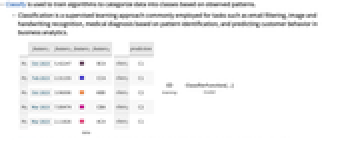
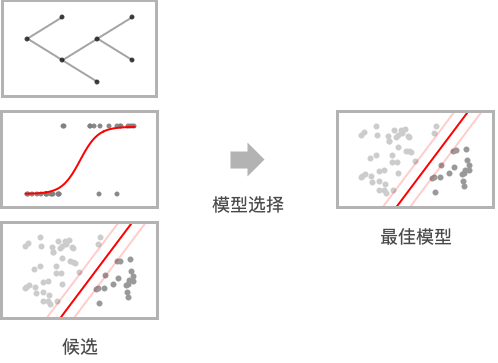
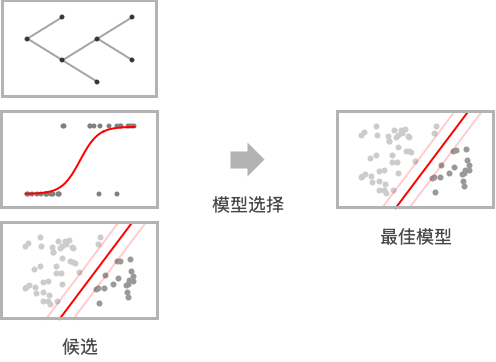
- Classify 用于训练算法,根据观察到的模式将数据归类.
- 分类是一种监督学习方法,通常用于执行电子邮件过滤、图像和手写识别、基于模式识别的医疗诊断以及商业分析中的客户行为预测等任务.
- Classify 可被用于各种类型的数据,包括数字、文字、声音、图像和这些类型的组合.
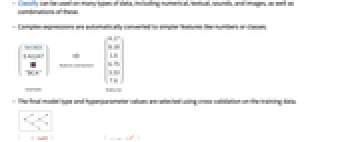
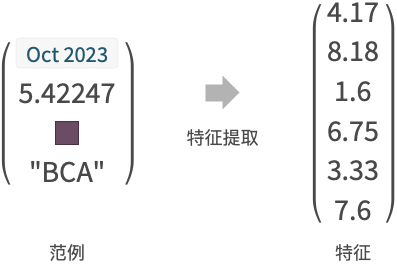
- 复杂的表达式会自动转换为数字或类等更简单的特征.
- 通过对训练数据进行交叉验证,选择最终的模型类型和超参数值.
- 训练 data 的结构如下:
-
{in1out1,in2out2,…} 输入和输出之间的 Rule 列表 {in1,in2,…}{out1,out2,…} 输入和相应输出之间的 Rule {list1,list2,…}n 输出每个 List 的第 n 个元素 {assoc1,assoc2,…}"key" 输出每个 Association 的 "key" 元素 Dataset[…]column Dataset 的指定 column 作为输出 Tabular[…]column 将 Tabular 的指定 column 作为输出 - 此外,特殊形式的 data 还包括:
-
"name" 内置的分类函数 FittedModel[…] 转换为 ClassifierFunction 的拟合模型 NetChain[…],NetGraph[…] 将代表分类器的网转换为 ClassifierFunction - 每个输入 ini 的范例可以是一个单独的数据元素、一个列表 {feature1, …} 或一个关联关系 <|"feature1"value1,…|>.
- 每个范例输出的 outi 都可以是任何原子表达式,如字符串、整数或布尔值.
- 预测属性 prop 与 ClassifierFunction 相同. 包括:
-
"Decision" 基于概率和效用函数最佳类别 "TopProbabilities" 最可能类别的概率 "TopProbabilities"n n 个最可能类别的概率 "Probability"class 特定类别的概率 "Probabilities" 所有可能类别的概率的关联 "SHAPValues" 每个样例的 Shapley 加性特征解释 "Properties" 所有可用属性的列表 - "SHAPValues" 通过比较将不同的特征集合删除,然后合成所得到的预测来评估特征的贡献. 选项 MissingValueSynthesis 可用于指定如何合成缺失的特征. SHAP 解释是以相对于 class training prior 的优势比乘数 (odds ratio multiplier) 给出的. 可通过 "SHAPValues"n 控制用于对 SHAP 解释进行数值估计的样本的数量.
- 内置分类器函数的例子包括:
-
"CountryFlag" 国旗图像属于哪个国家 "FacebookTopic" Facebook 帖子的主题 "FacialAge" 根据面部估计年龄 "FacialExpression" 面部显示的表情类型 "FacialGender" 面部看上去是什么性别 "Language" 自然语言文本是哪一种 "LanguageExtended" 文本的语种,包括稀有语种 "NameGender" 人名属于什么性别 "NotablePerson" 图像属于哪位著名人物 "NSFWImage" 图像是否被认为“工作场合不宜” "Profanity" 文本是否包含不雅文字 "ProgrammingLanguage" 文字属于哪种编程语言 "Sentiment" 社交媒体文章的情绪 "Spam" 是否为垃圾邮件 "SpokenLanguage" 音频录音使用的自然语言 - 可以给出以下选项:
-
AnomalyDetector None 分类器使用的异常检测器 AcceptanceThreshold Automatic 异常检测器的的稀有概率阈值 ClassPriors Automatic 类别的显式先验概率 FeatureExtractor Identity 怎样提取学习用的特征 FeatureNames Automatic 分配给输入数据的特征的名称 FeatureTypes Automatic 假定输入数据具有的特征的类型 IndeterminateThreshold 0 低于什么概率返回 Indeterminate Method Automatic 使用何种分类算法 MissingValueSynthesis Automatic 怎样合成缺失值 PerformanceGoal Automatic 优化的目标 RandomSeeding 1234 应该在伪随机发生器内部完成的种子指定方式 RecalibrationFunction Automatic 怎样对类别概率进行后处理 TargetDevice "CPU" 执行培训的目标设备 TimeGoal Automatic 花多长时间来训练分类器 TrainingProgressReporting Automatic 如何汇报训练过程中的进度 UtilityFunction Automatic 作为实际和预测类别的函数的效用值 ValidationSet Automatic 验证所生成的模型所用的数据 - Method 的可能设置包括:
-

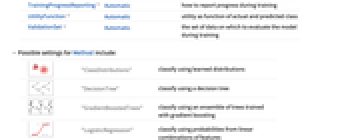
"ClassDistributions" 用学到的分布进行分类 
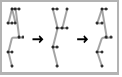
"DecisionTree" 使用决策树进行分类 
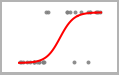
"GradientBoostedTrees" 使用用梯度增强训练的全体树进行分类 

"LogisticRegression" 使用特征的线性组合概率分类 

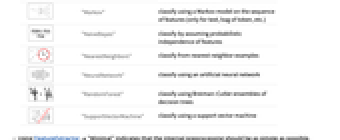
"Markov" 在特征序列上使用马尔可夫模型分类(仅适用于文本、令牌包等) 
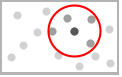
"NaiveBayes" 通过假定特征的概率独立性分类 
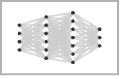
"NearestNeighbors" 从最近邻例子分类 

"NeuralNetwork" 利用人工神经网络分类 

"RandomForest" 使用决策树 Breiman–Cutler 集合分类 

"SupportVectorMachine" 用支持向量机进行分类 - 使用 FeatureExtractor"Minimal" 表示内部预处理应尽可能简单.
- PerformanceGoal 的可能设置包括:
-
"DirectTraining" 直接在整个数据集上培训,不进行模型搜索 "Memory" 最小化分类器的存储需求 "Quality" 最大化分类器的准确性 "Speed" 最大化分类器的速度 "TrainingSpeed" 最小化生成分类器的时间 Automatic 自动权衡速度、精度和存储器之间的分配 {goal1,goal2,…} 自动合并 goal1、goal2 等 - 下列设置可以用于 TrainingProgressReporting:
-
"Panel" 显示一个动态更新的图形面板 "Print" 使用 Print 定期报告信息 "ProgressIndicator" 显示简单的 ProgressIndicator "SimplePanel" 动态更新面板,无需学习曲线 None 不报告任何信息 - RandomSeeding 的可能设置包括:
-
Automatic 每次调用函数时都会自动重新设置种子 Inherited 使用外部种子随机数 seed 使用明确的整数或字符串作为种子 - 在 Classify[ClassifierFunction[…],FeatureExtractorfe] 中,FeatureExtractorFunction[…] fe 会前置在已存在的特征提取器中.
- Information 可以在获得的 ClassifierFunction[…] 上使用.
范例
打开所有单元 关闭所有单元基本范例 (2)
c = Classify[{1 -> "A", 2 -> "A", 3.5 -> "B", 4 -> "B"}]c[3.1]Plot[c[x, "Probability" -> "B"], {x, 1, 4}]c = Classify[{{1.5, Blue} -> "A", {3.2, Blue} -> "A", {4.1, Red} -> "B", {5.3, Red} -> "B", {10., Green} -> "C", {12.4, Red} -> "C"}]c[{{10.1, Blue}, {1.2, Missing[]}}]范围 (33)
数据格式 (7)
Classify[{0.63 -> "A", -0.78 -> "B", 0.58 -> "A", -0.62 -> "B", -0.52 -> "B", -0.87 -> "B"}]Classify[{{0.63, -0.78} -> "A", {0.58, -0.62} -> "A", {-0.52, -0.87} -> "B", {0.08, -0.54} -> "A", {-0.21, 0.4} -> "B"}]Classify[{<|"f1" -> 0.63, "f2" -> -0.78|> -> "A", <|"f1" -> 0.58, "f2" -> -0.62|> -> "A", <|"f1" -> -0.52, "f2" -> -0.87|> -> "B", <|"f1" -> 0.08, "f2" -> -0.54|> -> "A", <|"f1" -> -0.21, "f2" -> 0.4|> -> "B"}]Classify[{0.63, -0.78, 0.58, -0.62, -0.52, -0.87} -> {"A", "B", "A", "B", "B", "B"}]Classify[{{0.63, "A"}, {-0.78, "B"}, {0.58, "A"}, {-0.62, "B"}, {-0.52, "B"}, {-0.87, "B"}} -> 2]Classify[{<|"f1" -> 0.63, "f2" -> "A"|>, <|"f1" -> -0.78, "f2" -> "B"|>, <|"f1" -> 0.58, "f2" -> "A"|>, <|"f1" -> -0.62, "f2" -> "B"|>, <|"f1" -> -0.52, "f2" -> "B"|>, <|"f1" -> -0.87, "f2" -> "B"|>} -> "f2"]Classify[Dataset[{Association["f1" -> 0.63, "f2" -> "A"], Association["f1" -> -0.78, "f2" -> "B"],
Association["f1" -> 0.58, "f2" -> "A"], Association["f1" -> -0.62, "f2" -> "B"],
Association["f1" -> -0.52, "f2" -> "B"], Association["f1" -> -0.87, "f2" -> "B"]}] -> "f2"]数据类型 (13)
数字 (3)
Classify[{0.63 -> "A", -0.78 -> "B", 0.58 -> "A", -0.62 -> "B", -0.52 -> "B", -0.87 -> "B"}]Classify[{{0.63, -0.78} -> "A", {0.58, -0.62} -> "A", {-0.52, -0.87} -> "B", {0.08, -0.54} -> "A", {-0.21, 0.4} -> "B"}]Classify[{{{-0.58, 0.5}, {-0.15, -0.51}} -> "B", {{0.95, 0.65}, {0.85, 0.16}} -> "A", {{-0.41, -0.58}, {0.16, -0.74}} -> "B", {{-0.39, 0.42}, {-0.22, 0.64}} -> "A", {{-0.35, 0.19}, {0.04, -0.66}} -> "B"}]标称值 (3)
Classify[{"XXX" -> "A", "YYY" -> "B", "XXX" -> "A", "YYY" -> "B", "YYY" -> "B"}]c = Classify[<|"Treatment" -> {"A", "B", "A", "C", "B", "C", "A", "B", "C", "A"}, "Severity" -> {"High", "Medium", "Low", "High", "Low", "Medium", "Medium", "High", "Low", "High"}, "RecoveryTime" -> {8, 6, 4, 9, 5, 7, 6, 8, 5, 8}|> -> "Treatment"]c[<|"RecoveryTime" -> 4, "Severity" -> "High"|>]c = Classify[Dataset[{Association["Age" -> 35, "Gender" -> "Male", "BloodPressure" -> 120,
"CholesterolLevel" -> 180, "Diabetes" -> "No"], Association["Age" -> 42, "Gender" -> "Female",
"BloodPressure" -> 130, "CholesterolLevel" -> 210, "Diabetes" -> "Yes"],
Association["Age" -> 55, "Gender" -> "Male", "BloodPressure" -> 140, "CholesterolLevel" -> 240,
"Diabetes" -> "No"], Association["Age" -> 28, "Gender" -> "Female", "BloodPressure" -> 115,
"CholesterolLevel" -> 190, "Diabetes" -> "No"], Association["Age" -> 68, "Gender" -> "Male",
"BloodPressure" -> 150, "CholesterolLevel" -> 280, "Diabetes" -> "Yes"],
Association["Age" -> 48, "Gender" -> "Female", "BloodPressure" -> 125, "CholesterolLevel" -> 200,
"Diabetes" -> "No"]}] -> "Diabetes"]c[<|"Age" -> 45, "Gender" -> "Male", "BloodPressure" -> 180, "CholesterolLevel" -> 230|>]数量 (1)
根据包括 Quantity 对象在内的数据训练分类器:
c = Classify[Dataset[{Association["Neighborhood" -> "Sunnypoint", "Area" -> Quantity[1500, "Feet"^2],
"Price" -> Quantity[300000, "USDollars"]], Association["Neighborhood" -> "Moonbrook",
"Area" -> Quantity[1800, "Feet"^2], "Price" -> Quantity[360000, "USDollars"]],
Association["Neighborhood" -> "Sunnypoint", "Area" -> Quantity[1700, "Feet"^2],
"Price" -> Quantity[340000, "USDollars"]], Association["Neighborhood" -> "Starville",
"Area" -> Quantity[2000, "Feet"^2], "Price" -> Quantity[500000, "USDollars"]],
Association["Neighborhood" -> "Moonbrook", "Area" -> Quantity[1600, "Feet"^2],
"Price" -> Quantity[320000, "USDollars"]], Association["Neighborhood" -> "Starville",
"Area" -> Quantity[2200, "Feet"^2], "Price" -> Quantity[550000, "USDollars"]],
Association["Neighborhood" -> "Sunnypoint", "Area" -> Quantity[1400, "Feet"^2],
"Price" -> Quantity[280000, "USDollars"]], Association["Neighborhood" -> "Moonbrook",
"Area" -> Quantity[1900, "Feet"^2], "Price" -> Quantity[380000, "USDollars"]],
Association["Neighborhood" -> "Starville", "Area" -> Quantity[2100, "Feet"^2],
"Price" -> Quantity[520000, "USDollars"]], Association["Neighborhood" -> "Sunnypoint",
"Area" -> Quantity[1800, "Feet"^2], "Price" -> Quantity[360000, "USDollars"]]}] -> "Neighborhood"]c[<|"Price" -> Quantity[290000, "USDollars"], "Area" -> Quantity[1000, "Feet"^2]|>]c[<|"Price" -> Quantity[800000, "USDollars"]|>]文本 (1)
颜色 (1)
Classify[{RGBColor[1., 0.8431372549019608, 0.] -> "warm", RGBColor[1., 0.27058823529411763, 0.] -> "warm", RGBColor[0., 0.807843137254902, 0.8196078431372549] -> "cold", RGBColor[1., 0.6274509803921569, 0.47843137254901963] -> "warm", RGBColor[1., 0.4117647058823529, 0.7058823529411765] -> "warm", RGBColor[0.12549019607843137, 0.6980392156862745, 0.6666666666666666] -> "cold", RGBColor[0.2549019607843137, 0.4117647058823529, 0.8823529411764706] -> "cold", RGBColor[0.5294117647058824, 0.807843137254902, 0.9215686274509803] -> "cold", RGBColor[0.6901960784313725, 0.8784313725490196, 0.9019607843137255] -> "cold", RGBColor[0.4980392156862745, 1., 0.] -> "warm", RGBColor[0.20392156862745098, 0.596078431372549, 0.8588235294117647] -> "cold", RGBColor[1., 0.3411764705882353, 0.2] -> "warm"}, {Red, Green, Blue}]图像 (1)
c = Classify[{[image] -> "dromedar", [image] -> "dromedar", [image] -> "dromedar", [image] -> "dromedar", [image] -> "dromedar", [image] -> "camel", [image] -> "camel", [image] -> "camel", [image] -> "camel", [image] -> "camel"}]c[[image]]序列 (1)
c = Classify[{{"apple", "banana", "cherry"} -> "fruit", {"dog", "cat"} -> "pet", {"carrot", "lettuce", "tomato", "broccoli"} -> "vegetable", {"apple", "grape", "pear", "kiwi", "strawberry"} -> "fruit", {"dog", "rabbit", "hamster"} -> "pet", {"cucumber", "spinach", "zucchini"} -> "vegetable"}]c[{"carrot", "zucchini"}]缺失数据 (2)
c = Classify[{{2.3, "male"} -> "A", {4.8, Missing[]} -> "B", {Missing[], "female"} -> "B", {5.2, "female"} -> "C", {Missing[], "male"} -> "B", {1.3, "male"} -> "A"}]c[{{1.2, Missing[]}, {Missing[], "female"}}]在具有命名特征的数据集上训练分类器. 键的顺序并不重要. 键是可缺少的:
c = Classify[{
<|"age" -> 32, "height" -> 160|> -> "female",
<|"height" -> 183, "age" -> 41|> -> "male",
<|"height" -> 123|> -> "female",
<|"height" -> 175, "age" -> 21|> -> "male",
<|"age" -> 11|> -> "male",
<|"age" -> 52, "height" -> 164|> -> "female"}]c[{<|"height" -> 190|>, <|"age" -> 90|>, <|"age" -> 12, "height" -> 120|>, <||>}]信息 (4)
Information[ClassifierFunction[Association["ExampleNumber" -> 6, "ClassNumber" -> 2,
"Input" -> Association["Preprocessor" -> MachineLearning`MLProcessor["ToMLDataset",
Association["Input" -> Association["Age" -> Association["Type" -> "Numerical"],
... "Date" -> DateObject[{2023, 11, 6, 15, 41, 52.149659`8.469826447952146}, "Instant",
"Gregorian", 1.], "ProcessorCount" -> 10, "ProcessorType" -> "ARM64",
"OperatingSystem" -> "MacOSX", "SystemWordLength" -> 64, "Evaluations" -> {}]]]]Information[ClassifierFunction[Association["ExampleNumber" -> 6, "ClassNumber" -> 2,
"Input" -> Association["Preprocessor" -> MachineLearning`MLProcessor["ToMLDataset",
Association["Input" -> Association["Age" -> Association["Type" -> "Numerical"],
... "Date" -> DateObject[{2023, 11, 6, 15, 41, 52.149659`8.469826447952146}, "Instant",
"Gregorian", 1.], "ProcessorCount" -> 10, "ProcessorType" -> "ARM64",
"OperatingSystem" -> "MacOSX", "SystemWordLength" -> 64, "Evaluations" -> {}]]], #]& /@ {"FeatureNames", "FeatureNumber", "FeatureTypes"}Information[ClassifierFunction[Association["ExampleNumber" -> 6, "ClassNumber" -> 2,
"Input" -> Association["Preprocessor" -> MachineLearning`MLProcessor["ToMLDataset",
Association["Input" -> Association["Age" -> Association["Type" -> "Numerical"],
... "Date" -> DateObject[{2023, 11, 6, 15, 41, 52.149659`8.469826447952146}, "Instant",
"Gregorian", 1.], "ProcessorCount" -> 10, "ProcessorType" -> "ARM64",
"OperatingSystem" -> "MacOSX", "SystemWordLength" -> 64, "Evaluations" -> {}]]], "FeatureExtractor"]Information[ClassifierFunction[Association["ExampleNumber" -> 6, "ClassNumber" -> 2,
"Input" -> Association["Preprocessor" -> MachineLearning`MLProcessor["ToMLDataset",
Association["Input" -> Association["Age" -> Association["Type" -> "Numerical"],
... "Date" -> DateObject[{2023, 11, 6, 15, 41, 52.149659`8.469826447952146}, "Instant",
"Gregorian", 1.], "ProcessorCount" -> 10, "ProcessorType" -> "ARM64",
"OperatingSystem" -> "MacOSX", "SystemWordLength" -> 64, "Evaluations" -> {}]]], "Properties"]内置分类器 (9)
使用 "Language" 内置分类器检测文本写入所用的语言:
Classify["Language", "the house is blue"]Classify["Language", {"the house is blue", "la maison est bleue", "la casa es azul", "das Haus ist blau", "房子是蓝色的", "المنزل باللون الأزرق", "будинок синій"}]Classify["Language", "the house is blue, la maison est bleue", "TopProbabilities"]用选项 ClassPriors 将分类器限制为某几种语言:
Classify["Language", {"What is this language?", "¿Qué idioma es ese?", "Quelle est cette langue?"}, ClassPriors -> <|Entity["Language", "English"] -> 0.5, Entity["Language", "Spanish"] -> 0.5|>]使用 "FacebookTopic" 内置分类器检测 Facebook 帖子的主题:
Classify["FacebookTopic", "I love eating carrots in the morning"]Classify["FacebookTopic", {"I bought a new computer", "happy birthday!", "this skirt looks nice"}]不被识别的主题或语言将返回 Indeterminate:
Classify["FacebookTopic", {"what is this topic?", "qwe niowqe mwoei!"}]使用 "CountryFlag" 内置分类器根据国旗识别国家:
Classify["CountryFlag", {[image], [image], [image], [image], [image]}]使用 "NameGender" 内置分类器根据人名得到此人的可能性别:
Classify["NameGender", {"Tom", "Stacy", "John", "Natalie"}]使用 "NotablePerson" 内置分类器来决定给定图像描述的是哪位著名人物:
Classify["NotablePerson", [image]]使用 "Sentiment" 内置分类器来推断社交媒体信息的情绪:
Classify["Sentiment", {"I love this movie", "I am so sad", "My phone broke again"}]使用 "Profanity" 内置分类器对含有强烈语言的文本返回 True:
Classify["Profanity", Import["http://www.urbandictionary.com/random.php"]]使用 "Spam" 内置分类器根据电子邮件的内容检测其是否为垃圾邮件:
Classify["Spam", "Dear recipient,*** Technologies announces the beginning of a new unprecendented global employment campaign.reviser yeller winers butchery twenties
Due to company's exploding growth *** is expanding business to the European region.During last employment campaign over 1500 people worldwide took part in ***'s business
and more than half of them are currently employed by the company.And now we are offering you
one more opportunity to earn extra money working with *** Technologies.druggists blame classy gentry Aladdin
We are looking for honest,responsible,hard-working people that can dedicate 2-4 hours of their
time per day and earn extra Â$300-500 weekly.All offered positions are currently part-time
and give you a chance to work mainly from home.lovelies hockey Malton meager reordered
Please visit ***'s corporate web site (http://www.***.com/sta/home/0077.htm) for more details regarding these vacancies."]使用 "SpokenLanguage" 内置分类器,用于检测文本所使用的语言:
Classify["SpokenLanguage", \!\(\*AudioBox[""]\)]选项 (23)
AcceptanceThreshold (1)
c = Classify[{1 -> "A", 2 -> "A", 3.5 -> "B", 4 -> "B"}, AnomalyDetector -> Automatic]c[6, AcceptanceThreshold -> 0.01]c[6, AcceptanceThreshold -> 0.0001]c2 = Classify[c, AcceptanceThreshold -> 0.01]c2[6, AcceptanceThreshold -> 0.01]AnomalyDetector (1)
c = Classify[{1 -> "A", 2 -> "A", 3.5 -> "B", 4 -> "B"}, AnomalyDetector -> Automatic]c[1.2]c[100000.2]c[100000.2, "Probabilities"]c[10000.2, AnomalyDetector -> None]c2 = Classify[c, AnomalyDetector -> None]c2[10000.2]ClassPriors (1)
data = {1 -> True, 2 -> True, 3 -> True, 4 -> True, 5 -> False, 6 -> True};c = Classify[data, Method -> "LogisticRegression"]c[5]c[5, "Probabilities"]c[5, ClassPriors -> <|False -> 0.5, True -> 0.5|>]c[5, "Probabilities", ClassPriors -> <|False -> 0.5, True -> 0.5|>]c2 = Classify[data, Method -> "LogisticRegression", ClassPriors -> <|False -> 0.5, True -> 0.5|>]c2[5]c2[5, "Probabilities"]c2[5, ClassPriors -> <|False -> 0.2, True -> 0.8|>]c3 = Classify[c2, ClassPriors -> <|False -> 1 / 6, True -> 5 / 6|>]c2[5, "Probabilities"]c3[5, "Probabilities"]FeatureExtractor (3)
在简单数据集上训练一个 FeatureExtractorFunction:
dataset = {{1.4, "A"}, {1.5, "A"}, {2.3, "B"}, {5.4, "B"}};fe = FeatureExtraction[dataset]用特征提取函数作为 Classify 的预处理步骤:
Classify[dataset -> {"Yes", "No", "No", "No"}, FeatureExtractor -> fe]c = Classify[{"The cat is grey." -> [image], "My cat is fast." -> [image], "This dog is scary." -> [image] , "The big dog." -> [image]}, FeatureExtractor -> {ToUpperCase, RemoveDiacritics, "SegmentedWords"}]c[{"Nice CAT", "What a dög"}]{features, fe} = FeatureExtraction[{"The cat is grey.", "My cat is fast.", "This dog is scary.", "The big dog."}, {ToUpperCase, RemoveDiacritics, "SegmentedWords"}, {"ExtractedFeatures", "ExtractorFunction"}]c = Classify[features -> {[image], [image], [image], [image]}]c2 = Classify[c, FeatureExtractor -> fe]c2["Nice CAT"]FeatureNames (2)
c = Classify[{{2.3, "male"} -> "a", {4.8, Missing[]} -> "b", {Missing[], "female"} -> "a", {5.2, "female"} -> "b"}, FeatureNames -> {"age", "gender"}]c[<|"age" -> 3.3, "gender" -> "male"|>]c[{3.3, "male"}]在一个具有命名特征的训练集上训练分类器,并使用 FeatureNames 设置它们的顺序:
c = Classify[{<|"age" -> 2.3, "gender" -> "male"|> -> "a", <|"age" -> 4.6|> -> "b", <|"gender" -> "female"|> -> "a", <|"gender" -> "female", "age" -> 5.2|> -> "b"}, FeatureNames -> {"gender", "age"}]Information[c, FeatureNames]c[{"female", 6.5}]FeatureTypes (2)
c = Classify[{{"butter", "sugar"} -> "bad", {"flour", "butter"} -> "good", {"tomato", "salt"} -> "good"}]Classify 错误地认为认为例子含有两种不同的名义特征:
Information[c, FeatureTypes]c[{"butter", "tomato", "apple"}]强制 Classify 将特征诠释为 "NominalSequence":
c2 = Classify[{{"butter", "sugar"} -> "bad", {"flour", "butter"} -> "good", {"tomato", "salt"} -> "good"}, FeatureTypes -> "NominalSequence"]Information[c2, FeatureTypes]c2[{"butter", "tomato", "apple"}]trainingset = {
<|"age" -> 32, "gender" -> 1|> -> "tall",
<|"age" -> 41, "gender" -> 2|> -> "short",
<|"age" -> 17, "gender" -> 2|> -> "short",
<|"age" -> 11, "gender" -> 1|> -> "tall"};c = Classify[trainingset]Information[c, FeatureTypes]c = Classify[trainingset, FeatureTypes -> <|"gender" -> "Nominal"|>]Information[c, FeatureTypes]IndeterminateThreshold (1)
data = {1 -> "B", 2 -> "B", 3 -> "A", 4 -> "B", 5 -> "A", 6 -> "A"};c = Classify[data, IndeterminateThreshold -> 0.9]c[5, "Probabilities"]c[5]c[5, IndeterminateThreshold -> 0.5]c2 = Classify[c, IndeterminateThreshold -> 0.5]c2[5]Method (3)
trainingset = {1, 2, 3, 4, 5, 6, 7} -> {"a", "a", "b", "a", "b", "b", "b"};logistic = Classify[trainingset, Method -> "LogisticRegression"]rf = Classify[trainingset, Method -> "RandomForest"]Plot[{
logistic[x, "Probability" -> "a"],
rf[x, "Probability" -> "a"]
}, {x, 0, 8}, Exclusions -> None]trainingset = ExampleData[{"MachineLearning", "UCILetter"}, "TrainingData"];c1 = Classify[trainingset, Method -> "NearestNeighbors"]testset = ExampleData[{"MachineLearning", "UCILetter"}, "TestData"];ClassifierMeasurements[c1, testset, "Accuracy"]c2 = Classify[trainingset, Method -> "NaiveBayes"]ClassifierMeasurements[c2, testset, "Accuracy"]First[AbsoluteTiming[c1[testset[[All, 1]]]]]First[AbsoluteTiming[c2[testset[[All, 1]]]]]MONK 问题由合成二值分类数据集组成,用于比较不同分类器的性能. 生成第二个 MONK 问题的数据集:
data = Map[# -> Count[#, 1] == 1&, Tuples[{{1, 2, 3}, {1, 2, 3}, {1, 2}, {1, 2, 3}, {1, 2, 3, 4}, {1, 2}}]];通过在 169 个实例上训练,并在整个数据集上测试,检验每个分类器的准确度:
trainingset = RandomSample[data, 169];AssociationMap[ ClassifierMeasurements[
Classify[trainingset, Method -> #], data, "Accuracy"]&, {"RandomForest", "NaiveBayes", "SupportVectorMachine", "NearestNeighbors", "LogisticRegression"}]MissingValueSynthesis (1)
x = {{1, 3}, {2, 4}, {3, 5}, {4, 4}, {5, 8}, {6, 9}, {7, 4}, {8, 6}, {9, 12}};
y = {"A", "B", "A", "B", "B", "B", "A", "B", "A"};
c = Classify[x -> y]c[{5, Missing[]}, "Probabilities"]设置缺失值合成,在给定已知值的情况下用最可能的值替换缺失变量(这是默认行为):
c[{5, Missing[]}, "Probabilities", MissingValueSynthesis -> "ModeFinding"]c[{5, Missing[]}, "Probabilities", MissingValueSynthesis -> "RandomSampling"]对许多随机插补进行平均通常是最好的策略,并允许获得由插补引起的不确定性:
MeanAround[Table[c[{5, Missing[]}, "Probabilities", MissingValueSynthesis -> "RandomSampling"], 100]]c = Classify[x -> y, MissingValueSynthesis -> "KernelDensityEstimation"]用 "KernelDensityEstimation" 分布来决定替补值,对有缺失值的样例进行分类:
c[{6, Missing[]}, "Probabilities"]训练时提供已有的 LearnedDistribution,在训练期间及后续的计算中用来对缺失值进行插补:
dist = LearnDistribution[x, Method -> "Multinormal"];
c = Classify[x -> y, MissingValueSynthesis -> dist];
c[{6, Missing[]}, "Probabilities"]指定已有的 LearnedDistribution 针对单次计算合成缺失值:
dist2 = LearnDistribution[x, Method -> "KernelDensityEstimation"];
c[{6, Missing[]}, "Probabilities", MissingValueSynthesis -> dist2]c = Classify[x -> y, MissingValueSynthesis ->
<|"LearningMethod" -> "Multinormal", "EvaluationStrategy" -> "RandomSampling"|>];
c[{6, Missing[]}, "Probabilities"]RecalibrationFunction (1)
training = RandomSample[ResourceData["MNIST", "TrainingData"], 1000];
test = ResourceData["MNIST", "TestData"];c = Classify[training, Method -> "RandomForest", RecalibrationFunction -> None]ClassifierMeasurements[c, test, "CalibrationCurve"]c2 = Classify[training, Method -> "RandomForest", RecalibrationFunction -> All]ClassifierMeasurements[c2, test, "CalibrationCurve"]PerformanceGoal (1)
trainingset = ExampleData[{"MachineLearning", "Satellite"}, "TrainingData"];c1 = Classify[trainingset, PerformanceGoal -> "TrainingSpeed"]Information[c1, "TrainingTime"]testset = ExampleData[{"MachineLearning", "Satellite"}, "TestData"];ClassifierMeasurements[c1, testset, "Accuracy"]c2 = Classify[trainingset]Information[c2, "TrainingTime"]ClassifierMeasurements[c2, testset, "Accuracy"]c3 = Classify[trainingset, PerformanceGoal -> {"TrainingSpeed", "Memory"}]ByteCount /@ {c2, c3}ClassifierMeasurements[c3, testset, "Accuracy"]TargetDevice (1)
在系统默认的 GPU 上使用神经网络培训分类器并查看 AbsoluteTiming:
n = 10000;
trainingData = RandomReal[1, {n, 4}] -> RandomChoice[{1, 2, 3}, n];
AbsoluteTiming[classifier = Classify[trainingData, Method -> "NeuralNetwork", TargetDevice -> "GPU"]]AbsoluteTiming[classifier = Classify[trainingData, Method -> "NeuralNetwork"]]TimeGoal (2)
c = Classify[{1, 2, 3, 4} -> {"A", "A", "B", "B"}, TimeGoal -> 5]Information[c, "TrainingTime"]dataset = ExampleData[{"MachineLearning", "Mushroom"}, "Data"];c = Classify[dataset, TimeGoal -> .1]Information[c]c = Classify[dataset, TimeGoal -> 5]Information[c]TrainingProgressReporting (1)
dataset = ExampleData[{"MachineLearning", "UCILetter"}, "Data"];Classify[dataset, TrainingProgressReporting -> "Panel"];Classify[dataset, TrainingProgressReporting -> "SimplePanel"];Classify[dataset, TrainingProgressReporting -> "Print"];Classify[dataset, TrainingProgressReporting -> "ProgressIndicator"];Classify[dataset, TrainingProgressReporting -> None];UtilityFunction (1)
trainingset = {1, 2, 3, 4} -> {"yes", "yes", "no", "no"};c1 = Classify[trainingset]c1[2.55, "Probabilities"]c1[2.55]Information[c1, UtilityFunction]训练分类器,对把类别为 "yes" 但错误归类为 "no" 的例子进行惩罚:
c2 = Classify[trainingset, UtilityFunction -> <|"no" -> <|"no" -> 1, "yes" -> 0|>, "yes" -> <|"no" -> -100, "yes" -> 1|> |>]c2[2.55, "Probabilities"]c2[2.55]c2[2.55, UtilityFunction -> <|"no" -> <|"no" -> 1, "yes" -> 0|>, "yes" -> <|"no" -> 0, "yes" -> 1|> |>]c3 = Classify[c2, UtilityFunction -> <|"no" -> <|"no" -> 1, "yes" -> 0|>, "yes" -> <|"no" -> 0, "yes" -> 1|> |>]c3[2.55]ValidationSet (1)
trainingset = ExampleData[{"MachineLearning", "FisherIris"}, "TrainingData"];c1 = Classify[trainingset, Method -> "LogisticRegression"]Information[c1, "L2Regularization"]validationset = ExampleData[{"MachineLearning", "FisherIris"}, "TestData"][[ ;; 10]];c2 = Classify[trainingset, ValidationSet -> validationset, Method -> "LogisticRegression"]Information[c2, "L2Regularization"]应用 (10)
泰坦尼克号生还 (2)
加载 "Titanic" 数据集,该数据集包含泰坦尼克号乘客的年龄、性别、船票等级和生还者名单:
dataset = ExampleData[{"MachineLearning", "Titanic"}, "Data"];RandomSample[dataset, 10] // TableFormc = Classify[dataset, Method -> "LogisticRegression"]c[{"3rd", 10, "female"}, "Probability" -> "survived"]绘制 "class" 和 "sex" 组合的存活概率与年龄的函数关系图:
p[class_, age_, sex_] := c[{class, age, sex}, {"Probability", "survived"}];Plot[{p["1st", x, "female"], p["3rd", x, "female"], p["1st", x, "male"], p["3rd", x, "male"]}, {x, 0, 100}, PlotLegends -> {"female, 1st class", "female, 3rd class", "male, 1st class", "male, 3rd class"}, Frame -> True, FrameLabel -> {"Age (years)", "Survival probability"}, Exclusions -> None]训练分类器来预测一个人在泰坦尼克号沉没事件中生还或死亡的几率:
titanic = ResourceData["Sample Data: Titanic Survival"];
c = Classify[titanic -> "SurvivalStatus", Method -> "NearestNeighbors"]baseProbability = Information[c, "TrainingClassPriors"]["died"];
priorOdds = baseProbability / (1 - baseProbability)dyingProb = c[{"1st", Quantity[80, "Years"], "male"}, "Probability" -> "died"];
dyingOdds = dyingProb / (1 - dyingProb)shaps = c[{"1st", Quantity[80, "Years"], "male"}, "SHAPValues"]["died"]priorOdds * shaps["Class"] * shaps["Age"] * shaps["Sex"]
priorOdds * shaps["Class"] * shaps["Age"] * shaps["Sex"] == dyingOdds费雪鸢尾花卉 (3)
c = Classify[ExampleData[{"MachineLearning", "FisherIris"}, "TrainingData"]]c[{4.3, 3.1, 1.2, 0.3}]cm = ClassifierMeasurements[c, ExampleData[{"MachineLearning", "FisherIris"}, "TestData"]];cm["Accuracy"]cm["ConfusionMatrixPlot"]训练分类器,将电影审查片段分类为 "positive" 或 "negative":
c = Classify[ExampleData[{"MachineLearning", "MovieReview"}, "TrainingData"]]c["the gorgeously elaborate continuation of \" the lord of the rings \" trilogy is so huge that a column of words cannot adequately describe co-writer/director peter jackson's expanded vision of j . r . r . tolkien's middle-earth . "]ClassifierMeasurements[c, ExampleData[{"MachineLearning", "MovieReview"}, "TestData"], "Accuracy"]Othello = Import["http://www.gutenberg.org/cache/epub/2267/pg2267.txt"];
Hamlet = Import["http://www.gutenberg.org/cache/epub/2265/pg2265.txt"];
Macbeth = Import["http://www.gutenberg.org/cache/epub/2264/pg2264.txt"];TheImportanceOfBeingEarnest = Import["http://www.gutenberg.org/cache/epub/844/pg844.txt"];
ThePictureofDorianGray = Import["http://www.gutenberg.org/cache/epub/174/pg174.txt"];
AnIdealHusband = Import["http://www.gutenberg.org/files/885/885-0.txt"];LesMiserables = Import["http://www.gutenberg.org/cache/epub/135/pg135.txt"];
NotreDamedeParis = Import["http://www.gutenberg.org/cache/epub/2610/pg2610.txt"];
TheManWhoLaughs = Import["http://www.gutenberg.org/cache/epub/12587/pg12587.txt"];author = Classify[<|"William Shakespeare" -> {Othello, Hamlet}, "Oscar Wilde" -> {TheImportanceOfBeingEarnest, ThePictureofDorianGray}, "Victor Hugo" -> {LesMiserables, NotreDamedeParis}|>]author[{Macbeth, AnIdealHusband, TheManWhoLaughs}]图像识别 (3)
根据 MNIST 手写数字数据库中的 100 个范例训练数字识别器:
digit = Classify[
{[image] -> 2, [image] -> 5, [image] -> 8, [image] -> 0, [image] -> 2, [image] -> 7, [image] -> 5, [image] -> 1, [image] -> 3, [image] -> 0, [image] -> 3, [image] -> 9, [image] -> 6, [image] -> 2, [image] -> 8, [image] -> 2, [image] -> 0, [image] -> 6, [image] -> 6, [image] -> 1, [image] -> 1, [image] -> 7, [image] -> 8, [image] -> 5, [image] -> 0, [image] -> 4, [image] -> 7, [image] -> 6, [image] -> 0, [image] -> 2, [image] -> 5, [image] -> 3, [image] -> 1, [image] -> 5, [image] -> 6, [image] -> 7, [image] -> 5, [image] -> 4, [image] -> 1, [image] -> 9, [image] -> 3, [image] -> 6, [image] -> 8, [image] -> 0, [image] -> 9, [image] -> 3, [image] -> 0, [image] -> 3, [image] -> 7, [image] -> 4, [image] -> 4, [image] -> 3, [image] -> 8, [image] -> 0, [image] -> 4, [image] -> 1, [image] -> 3, [image] -> 7, [image] -> 6, [image] -> 4, [image] -> 7, [image] -> 2, [image] -> 7, [image] -> 2, [image] -> 5, [image] -> 2, [image] -> 0, [image] -> 9, [image] -> 8, [image] -> 9, [image] -> 8, [image] -> 1, [image] -> 6, [image] -> 4, [image] -> 8, [image] -> 5, [image] -> 8, [image] -> 0, [image] -> 6, [image] -> 7, [image] -> 4, [image] -> 5, [image] -> 8, [image] -> 4, [image] -> 3, [image] -> 1, [image] -> 5, [image] -> 1, [image] -> 9, [image] -> 9, [image] -> 9, [image] -> 2, [image] -> 4, [image] -> 7, [image] -> 3, [image] -> 1, [image] -> 9, [image] -> 2, [image] -> 9, [image] -> 6}]digit[{[image], [image], [image], [image], [image], [image], [image], [image], [image], [image]}]digit[[image], "TopProbabilities"]legendary = Classify[<|"Griffin" -> {[image], [image], [image], [image], [image], [image], [image], [image]}, "Centaur" -> {[image], [image], [image], [image], [image], [image], [image], [image]}, "Dragon" -> {[image], [image], [image], [image], [image], [image], [image], [image]}, "Unicorn" -> {[image], [image], [image], [image], [image], [image], [image], [image]}|>]legendary[{[image], [image], [image], [image]}]daynight = Classify[
{[image] -> "Night", [image] -> "Day", [image] -> "Night", [image] -> "Night", [image] -> "Day", [image] -> "Night", [image] -> "Day", [image] -> "Day", [image] -> "Night", [image] -> "Night", [image] -> "Day", [image] -> "Night", [image] -> "Night", [image] -> "Day", [image] -> "Night", [image] -> "Night", [image] -> "Day", [image] -> "Day", [image] -> "Day", [image] -> "Day", [image] -> "Night", [image] -> "Night", [image] -> "Day", [image] -> "Night", [image] -> "Night", [image] -> "Day", [image] -> "Day", [image] -> "Day", [image] -> "Night", [image] -> "Day"}]daynight[{[image], [image], [image], [image], [image]}]特征说明 (1)
images = ResourceData["MNIST"];RandomSample[images, 10]pixels = Flatten /@ ImageData /@ images[[All, 1]];
digit = images[[All, 2]];c = Classify[pixels -> digit, Method -> "LogisticRegression", PerformanceGoal -> "DirectTraining"]dist = LearnDistribution[pixels, Method -> {"Multinormal", "CovarianceType" -> "Diagonal"}]使用 "SHAPValues" 属性估算范例中每个像素对预测类别的影响:
example = Flatten[ImageData[[image]]];
shaps = c[example, "SHAPValues" -> 1, MissingValueSynthesis -> dist];利用 Log 将“几率乘数”SHAP 值转换为以 0 为中心的刻度:
pixelimpact = Log[shaps];darkimpact = pixelimpact * (1 - example);可视化像素如何增加(红色)或减少(蓝色)模型在数字为 0 或 6 时的置信度:
MatrixPlot[ArrayReshape[darkimpact[0], {28, 28}]]
MatrixPlot[ArrayReshape[darkimpact[6], {28, 28}]]欺诈检测 (1)
fraudDetector = Classify[Dataset[{Association["Amount" -> Quantity[100.25, "USDollars"],
"MerchantCategory" -> "Electronics", "CardType" -> "Credit", "TimeOfDay" -> "Morning",
"IsSuspicious" -> False], Association["Amount" -> Quantity[75.5, "USDollars"],
"MerchantCategory" -> "Clothing", "CardType" -> "Debit", "TimeOfDay" -> "Afternoon",
"IsSuspicious" -> False], Association["Amount" -> Quantity[250., "USDollars"],
"MerchantCategory" -> "Jewelry", "CardType" -> "Credit", "TimeOfDay" -> "Evening",
"IsSuspicious" -> True], Association["Amount" -> Quantity[55.75, "USDollars"],
"MerchantCategory" -> "Groceries", "CardType" -> "Debit", "TimeOfDay" -> "Night",
"IsSuspicious" -> False], Association["Amount" -> Quantity[500., "USDollars"],
"MerchantCategory" -> "Electronics", "CardType" -> "Credit", "TimeOfDay" -> "Morning",
"IsSuspicious" -> True], Association["Amount" -> Quantity[300.2, "USDollars"],
"MerchantCategory" -> "Electronics", "CardType" -> "Credit", "TimeOfDay" -> "Afternoon",
"IsSuspicious" -> False], Association["Amount" -> Quantity[120.75, "USDollars"],
"MerchantCategory" -> "Clothing", "CardType" -> "Debit", "TimeOfDay" -> "Evening",
"IsSuspicious" -> False], Association["Amount" -> Quantity[400.5, "USDollars"],
"MerchantCategory" -> "Jewelry", "CardType" -> "Credit", "TimeOfDay" -> "Night",
"IsSuspicious" -> True], Association["Amount" -> Quantity[85.3, "USDollars"],
"MerchantCategory" -> "Groceries", "CardType" -> "Debit", "TimeOfDay" -> "Morning",
"IsSuspicious" -> False], Association["Amount" -> Quantity[750., "USDollars"],
"MerchantCategory" -> "Electronics", "CardType" -> "Credit", "TimeOfDay" -> "Afternoon",
"IsSuspicious" -> True]}] -> "IsSuspicious", Method -> "DecisionTree", FeatureTypes -> <|"Amount" -> "Numerical", "MerchantCategory" -> "Nominal", "CardType" -> "Nominal", "TimeOfDay" -> "Nominal"|>]Plot[fraudDetector[<|"Amount" -> Quantity[q, "USDollars"]|>, "Probability" -> True], {q, 0, 800}]BubbleChart[Table[{type, time, fraudDetector[<|"CardType" -> type, "TimeOfDay" -> time|>, "Probability" -> True]}, {type, {"Credit", "Debit"}}, {time, {"Morning", "Afternoon", "Evening", "Night"}}], ScalingFunctions -> {NominalScale[Automatic], OrdinalScale[{"Morning", "Afternoon", "Evening", "Night"}], None}, FrameLabel -> {{"TimeOfDay", None}, {"CardType", None}}]可能存在的问题 (1)
RandomSeeding 选项并不总是保证结果的可重复性:
dataset = ExampleData[{"MachineLearning", "Titanic"}, "TrainingData"];classifiers = Table[Classify[dataset, RandomSeeding -> 1234], 4];testset = ExampleData[{"MachineLearning", "Titanic"}, "TestData"];SameQ@@(#[testset[[All, 1]]]& /@ classifiers)巧妙范例 (2)
gaussian[μ_, σ_, n_] := RandomVariate[MultinormalDistribution[μ, {{σ, 0}, {0, σ}}], n];
positions = {{4, 2}, {-2, 2}, {0, -3}, {3, 0}};
sizes = {2, 1, 5, 0.5};
colors = {RGBColor[1, 0, 0], RGBColor[0, 0, 1], RGBColor[0, 1, 0], RGBColor[1., 0.77, 0.]};
nums = {100, 100, 50, 20};
clusters = MapThread[gaussian, {positions, sizes, nums}];
clusters = Table[RandomVariate[BinormalDistribution[
RandomReal[{-3, 3}, 2],
RandomReal[{0.5, 2}, 2],
RandomReal[{0.2, 0.8}]], RandomInteger[{30, 40}]], {4}];
plot = ListPlot[clusters, PlotStyle -> Darker[colors, 0.1], ImageSize -> 200, PlotRange -> {{-5, 5}, {-5, 5}}, Frame -> True, AspectRatio -> 1, PlotLabel -> "data"]line = Range[-5, 5, 0.25];
points = Tuples[line, 2];makecolormap[probs_] := Transpose @ Partition[
Map[Blend[Keys[#], Values[#]]&, probs],
Length[line]];data = AssociationThread[colors, clusters];
methods = {"LogisticRegression", "NaiveBayes", "NearestNeighbors", "NeuralNetwork", "RandomForest", "SupportVectorMachine"};
Table[
ArrayPlot[
makecolormap @ Classify[data, points, "Probabilities", Method -> method],
PlotLabel -> method, DataReversed -> True, ImageSize -> 150],
{method, methods}]~Multicolumn~2 ~Legended~plot在该盒框中绘图,检验在数据集 ExampleData[{"MachineLearning","MNIST"}] 训练的逻辑分类器:
相关链接
文本
Wolfram Research (2014),Classify,Wolfram 语言函数,https://reference.wolfram.com/language/ref/Classify.html (更新于 2025 年).
CMS
Wolfram 语言. 2014. "Classify." Wolfram 语言与系统参考资料中心. Wolfram Research. 最新版本 2025. https://reference.wolfram.com/language/ref/Classify.html.
APA
Wolfram 语言. (2014). Classify. Wolfram 语言与系统参考资料中心. 追溯自 https://reference.wolfram.com/language/ref/Classify.html 年
BibTeX
@misc{reference.wolfram_2026_classify, author="Wolfram Research", title="{Classify}", year="2025", howpublished="\url{https://reference.wolfram.com/language/ref/Classify.html}", note=[Accessed: 14-September-2026]}
BibLaTeX
@online{reference.wolfram_2026_classify, organization={Wolfram Research}, title={Classify}, year={2025}, url={https://reference.wolfram.com/language/ref/Classify.html}, note=[Accessed: 14-September-2026]}