ChromaticityPlot3D[colspace]
返回色彩空间 colspace 的三维色域.
ChromaticityPlot3D[color]
绘制特定的 color.
ChromaticityPlot3D[image]
用单独的颜色绘制 image 的像素.
ChromaticityPlot3D[{input1,input2,…}]
绘制多个颜色、色彩空间和图像.
ChromaticityPlot3D[…,refcolspace]
使用参照色彩空间 refcolspace.
ChromaticityPlot3D
ChromaticityPlot3D[colspace]
返回色彩空间 colspace 的三维色域.
ChromaticityPlot3D[color]
绘制特定的 color.
ChromaticityPlot3D[image]
用单独的颜色绘制 image 的像素.
ChromaticityPlot3D[{input1,input2,…}]
绘制多个颜色、色彩空间和图像.
ChromaticityPlot3D[…,refcolspace]
使用参照色彩空间 refcolspace.
更多信息和选项

- ChromaticityPlot3D 也称为色度图.
- 与可视光谱相比,通常用来可视化一个或多个色彩空间. 它也用于可视化图像中的一个或多个这种颜色.
- ChromaticityPlot3D 将 colspace 中的颜色坐标转换并显示为 refcolspace 色彩空间中的坐标.
- C颜色指定 color 可以是任何颜色指令或以 ColorsNear 对象形式给出的颜色邻域.
- 以下列出 colspace 的可能值,同时也可作为 ColorSpace 选项设置:
-
"Grayscale" GrayLevel "RGB" RGBColor "CMYK" CMYKColor "HSB" Hue "XYZ" XYZColor "LAB" LABColor "LUV" LUVColor "LCH" LCHColor ColorProfileData[…][i] 具有指定渲染意向
的色彩配置文件 - colspace 的其他可能值有:
-
"AdobeRGB" Adobe RGB (1998) 色彩空间 "AppleRGB" Apple RGB 色彩空间 "CIERGB" Apple RGB 色彩空间 "ProPhotoRGB" ProPhoto RGB "sRGB" standard sRGB 色彩空间 "WideGamutRGB" 广色域 RGB(亦称 Adobe Wide Gamut RGB) - 可能的 refcolspace 规范包括:
-
"CIE31" CIE 1931
(默认)"CIE76" CIE 1976 
"XYZ" CIE 1931 
"LAB" CIE 1976 
"LCH" CIE 


"LUV" CIE 1976 
"RGB" RGB 立方体 "HSB" HSB 立方体 - ChromaticityPlot3D 接受所有 Graphics3D 选项,并有下列增补和变化: [所有选项的列表]
-
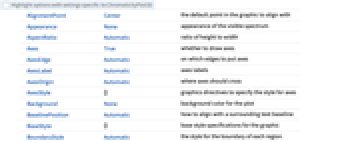
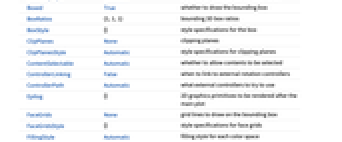
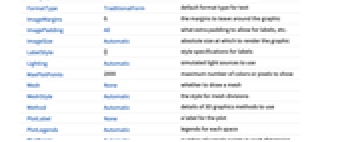
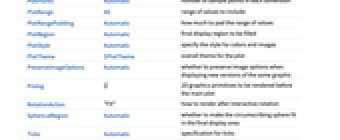
Appearance None 可见光谱的外观 Axes True 是否绘制轴 AxesLabel Automatic 轴标签 BoundaryStyle Automatic 各区域边界的样式 BoxRatios {1,1,1} 三维边界框的比例 FillingStyle Automatic 各色彩空间的填充样式 MaxPlotPoints 2000 要显示的颜色或像素的最大数目 Mesh None 是否绘制网格 MeshStyle Automatic 划分网格的样式 PlotLegends Automatic 各空间的图例 PlotPoints Automatic 各维度样本点的数目 PlotStyle Automatic 指定颜色和图像的样式 PlotTheme $PlotTheme 图像的全局主题 ViewPoint {1,1.5,-2.} 观察位置 ViewVertical {1,0,0} 成为垂直的方向 WhitePoint Automatic 显示何种白点 - Appearance 的可能设置有:
-
None 不显示可见光谱 "VisibleSpectrum" 显示对应于可见光谱的曲线 - PlotLegends 的典型设置包括:
-
None 不添加图例 Automatic 使用自动图例 "Expressions" 使用色彩空间名称作为图例标签 {lbl1,lbl2,…} 使用 lbli 作为第 i
个输入Placed[lspec,…] 指定图例的位置
所有选项的列表
范例
打开所有单元 关闭所有单元基本范例 (2)
范围 (8)
可视化 CIE 1931 Yxy 参照空间中的 sRGB 色域:
ChromaticityPlot3D["sRGB"]ChromaticityPlot3D["sRGB", "XYZ"]ChromaticityPlot3D[{"RGB", "AdobeRGB"}, "LAB"]ChromaticityPlot3D[RandomColor[1000], "RGB"]ChromaticityPlot3D[{ColorsNear[Brown], ColorsNear[Cyan, .05]}]ChromaticityPlot3D[[image]]ChromaticityPlot3D[[image]]ChromaticityPlot3D[[image]]选项 (40)
Appearance (1)
Axes (3)
AxesLabel (3)
AxesOrigin (2)
AxesStyle (4)
ChromaticityPlot3D["RGB", AxesStyle -> Red]ChromaticityPlot3D["RGB", AxesStyle -> {{Thick, StandardBrown}, {Thick, StandardBlue}, {Thick, StandardGreen}}]ChromaticityPlot3D["RGB", AxesStyle -> StandardBlue, TicksStyle -> StandardRed]ChromaticityPlot3D["RGB", AxesStyle -> StandardBlue, LabelStyle -> StandardRed]BoundaryStyle (3)
ChromaticityPlot3D[{"RGB", "CIERGB"}]ChromaticityPlot3D[{"RGB", "CIERGB"}, BoundaryStyle -> Thick]ChromaticityPlot3D[{"RGB", "CIERGB"}, BoundaryStyle -> {Directive[{Red, Dashed}], Directive[{Thick, Blue}]}]BoxRatios (1)
FillingStyle (3)
ChromaticityPlot3D["sRGB"]ChromaticityPlot3D["sRGB", FillingStyle -> Opacity[.5]]ChromaticityPlot3D["RGB", FillingStyle -> None]ChromaticityPlot3D["RGB", FillingStyle -> RGBColor[.2, .4, .6, .8]]ChromaticityPlot3D[{"RGB", "WideGamutRGB"}]ChromaticityPlot3D[{"RGB", "WideGamutRGB"}, FillingStyle -> {Opacity[.6], Opacity[.3]}]ChromaticityPlot3D[{"WideGamutRGB", "CIERGB", "LAB"}, FillingStyle -> {Opacity[.3], Opacity[.6]}]MaxPlotPoints (1)
Mesh (6)
ChromaticityPlot3D["RGB"]ChromaticityPlot3D["RGB", Mesh -> 5]ChromaticityPlot3D["RGB", Mesh -> Full]全网格的分辨率取自 PlotPoints 选项:
ChromaticityPlot3D["RGB", Mesh -> Full, PlotPoints -> 5]ChromaticityPlot3D["RGB", Mesh -> 5, PlotStyle -> None]ChromaticityPlot3D[{"RGB", "XYZ"}, Mesh -> 5]ChromaticityPlot3D[{"RGB", "XYZ"}, Mesh -> {5, None}]MeshStyle (1)
PlotLegends (2)
ChromaticityPlot3D["RGB"]ChromaticityPlot3D["RGB", PlotLegends -> "Expressions"]ChromaticityPlot3D[{"RGB", "AdobeRGB"}]ChromaticityPlot3D[{"RGB", "AdobeRGB"}, PlotLegends -> None]PlotPoints (1)
PlotPoints 指定网格的密度:
Table[ChromaticityPlot3D["XYZ", "XYZ", Mesh -> Full, PlotPoints -> n, ImageSize -> 150], {n, {5, 10, 20}}]PlotStyle (1)
PlotTheme (3)
ChromaticityPlot3D[{"WideGamutRGB", "sRGB"}, PlotTheme -> "Web"]ChromaticityPlot3D[{"WideGamutRGB", "sRGB"}, PlotTheme -> "Web", BoundaryStyle -> {Directive[Thick, Red], Directive[Thick, Blue]}]ChromaticityPlot3D[{"WideGamutRGB", "sRGB"}, PlotTheme -> "Monochrome"]WhitePoint (5)
ChromaticityPlot3D["RGB"]ChromaticityPlot3D["RGB", WhitePoint -> All]ChromaticityPlot3D[{"RGB", "AdobeRGB"}, WhitePoint -> All]ChromaticityPlot3D["RGB", WhitePoint -> "E"]ChromaticityPlot3D["RGB", WhitePoint -> {XYZColor[.9, 1, .8], XYZColor[.9, 1, 1.1]}]应用 (2)
ChromaticityPlot3D[RandomColor[Hue[1 / 3, _, _], 1000], "RGB"]ChromaticityPlot3D[RandomColor[Hue[1 / 3, _, _], 1000], "HSB"]ImageAdjust 重新调整 RGB 值到0和1. 可视化 Lab 色彩空间中的变换:
{image = ExampleData[{"TestImage", "House"}], adjusted = ImageAdjust@image}ChromaticityPlot3D[#, "LAB", ViewPoint -> Bottom, PlotRange -> {{0, 1}, All, All}, ImageSize -> 150]& /@ {image, adjusted}属性和关系 (2)
ProPhoto RGB 的设计意图是覆盖大部分 Lab 空间的可见部分:
ChromaticityPlot3D["ProPhotoRGB", "LAB", Appearance -> "VisibleSpectrum"]ChromaticityPlot3D 可以可视化由 ColorsNear 指定的符号颜色区域:
ℛ1 = ColorsNear[RGBColor[1, 0, 0], .3, "CIE76"];
ℛ2 = ColorsNear[RGBColor[0.3, 0.47000000000000003, 0.87], .08];ChromaticityPlot3D[{"RGB", ℛ1, ℛ2}]相关链接
文本
Wolfram Research (2014),ChromaticityPlot3D,Wolfram 语言函数,https://reference.wolfram.com/language/ref/ChromaticityPlot3D.html (更新于 2019 年).
CMS
Wolfram 语言. 2014. "ChromaticityPlot3D." Wolfram 语言与系统参考资料中心. Wolfram Research. 最新版本 2019. https://reference.wolfram.com/language/ref/ChromaticityPlot3D.html.
APA
Wolfram 语言. (2014). ChromaticityPlot3D. Wolfram 语言与系统参考资料中心. 追溯自 https://reference.wolfram.com/language/ref/ChromaticityPlot3D.html 年
BibTeX
@misc{reference.wolfram_2026_chromaticityplot3d, author="Wolfram Research", title="{ChromaticityPlot3D}", year="2019", howpublished="\url{https://reference.wolfram.com/language/ref/ChromaticityPlot3D.html}", note=[Accessed: 16-October-2026]}
BibLaTeX
@online{reference.wolfram_2026_chromaticityplot3d, organization={Wolfram Research}, title={ChromaticityPlot3D}, year={2019}, url={https://reference.wolfram.com/language/ref/ChromaticityPlot3D.html}, note=[Accessed: 16-October-2026]}